Full control over your product feeds
Shoporama’s Custom Feeds let you build exactly the product feed you need—without any limitations. Instead of adapting to a fixed format, you design the feed yourself with the fields, structure, and format that suit your recipient.
Custom Feeds are ideal for price comparison sites, marketplaces, advertising platforms, or internal systems that require product data in a specific format.
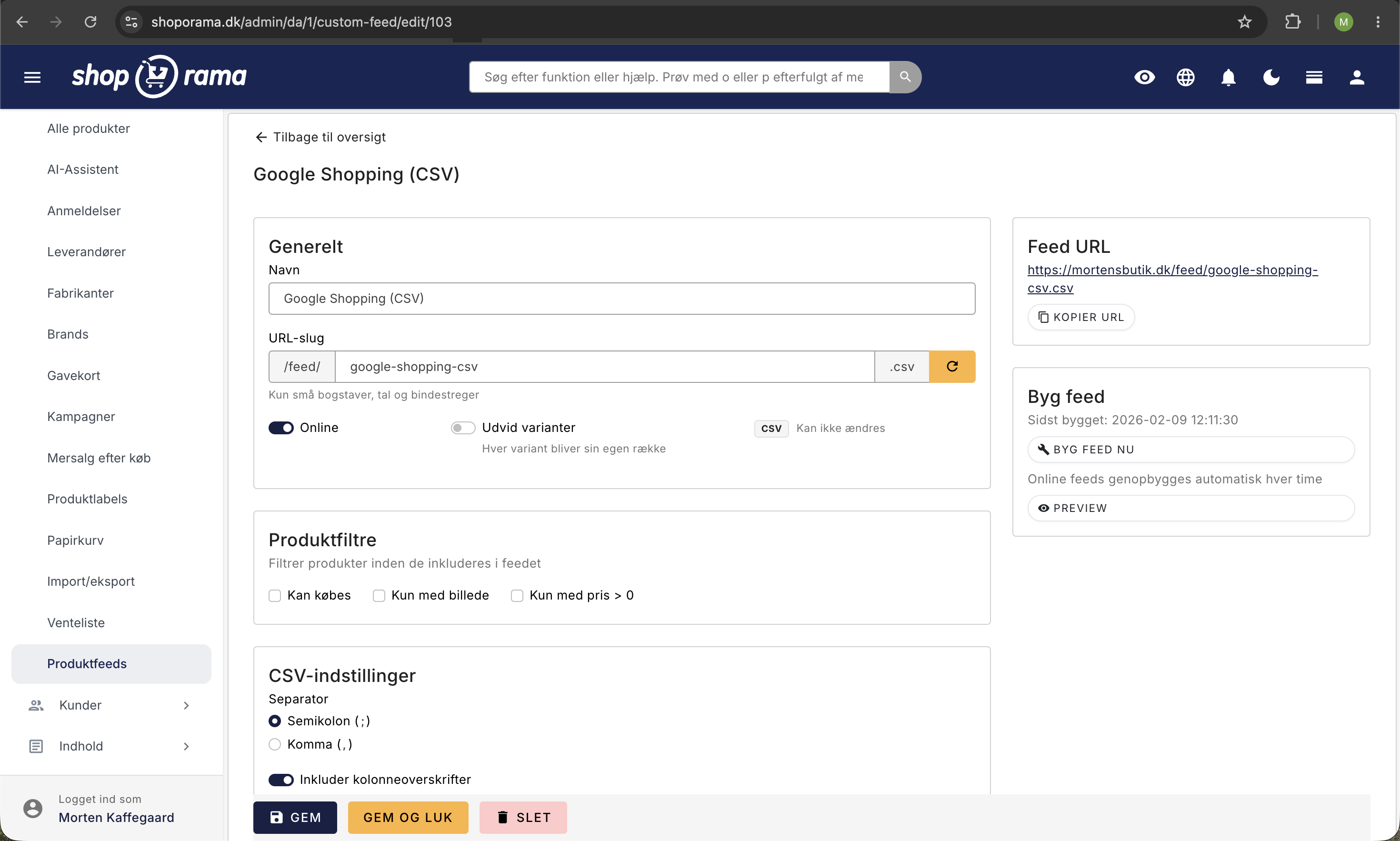
Three Formats
Each feed can be exported in one of three formats:
- XML — With optional CDATA sections, XML namespaces, and full control over root and element names
- JSON — Formatted with pretty-print, Unicode support, and unescaped slashes for maximum readability
- CSV — With a configurable separator and delimiters, a BOM for Excel compatibility, and an optional header row
Over 30 available fields
You choose which fields to include in your feed. Shoporama offers a wide range of product data:
- Basic data: Product ID, SKU, GTIN/EAN, MPN, name, description
- Prices: Regular price, current price, sale price
- Images: Primary image URL or all image URLs as an array or flat list
- Categorization: Brand, supplier, category names
- Inventory: Stock level, in-stock status, weight
- Variants: Variant attribute, variant value, variant SKU, variant GTIN, variant MPN, variant price, variant promotional price, variant inventory
- Relationships: IDs and SKUs of related and similar products
- Meta fields: Access to your own custom fields via the meta: prefix
Each field can be freely renamed, allowing you to customize the output names to match the format your recipient expects.
Product Sources and Filters
You decide which products to include in the feed using a flexible source model:
- All products — Include the entire catalog
- Categories — Select one or more categories
- Landing pages — Use an existing landing page as a source
- Product labels — Filter based on labels
In addition, you can apply filters:
- Only products available for purchase
- Only products with an image
- Only products priced above 0
Variants as separate rows
With the "Expand Variants" feature, you can expand each product into a separate row for each variant. This is essential for platforms like Google Shopping and Meta, which require a separate row for each size, color, or other attribute.
When variants are expanded, you gain access to variant-specific fields such as SKU, GTIN, price, and inventory status for each individual variant.
General Fields
In addition to product fields, you can add general metadata to your feed:
- Store URL and store name
- Currency and language
- Generation date
- Number of products
- Free-text fields with custom values
Advanced XML configuration
For XML feeds, you have additional control over the structure:
- Root element — Name the root element (default: "products")
- Product element — Name each product element (default: "product")
- CDATA — Enable CDATA sections for fields with HTML content
- XML Namespaces — Add namespace declarations with a prefix and URI (e.g., g: for Google Shopping)
Caching and Performance
Feeds are built using a streaming architecture that processes products in chunks of 500 at a time. This ensures low memory usage even for stores with thousands of products. The finished feed is cached on disk and served directly upon the next request.
Access control
Each feed is assigned its own public URL based on the slug and format. You can also add a feed key that must be included in the URL to access the feed—a simple yet effective safeguard against unauthorized access.
Duplication
Do you need a similar feed for another recipient? Duplicate an existing feed with all settings, fields, sources, and filters—and customize only what needs to be different.