Reset orders, inventory and more.
Guide to reset order numbers, inventory and other data in your Shoporama online store.
When you set up your store, you may have created test orders and test data. Before going live, you can reset orders and inventory to start fresh.
How to Find "Reset"
- Go to Account → Online Store → Reset (URL: /webshop/reset)
- On this page, you’ll find options to reset orders, inventory, and other data
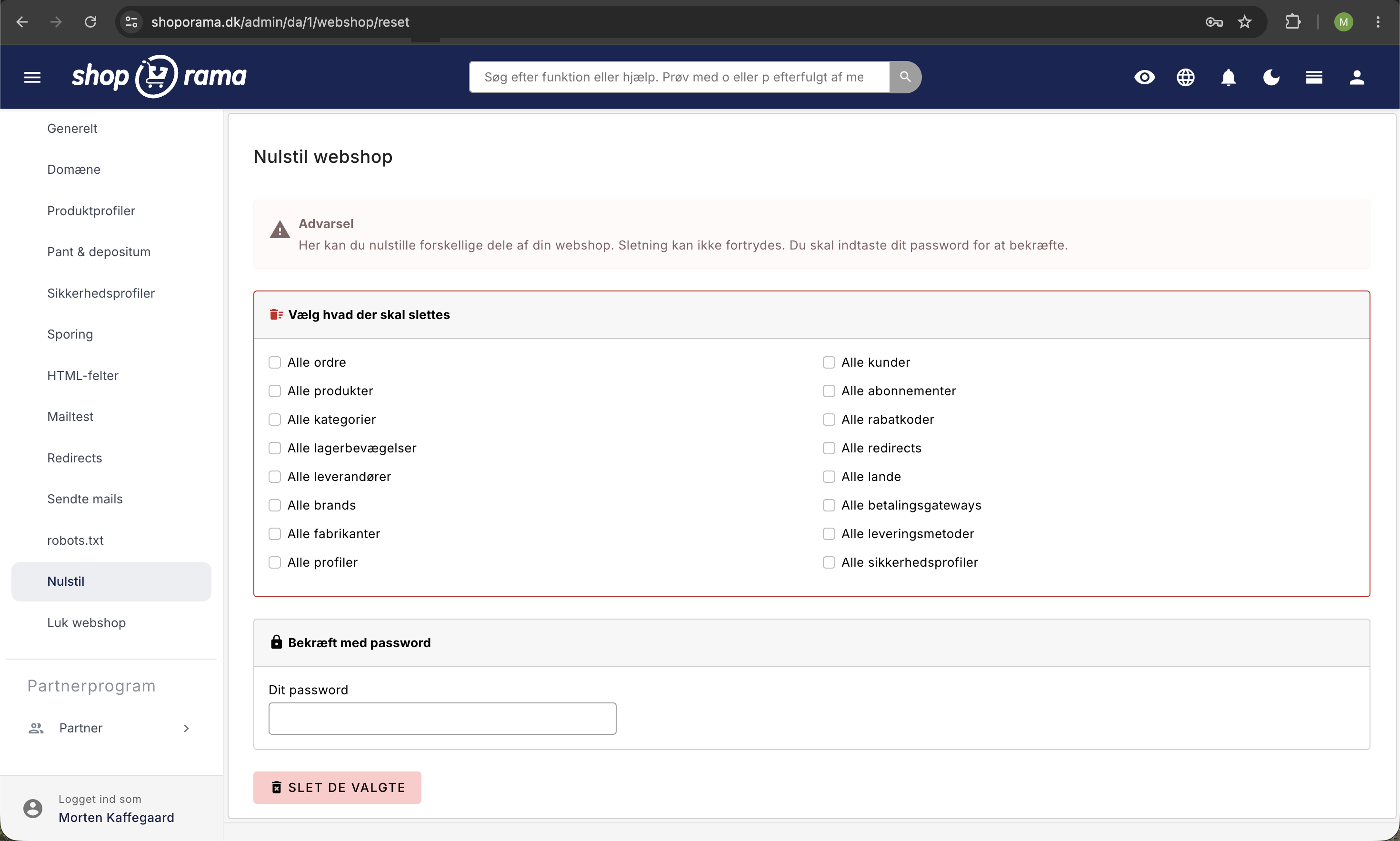
Reset Orders
- On the Account → Webshop → Reset page, select All Orders
- Confirm the action
Reset inventory
You can reset the inventory levels for all products. This may be necessary if you’ve been testing with incorrect inventory counts.
- Go to Account → Webshop → Reset
- Select All Inventory Movements
- The stock status of all products is set to 0
Warning
Resetting orders and inventory is permanent and cannot be undone. Only use this feature before going live, or if you are absolutely certain you want to delete all data. Consider taking a backup first.
What isn’t affected?
- Products: Your products will not be deleted; only the inventory count will be reset
- Categories: Your category structure is preserved
- Settings: All store settings are preserved
- Theme: Your theme is not affected
Need help? Contact us at support@shoporama.dk.
Related articles
Billy's Billing integration
Guide to setting up Billy's Billing in Shoporama. Automatically transfer orders to your accounts, synchronize products and post payments.
Export orders as CSV
Guide to exporting order data as CSV from Shoporama, with the option to filter by order number or date range.
What emails does Shoporama send to my customers?
Overview of automatic emails Shoporama sends to your customers - order confirmation, abandoned baskets, track-and-trace, product reviews, and more.