Optimize the search function
Tips to improve search results in your Shoporama online store when the search function doesn't show what you want.
The search function in Shoporama can be optimized so that customers can more easily find the products they're looking for. Here are the most important tips.
Good Product Titles
Searches primarily match the product title. Make sure your titles:
- Include the most important keywords
- Are descriptive (e.g., “Silver-colored necklace with pearl” rather than “Necklace #123”)
- Include relevant variants (color, size) in the title
Item number and additional fields
The search also looks in:
- Product ID — so B2B customers can search directly by product ID
- Descriptions — text in descriptions A and B
- Custom fields — values in your custom fields
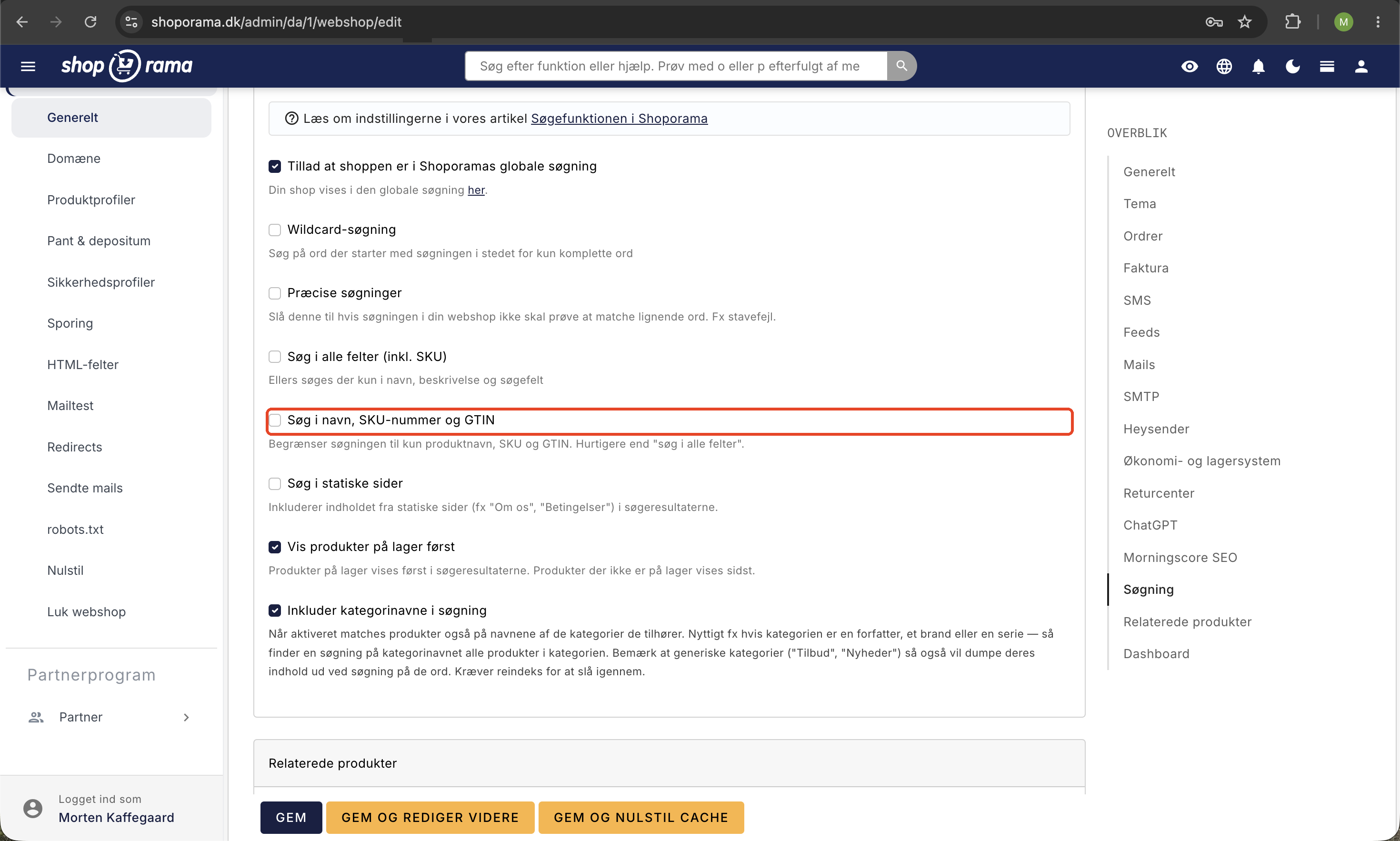
Search results in the theme
The appearance of search results depends on your theme. Most themes display the product image, title, and price. See our full guide to the search feature for technical details.
Tip
Test your search function regularly. Search for the most common search terms your customers use and check that the correct products are displayed.
Need help? Contact us at support@shoporama.dk.
Related articles
Related features
Fast search with Elastic Search
Lightning-fast search with Elastic Search. Spelling tolerance, synonyms, 0 searches and search analytics for your online store.
Suggestive search
Suggestive search shows product suggestions as the customer types in the search box. Learn about types, Shoporama's search function and webshop...
Long-tail keywords
Long-tail keywords are longer, specific search phrases that are easier to rank for and convert better. Learn how to find and use them in your...