Pant og depositum: Sådan opkræver du pant i din webshop
Guide til Shoporamas indbyggede pant-funktion: Opret pant-typer, sæt pant på produkter og varianter, og se hvordan pant håndteres i kurv, retur, moms, og bogføring.
If you sell beer, soda, or other beverages in cans and bottles subject to a deposit, you are required to collect the deposit from your customers. This also applies when you sell online. This requirement is set forth in the Deposit Regulation, so it’s not something you can opt out of. You can read more about what a deposit is in our glossary.
Shoporama has built-in support for returnable containers and deposits. You set up your deposit types in one place, apply them to the relevant products, and the rest happens automatically: The deposit appears correctly in the store, gets its own lines in the cart and on the invoice, the sales tax is calculated correctly, and the deposit is automatically refunded when the customer returns items.
How to create deposit types
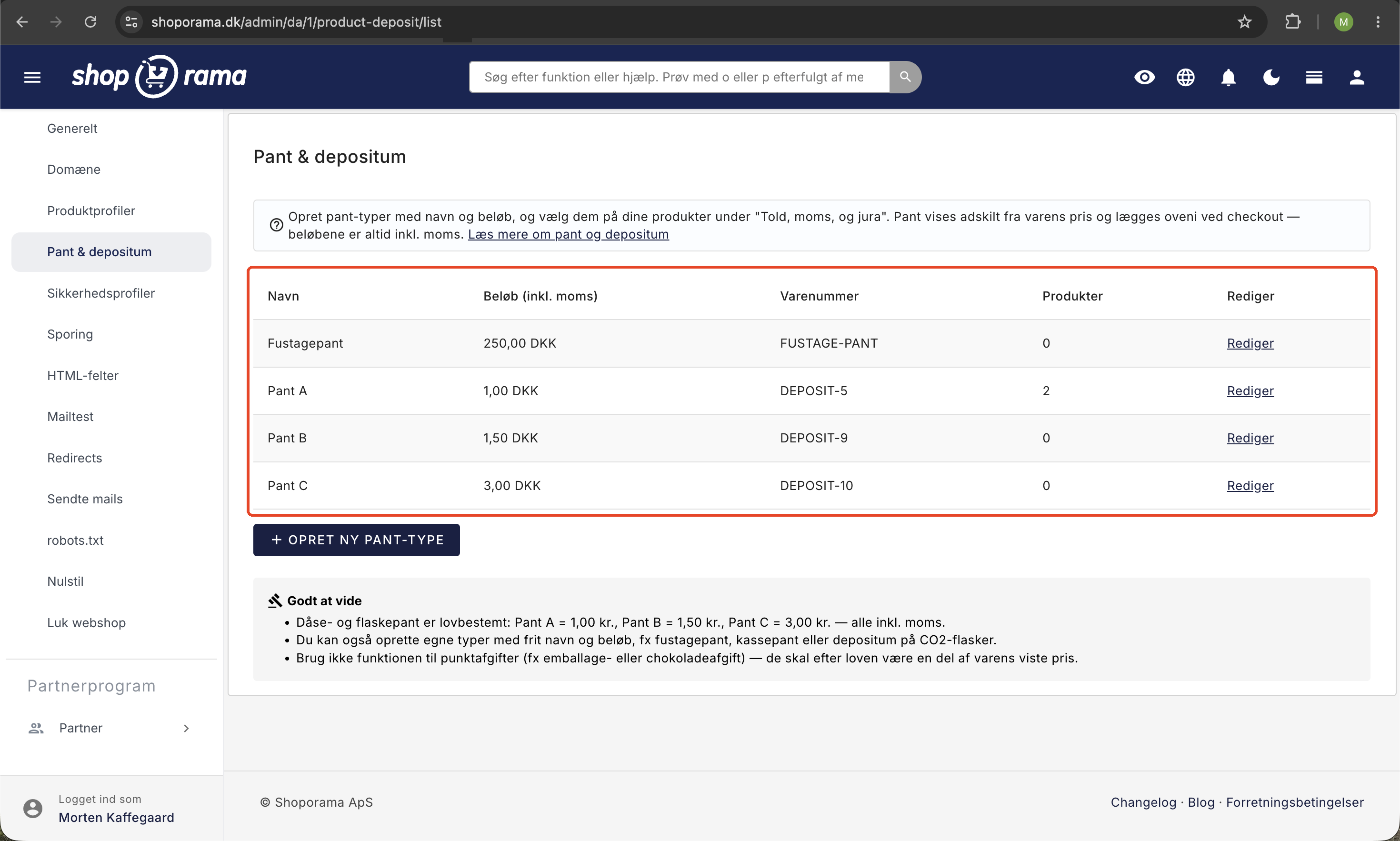
Deposit types are created under Settings, where you’ll find the “Deposits & Refunds” section. If your store’s default country is Denmark, you can use the quick buttons for the official Danish deposit rates, and they’ll be created with the correct name and amount:
- Deposit A: 1.00 DKK
- Deposit B: 1.50 DKK
- Deposit C: 3.00 DKK
You can also create your own types with custom names and amounts, such as keg deposit, crate deposit, or deposit on CO2 cylinders. The amount is always listed including sales tax. Each type can also be assigned an optional item number, which is used for bookkeeping.
How to Set a Deposit on a Product
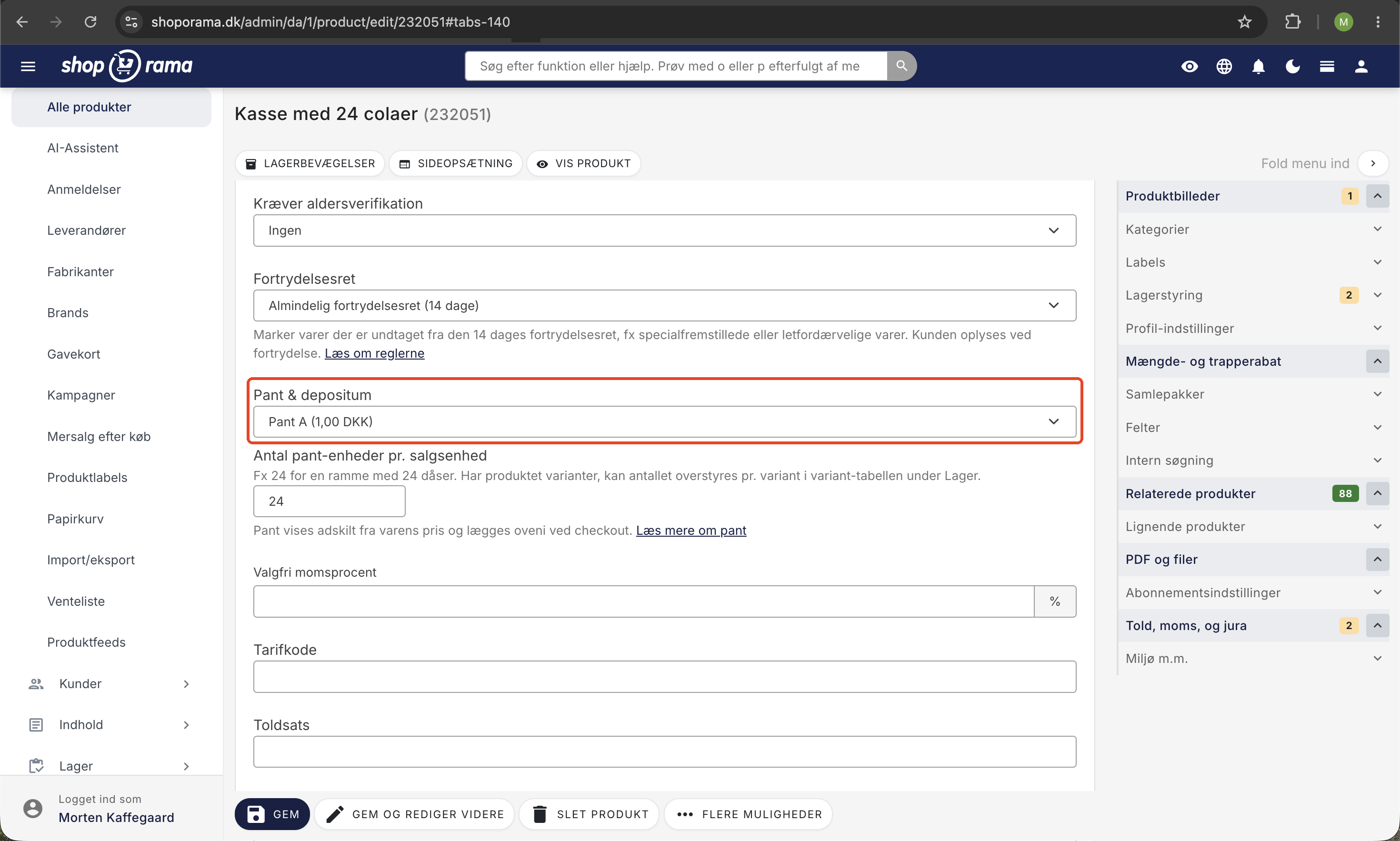
- Open the product and go to the "Customs, VAT, and Legal" tab.
- Select the deposit type that applies to the product.
- Specify the number of deposit units per sales unit. For example, if you’re selling a case of 24 cans, enter 24, and the customer will be charged 24 times the deposit rate per case.
If the product has variants, the quantity can be overridden per variant in the variant table under Inventory. If you leave the field blank, the variant inherits the quantity from the product. If you enter 0, no deposit will be charged for that variant.
How the customer sees the deposit
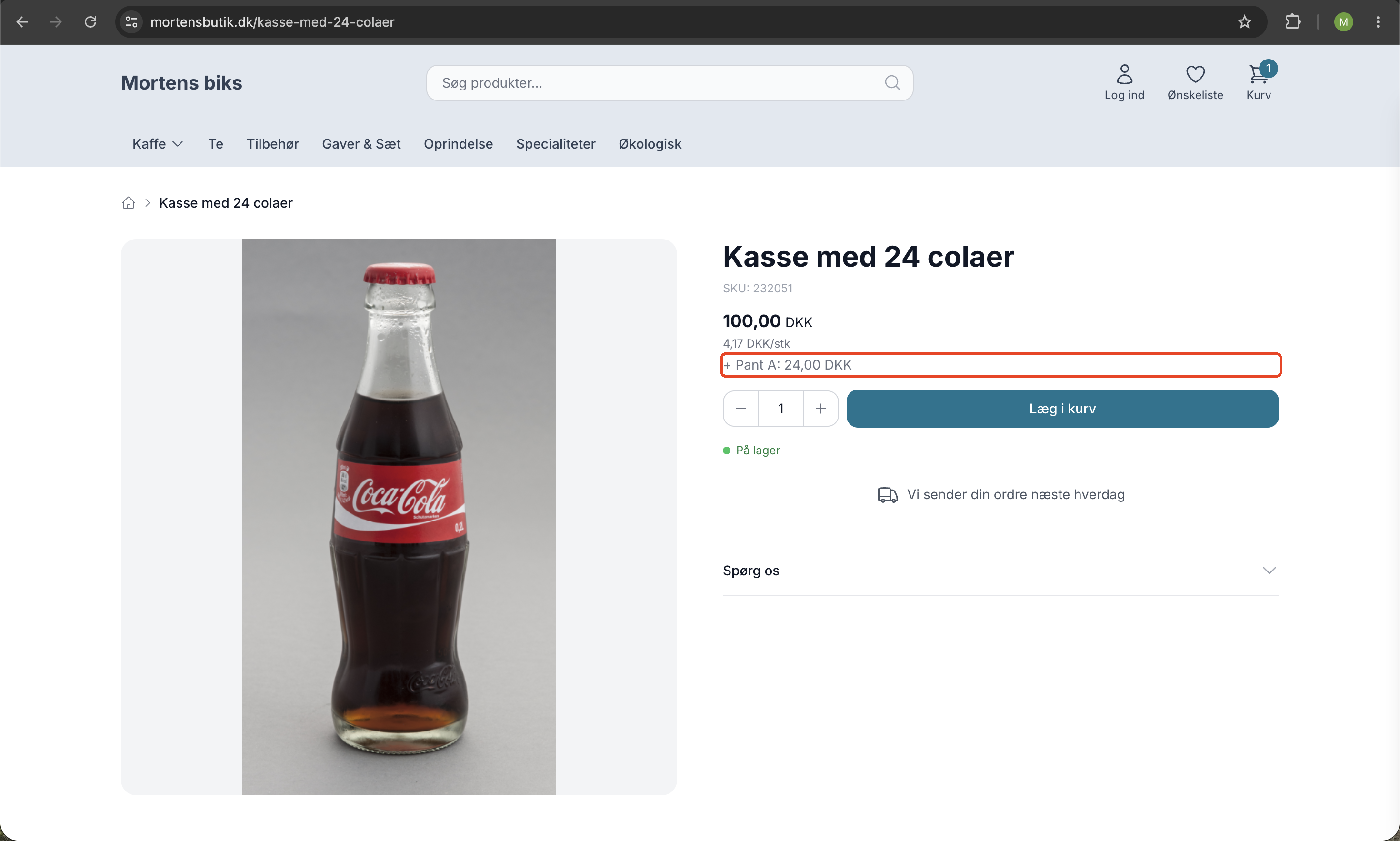
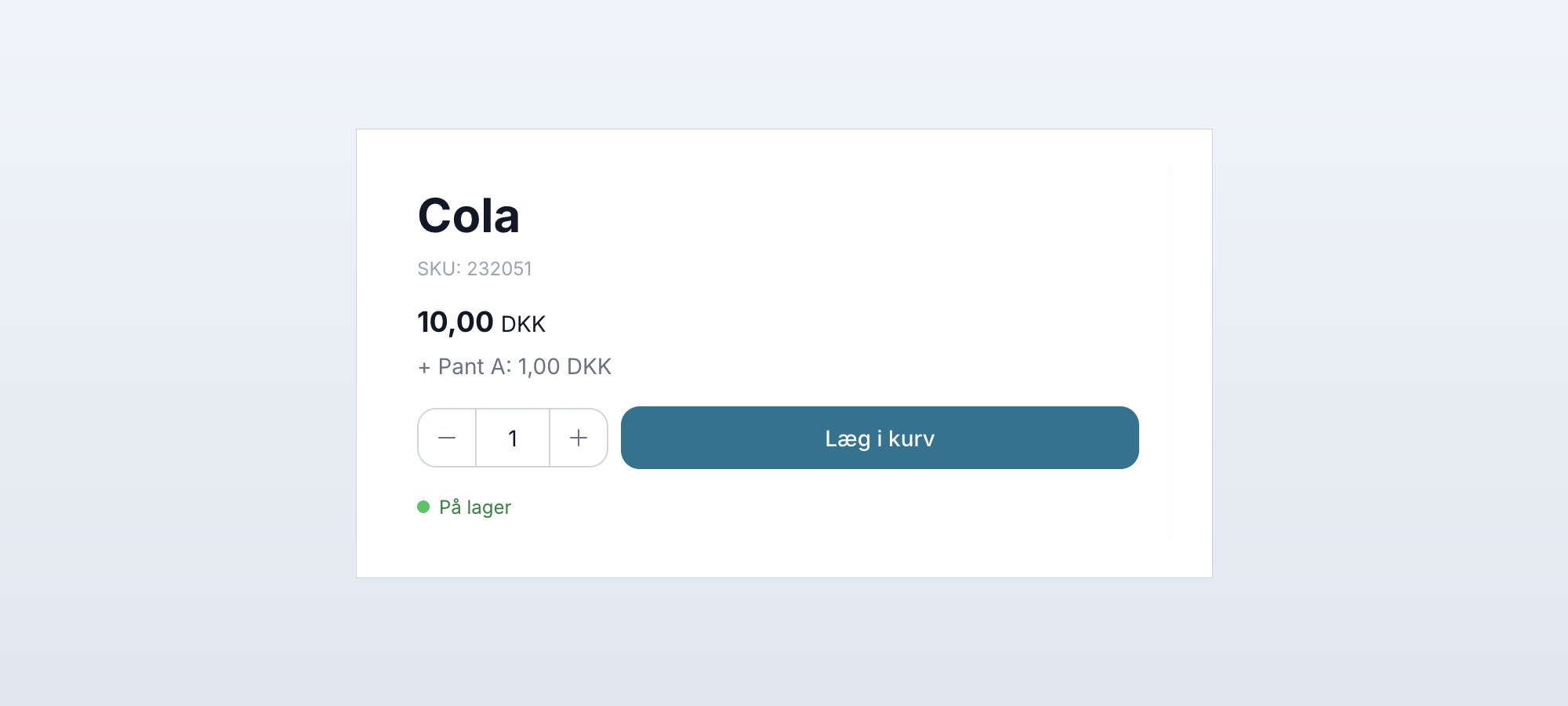
The item’s price is displayed without the deposit. This is a legal requirement because the Price Labeling Regulation defines the sales price as exclusive of the deposit. Instead, the deposit amount is clearly stated next to the item, e.g., “+ Deposit A: 24.00 DKK,” so the customer knows exactly what will be added to the total.
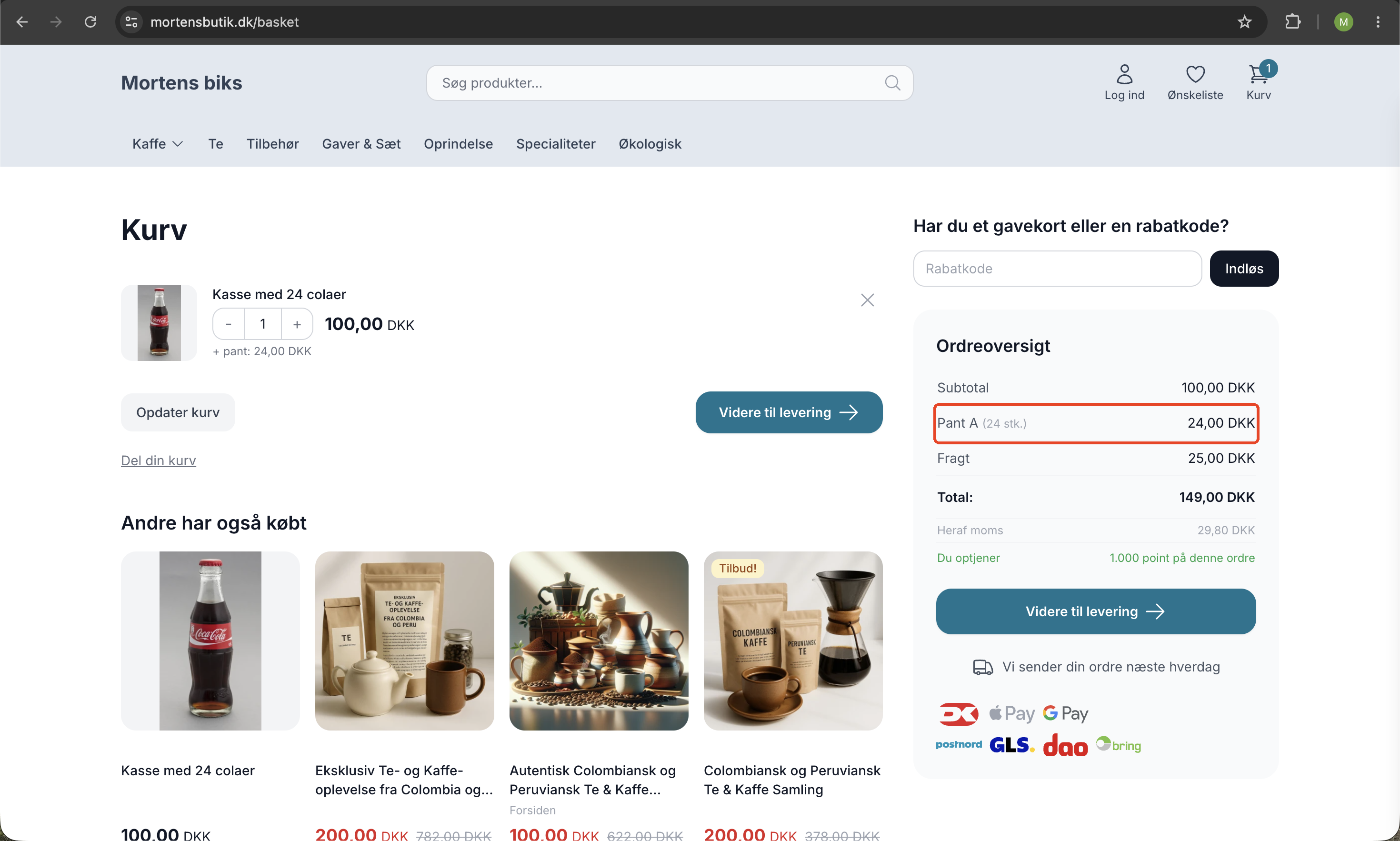
In the shopping cart and on the checkout page, the deposit is displayed as a separate line item. On the order confirmation, receipt page, and invoice, the deposit also appears as separate line items, just like on a supermarket receipt. All of Shoporama’s built-in themes display the deposit out of the box, so you don’t need to make any changes to your theme yourself.
Returns and Credit Memos
If a customer returns items through the returns center, the deposit is automatically refunded on a pro-rata basis. For example, if a customer returns half of the frames, half of the deposit is refunded. You don’t have to calculate anything yourself.
If you create a manual credit memo in the admin panel, the deposit line has its own quantity field, so you can credit exactly the amount of deposit that needs to be refunded. The system also prevents you from crediting more deposit than was charged on the order.
Accounting and VAT
The deposit appears as a separate line item with its own item number. If you haven’t specified an item number for the deposit type yourself, it will automatically be assigned an item number starting with DEPOSIT-. If you use the e-conomic integration, the item is automatically created in e-conomic upon transfer.
Deposits are subject to VAT, and the official rates are set inclusive of VAT. A deposit of 1.00 DKK therefore consists of 0.80 DKK plus 0.20 DKK VAT. Shoporama automatically handles the VAT calculation so that the amounts are correctly allocated on the invoice and in the accounting records.
Frequently Asked Questions
Can I offer a discount on the deposit, for example, with a discount code?
No. Discount codes and promotions never apply to the deposit, because deposit rates are set by law. The discount only applies to the price of the item itself, while the deposit is always charged in full.
Does the deposit count toward the free shipping threshold or loyalty points?
No. The deposit does not count toward the free shipping threshold, and customers do not earn loyalty points on the deposit amount. Only the price of the items counts.
Can I use this feature for packaging fees or other surcharges?
No. By law, excise taxes such as packaging fees must be included in the displayed price of the item and may not be shown as a separate line item. This feature is intended only for bottle deposits and security deposits.
Does the deposit feature also work in Shoporama’s point-of-sale (POS) system?
Yes. Shoporama’s POS automatically displays and calculates the deposit, so you can sell the same deposit-eligible items in your physical store without any additional setup.
We have a custom-developed theme. Do we need to do anything ourselves?
Partially. Totals in the cart and at checkout are always correct, even in custom themes. However, the display of the deposit lines themselves must be added to the theme. Your theme developer can use $deposits in the cart and $order->getDepositLines() on order pages.
Can deposits be managed via the REST API?
Yes. Products in the REST API support the ` product_deposit_id ` and ` product_deposit_count` fields, so you can set the deposit type and number of deposit units via integrations.
Are there fixed rates for keg deposits and CO2 bottle deposits?
No. Only can and bottle deposits have legally mandated rates. Keg deposits, crate deposits, and deposits on CO2 cylinders are freely set amounts, so you can determine both the name and the amount yourself when you create the deposit type.
If you have any questions about the deposit feature, you’re always welcome to email support@shoporama.dk.
Related features
Nu klarer din webshop panten helt af sig selv
Sælger du drikkevarer med pant? Shoporama håndterer nu pant automatisk: i kurven, på fakturaen, i regnskabet, og ved retur. Kom i gang på få minutter.
Deposit
A deposit is a statutory amount charged on beverages sold in returnable containers. See the rates for Deposits A, B, and C, and learn how your...
Security Deposit & Refundable Deposit
Sell beer, soda, and other beverages with a deposit online. Shoporama automatically calculates the deposit in the shopping cart, at checkout, on...