The customer is on the product page with a cup of coffee in hand, and the French press belongs right there. With “Add-ons,” you display selected accessories in a box below the purchase button, and the customer adds them in the same transaction. No searching, no detour back to the cart, and no extra marketing needed to close the sale.
One checkbox, and the item is added
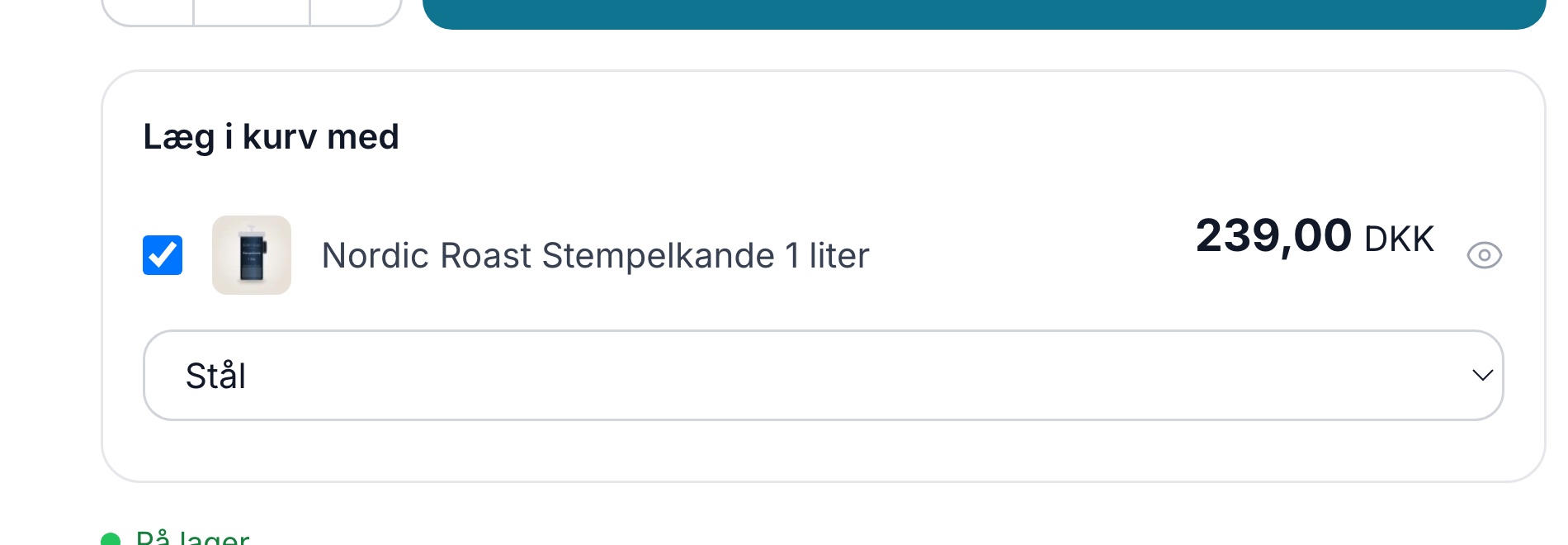
The box is called “Add to Cart With” and appears at the bottom of the checkout area on the product page. You decide which items to include in it. The customer checks the box, clicks “Add to Cart,” and both the main item and the add-on are added to the cart at once.
Each add-on becomes its own item on the order with its own price and item number. There’s no confusion at the packing table about what goes in the box, and the accounting looks just as it usually does.
The customer can choose the color or size of the add-on
If the accessory is an item with variants, a dropdown menu appears the moment the customer checks the box. The customer selects a color or size without leaving the product page, and that specific variant is included in the order. If there’s only one option, it’s selected automatically, and if the customer forgets to choose, a clear message appears instead of the option being silently omitted.
Set it up for a single product or an entire category
Enter the product IDs of the items to be offered in a field on the main product. Separate multiple items with commas. If you don’t fill in the field on the product, the theme will look further in the product’s main category and then up through the parent categories. If the entire “Coffee” category is to offer the same three items, you simply enter them in one place instead of on every single product.
Items that have been removed from the website are never displayed as add-ons, so you don’t need to clean up the fields every time an item is discontinued.
Add-ons in the Cart and at Checkout
Some add-ons aren’t tied to a specific item but apply to the entire order, such as gift wrapping, a greeting card, or carrying a heavy delivery to the door. You display these in the cart and on the final step before payment in a block titled “Add to your order.” The customer checks a box, the page refreshes, and the add-on appears in the cart with the new total. One more click removes it again.
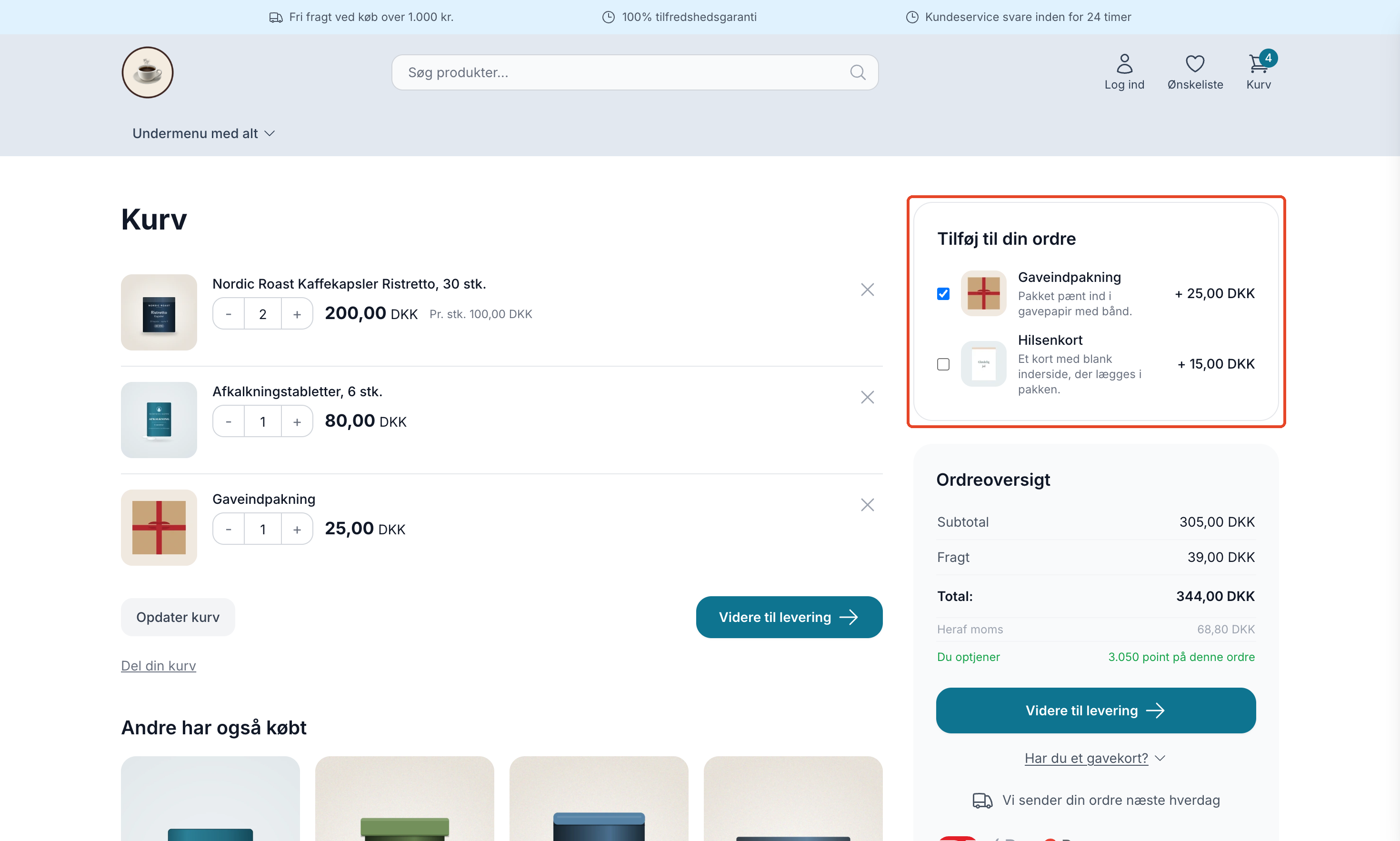
You set this up by marking a product profile as an “Add-On Profile” and creating a regular product for each add-on within that profile. The add-on has its own price, sales tax, and, if applicable, inventory, and it appears on the order, the invoice, and in the accounting system as a regular order line. The products are automatically excluded from categories, search results, and feeds, so they only appear where they make sense.
The field is never pre-checked, so the customer selects the add-on themselves. If the customer removes all regular items from the cart, the add-ons also disappear, so no one ends up purchasing gift wrapping on its own. Read the full setup guide in “Add-ons in the Cart and Checkout.”
Which items are suitable?
- The price must be significantly lower than that of the main item. The add-on should feel like a small extra, not a new decision.
- The customer should be able to say yes without having to research anything. If the item needs to be examined first, it belongs on its own product page.
- The selection of variants should be a matter of personal preference. Color and size work well. Phone model and other compatibility choices lead to returns rather than sales.
The “Bought Together” statistics page in the admin panel shows which of your products most often end up in the same order. That’s the best place to find candidates, rather than guessing.
Works with these themes
Add-ons are a theme feature. Both the box on the product page and the “Add to your order” block (in the English Delaware version) in the cart and checkout are available in Delaware, DelawareDK, Montana, and MontanaB2B, and the variant selector on the product page works in all four. In MontanaB2B, B2B customers see the add-on price excluding VAT, just like the rest of the theme. If you’re running a custom-built theme, your theme developer must add the box and block before the add-ons appear.