Put a file in the root of your online store
Guide to uploading a file to the root of your Shoporama online shop - for example, verification files for Google.
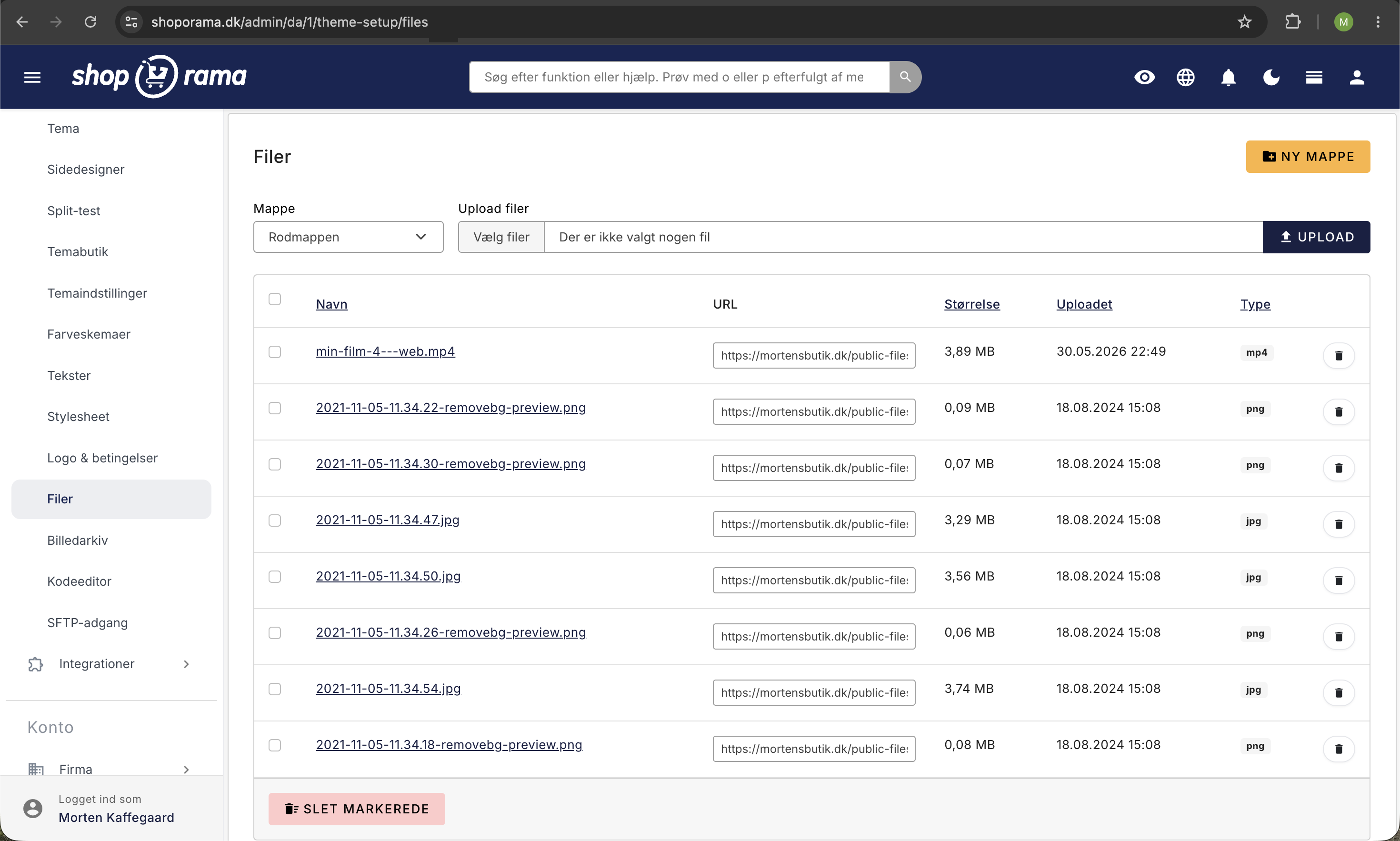
Sometimes you need to place a file in the root directory of your online store, such as a verification file for Google Search Console, an ads.txt file, or something similar. In Shoporama, you upload it through your theme.
Here’s how
- Go to Store in the left-hand menu
- Open the Design menu group
- Click on " Files"
- Upload your file. Once the file is uploaded, it can be accessed in the root directory of your online store at dinshop.dk/filename.txt
Note
The Files section is primarily intended for images and other media, but you can also upload small text and verification files here. The files must be small and must not be executable scripts.
Typical uses
- Google Search Console, verification file (e.g., google1234abc.html)
- ads.txt, for ad networks
- apple-developer-merchantid, for Apple Pay verification
- Other verification files, from various services
Alternative: Via SFTP
If you have SFTP access (Pro subscription), you can also upload files directly to the root directory using your SFTP client.
Need help? Contact us at support@shoporama.dk.
Related articles
Protect your webshop from spam orders
Guide to protecting your Shoporama webshop from spam orders and fraud using blacklist, captcha and 3D Secure.
Filtering on your online store
Guide to setting up filtering on your Shoporama online store so customers can filter products.
Google Analytics 4 (GA4) on your Shoporama online store
How to set up Google Analytics 4 on your Shoporama online store. Built-in GA4 integration with e-commerce events, server-side tracking and Consent...