See which emails Shoporama has sent
Guide to view a log of all emails Shoporama has sent from your online store.
You can view a log of all emails Shoporama has sent from your store, including order confirmations, shipping notifications, newsletters, and other transactional emails.
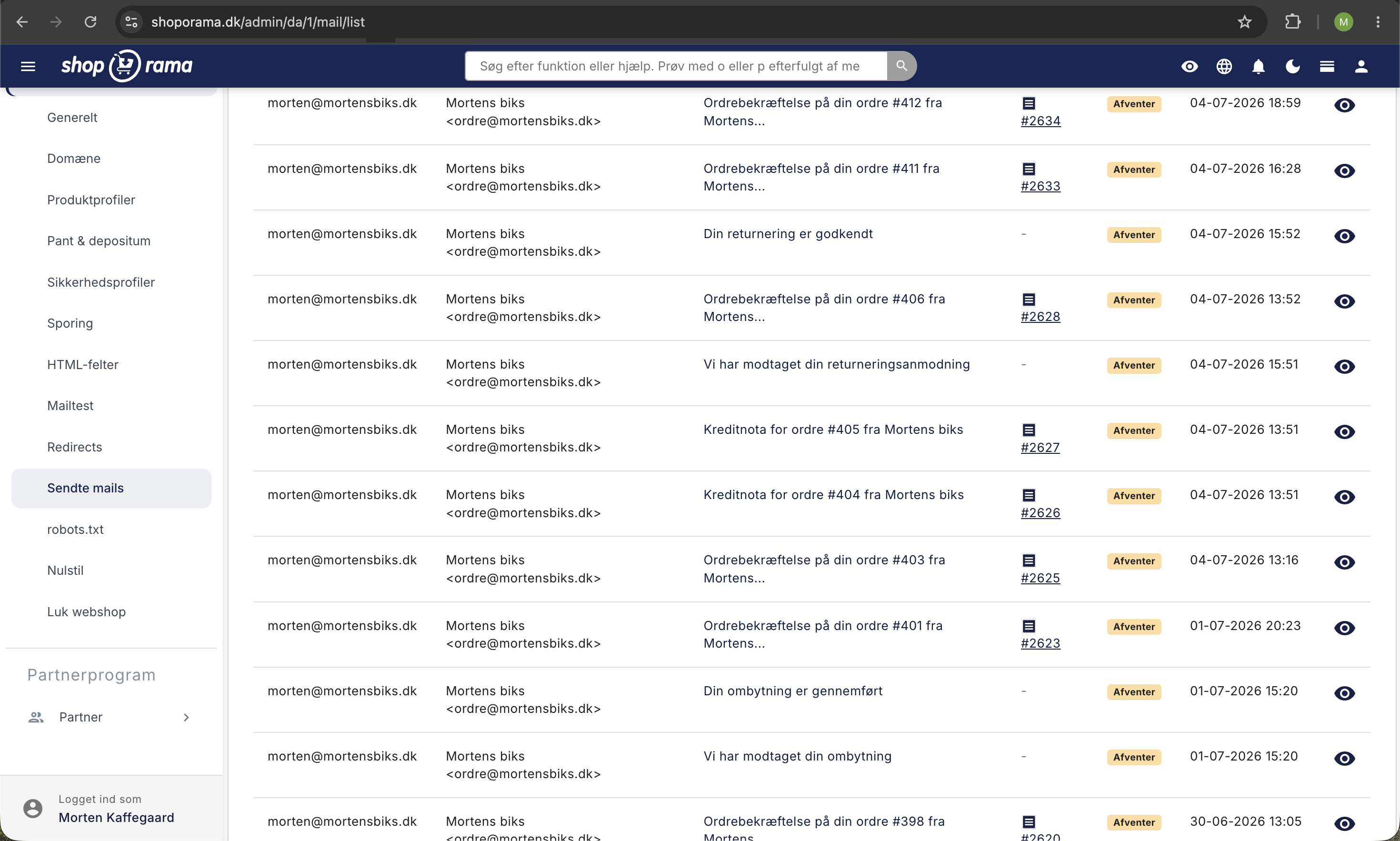
How to view the email log
- Go to Account → Web Store → Sent Emails (URL: /mail/list)
- A list of all sent emails is displayed here
- You can search by recipient, subject, or order number
What is shown in the log?
- The date and time the email was sent
- Recipient: the person the email was sent to
- Subject: the email’s subject line
- Type: order confirmation, shipment, newsletter, etc.
Troubleshooting
If a customer says they haven’t received an email:
- Check the email log—was the email sent?
- If so, ask the customer to check their spam/junk folder
- You can also resend the order confirmation
To view emails sent to a specific customer, see “View emails sent to a customer.”
Need help? Contact us at support@shoporama.dk.
Related articles
View emails sent to a customer from your shop
Guide to see which emails a customer has received in connection with an order.
What emails does Shoporama send to my customers?
Overview of automatic emails Shoporama sends to your customers - order confirmation, abandoned baskets, track-and-trace, product reviews, and more.
Unsubscribe links in automatic emails
Give your customers the option to unsubscribe from automatic follow-up emails after purchases and product reviews - with a simple link in the email.