REST API documentation
Link to documentation for Shoporama's REST API for integration with external systems.
Shoporama has a REST API that allows you to integrate with external systems, such as ERP, PIM, inventory management solutions, or your own applications.
Documentation
You can find the complete, interactive API documentation on our Swagger page, where you can view all endpoints and parameters and test API calls directly in your browser:
Open the Swagger documentation
Get Started
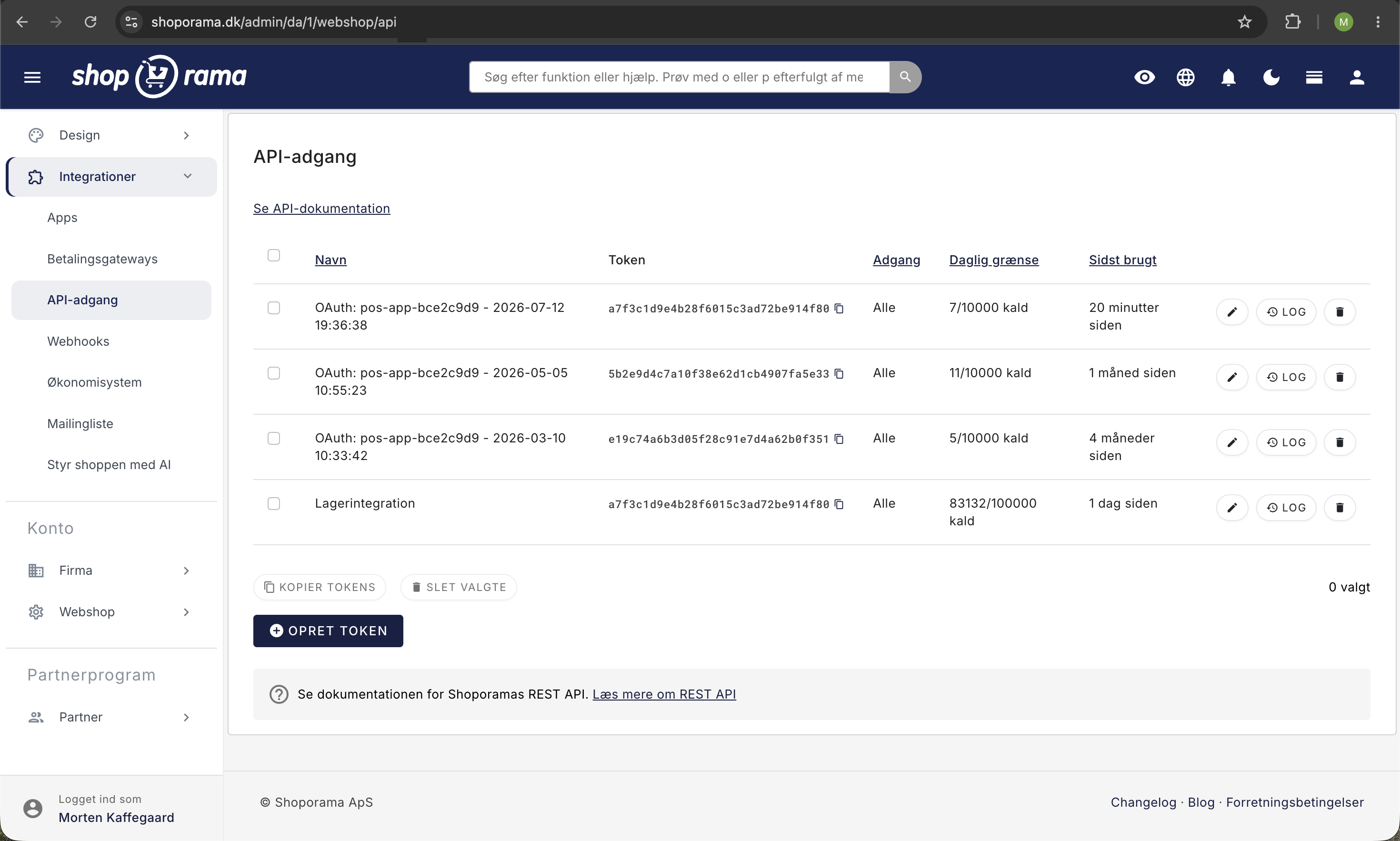
- Create an API key in the Shoporama admin under Integrations → API Access
- Use the key in the Authorization header of your API calls
- See the REST API guide for an overview of all available resources and examples
What can you do with the API?
- Products: Create, update, and retrieve products with variants, images, and prices
- Orders: Retrieve and update orders; create shipping labels
- Categories: Manage the category hierarchy
- Customers: Retrieve and update customer data
- Inventory: Update inventory levels and transactions
- Newsletter: Manage lists, subscribers, and campaigns
- Theme files, read and write files in your themes programmatically
- Webhooks, receive notifications when data changes
Need help with API integration? Contact us at support@shoporama.dk.
Related articles
REST API
Complete guide to Shoporama's REST API: authentication, all endpoints, examples and Swagger documentation.
Facebook Conversions API
Guide to the Facebook Conversions API on Shoporama: setup with Pixel ID and access token, automatic deduplication of purchases, content_ids that...
Find or create an API key
Guide to finding your API key in Shoporama, which is used for integrations with e.g. Shipmondo.
Related features
Headless commerce
Headless commerce separates frontend and backend via APIs. Learn what it is, the pros and cons, and when it makes sense for your webshop.
REST API
REST API is a standard for system communication over HTTP. Read about REST APIs, integrations and how webshops use them.
REST API - build exactly the integration you want
Full REST API with access to products, orders, customers and more. Build your own integrations, apps or a headless frontend.