What is a landing page?
A landing page in Shoporama is a dynamic category that automatically aggregates products based on rules you define yourself. Instead of manually adding and removing products from categories, you set up the rules once—and Shoporama takes care of the rest.
Think of it as a smart filter: You set the criteria, and Shoporama automatically finds the products that match. When your product selection changes, the landing page updates itself.
Rules You Can Combine
Landing pages can be built using a wide variety of rule types that you can freely combine:
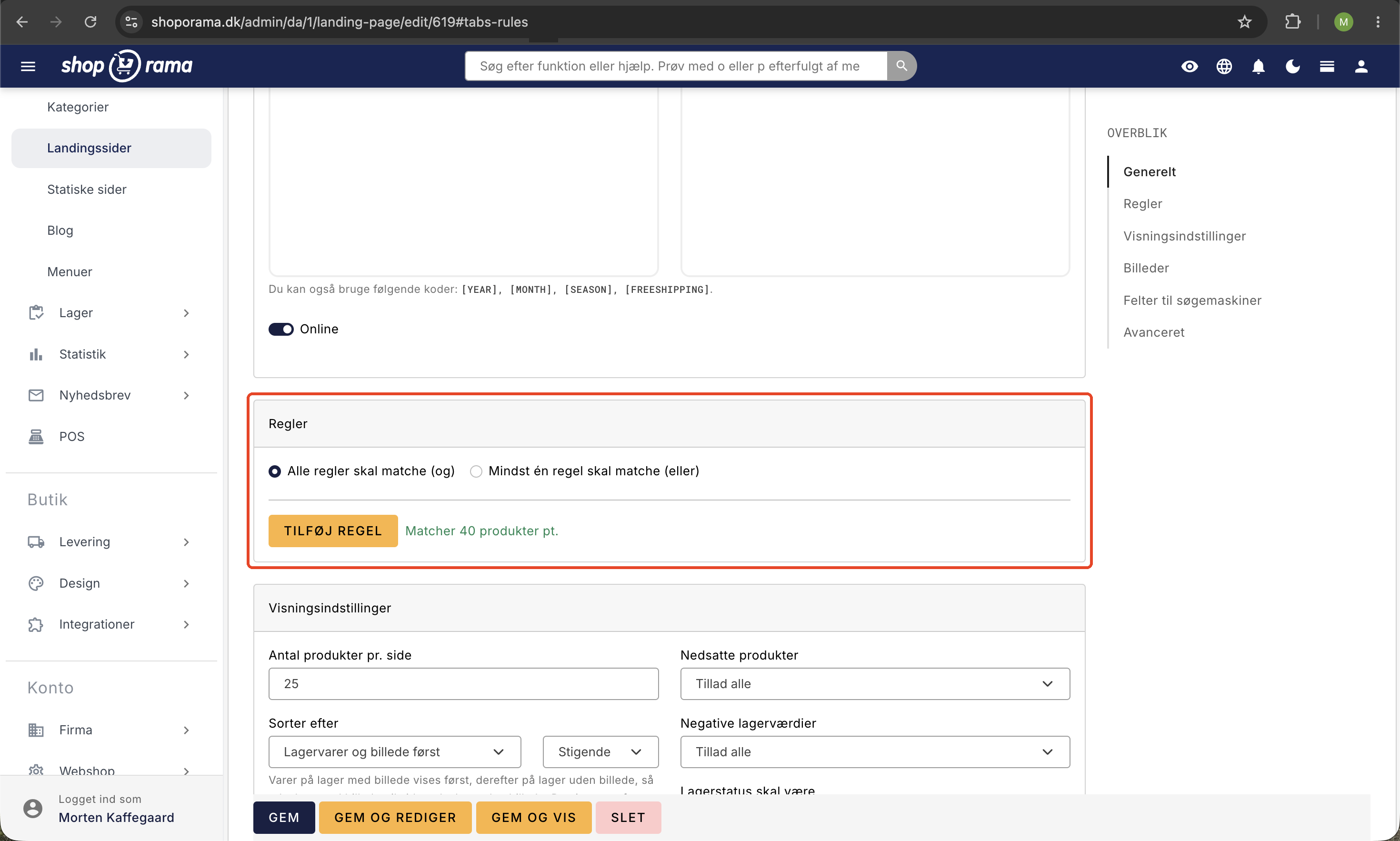
- Categories — show only products from specific categories (or a combination of several)
- Brands — group all products from one or more brands
- Suppliers — filter by supplier
- Price and Sale Price — for example, display only products below a certain price, or only discounted items
- Labels — use your product labels as a filter
- Attributes — filter by color, size, or other attributes
- Custom Fields — use your own custom fields with date filtering, text matching, and more
- Product profiles — display products from specific profiles
- Search — use Shoporama’s search engine to find relevant products
- Specific products — manually add selected products
Real-world examples
Imagine you’re selling wine. You have categories for red wine, white wine, and rosé. You have countries like France, Spain, and Italy. And you have grape varieties like Malbec, Syrah, and Zinfandel.
With landing pages, you can easily create pages such as “French Red Wine,” “Malbec from Spain,” or “Wines on Sale.” You simply define the rules—for example, “category = France AND category = Red Wine”—and Shoporama automatically gathers the relevant products.
It would take hours to create and maintain all these combinations manually. With landing pages, it takes minutes.
Automatic Offer Categories
One of the most popular uses is a “Special Offers” page that automatically displays all discounted products. You simply create a landing page with the rule “sale price > 0,” and Shoporama keeps it up to date. When you remove the sale price from an item, it automatically disappears from the “Special Offers” page. When you put a new item on sale, it appears immediately.
SEO Benefits
Each landing page has its own URL, meta title, meta description, and Open Graph data. You can write unique text for each page—both an introduction at the top and SEO text at the bottom. This allows you to rank for long-tail keywords such as “cheap red wine from Italy” or “organic cotton baby clothes.”
You can also add images to landing pages and enable RSS feeds so the content can be used in other contexts.
Full control over the display
Landing pages support HTML fields, custom fields, and meta values, so you can customize the display exactly as you want within your theme. You decide whether the landing page should function as your homepage, a subcategory, or a campaign page.
Products can be sorted automatically—for example, with the newest or best-selling items first—or you can drag and drop them into exactly the order you want, so your most important items always appear at the top.
Read more in our guides: How to Create Landing Pages, Images on Landing Pages, and Sorting Products on a Landing Page.