How do I change company information
Guide to changing company name, address and other business information in Shoporama.
You can easily update your company name, address, CVR number, and other business information yourself in Shoporama. This information is used on invoices, in the footer, and elsewhere in your store.
How to Change Company Information
- Go to Account → Company → Company Information in the menu
- Edit the fields you want to change
- Click Save
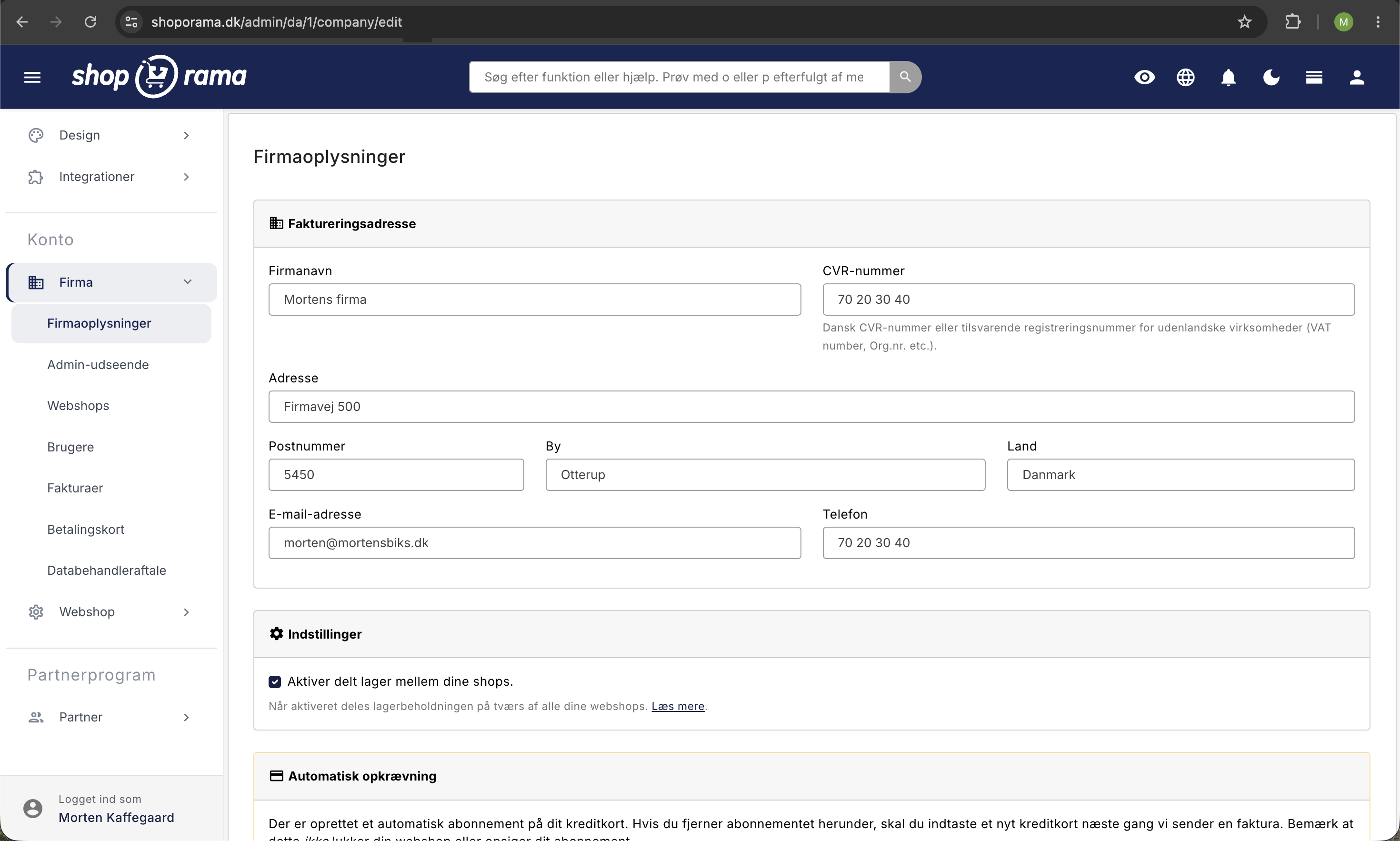
Fields you can edit
- Company Name: your official company name
- Address: street, ZIP code, and city
- CVR number: appears on invoices and in the footer
- Phone: your company’s contact phone number
- Email: contact email displayed in the store
- Country: your company’s country
Where is this information displayed?
Your company information is used in several places:
- Footer: in the bottom bar of your store (depending on the theme)
- Invoices: on all order invoices
- Emails: in transactional emails to customers
- Legal: in the terms of service and cookie policy
Multiple stores, each with its own company information
Company information is associated with your account, so if you have multiple online stores under the same account, they will use the same information by default. If one of the stores has its own address, email, or phone number, for example, you can assign it its own company information. The other stores and the account itself will not be changed.
- Select the store that should have different information in the store selector at the top of the menu
- Go to Web Store → General, and locate the Company Information tab for that store
- Turn on “Use this shop’s own company information ”
- Fill in the fields that need to be different. Fields you leave blank will use the account’s information, which is shown in the field with gray text
- Click Save
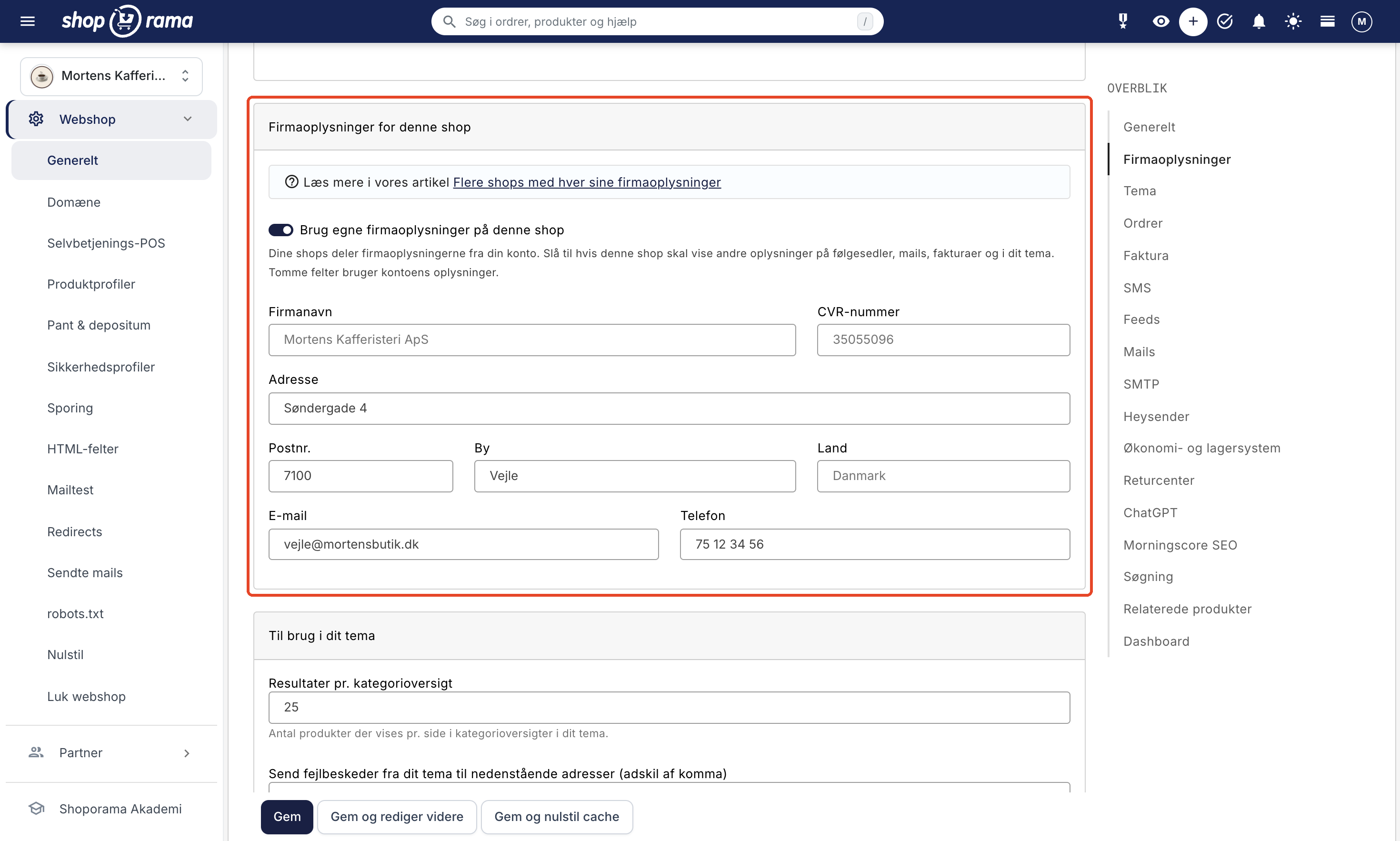
The shop’s own information is used on packing slips, in order emails and other emails to customers, on the PDF invoice, in your theme (e.g., the footer), and in placeholders such as [COMPANY_ADDRESS] on your pages. If you turn the feature off again, the store will use the account’s information, and what you’ve entered in the fields will be saved for next time.
The card is only displayed when you have more than one store on your account.
Good to know
The sender on shipping labels is set separately under Delivery → Setup, where PostNord, GLS, and DAO have their own sender fields for each store. Invoices from Shoporama to you always use the account’s information.
Important
Make sure your company information is always up to date. Incorrect information on invoices can cause problems with bookkeeping and customer inquiries.
Need help? Contact us at support@shoporama.dk.
Related articles
Blacklist - Block unwanted orders
Learn how to use Shoporama's blacklist feature to block spam orders and unwanted customers by blacklisting email, phone number or IP address.
Checkout flow and shipping calculation
Guide for developers to implement shipping in the checkout flow of a Shoporama theme.
DHL Parcel Shop
Guide to setting up DHL parcel shop as a shipping method in Shoporama. Let customers choose the nearest DHL ServicePoint at checkout.
Related features
Company Information, Logo, and Terms and Conditions
Here's how to fill in your company information and CVR number, upload your logo and favicon, and write the terms and conditions that will appear at...
PDF invoice
Generate professional PDF invoices automatically from your orders in Shoporama. Attach to order confirmation, credit note and pickup email.