DHL Parcel Shop
Guide to setting up DHL parcel shop as a shipping method in Shoporama. Let customers choose the nearest DHL ServicePoint at checkout.
Shoporama supports DHL Parcel Shop as a shipping method. When a customer selects DHL Parcel Shop at checkout, a list of the nearest DHL ServicePoints is automatically displayed based on the customer's address.
Setup
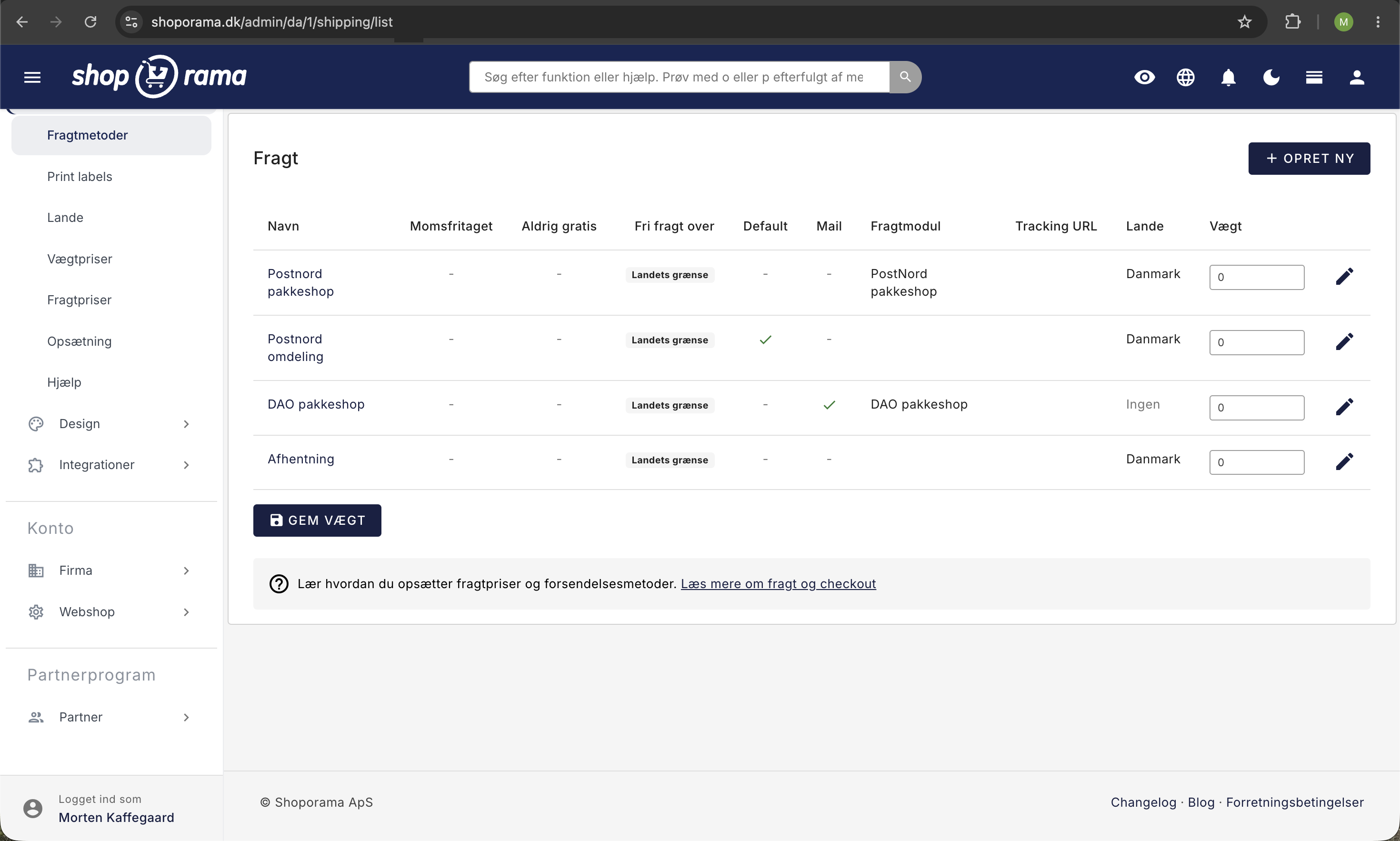
- Go to Delivery → Shipping Methods in the admin panel
- Create a new shipping method or edit an existing one
- Select DHL as the package shop module
- Specify the name, price, and any weight limit
- Save the shipping method
Customer Experience
When the customer selects DHL Parcel Shop at checkout:
- The customer enters their shipping address
- Shoporama automatically finds the nearest DHL ServicePoints within 15 km
- The customer sees a list of up to 15 package shops with addresses
- The customer selects their preferred package shop
- The selected pickup location is saved as the delivery address for the order
Supported locations
Shoporama finds both DHL ServicePoints (staffed pickup locations) and DHL parcel lockers (automated lockers). The search automatically adapts to the country the customer selects as the delivery country.
Tracking
You can configure a tracking URL for the shipping method so that customers automatically receive a link to track their package. Use %ID% as a placeholder for the tracking number in the URL.
Notifications
You can set up automatic SMS or email notifications for the customer when the order status changes to "Ready for Pickup" or "Picked Up."
Related articles
Set up PostNord with parcel shop
Guide to setting up PostNord with parcel shop as a shipping option in your Shoporama online shop.
Set up GLS integration
Guide to setting up GLS integration in Shoporama so you can print GLS labels directly.
Create a new shipping option
Guide to creating new shipping options and assigning them to countries in Shoporama.
Delivery: Basic Setup and Shipping Strategy
Get a handle on the entire Delivery menu in Shoporama: countries, shipping methods, shipping rates, weight-based rates, shipping agreements, and...
Følg levering og pakkeshop-afhentning i Shoporama
Shoporama viser leveringsstatus direkte i ordrelisten, både for pakkeshop og levering til adressen. Se om pakken er undervejs, klar til afhentning,...
Related features
Parcel shop
A parcel shop is a pickup point for parcels in stores and kiosks. Read about parcel shop delivery in webshops and how it works.
Shipping options
Set up shipping with PostNord, GLS, DAO, DHL and Shipmondo. Parcel shops in checkout, tracking, free shipping and weight-based shipping calculation.