Shared inventory between webshops
Guide to setting up shared inventory so that two Shoporama webshops draw from the same inventory.
If you have multiple online stores—for example, one in Denmark and one in Sweden—you can share inventory status between them. When an item is sold in one store, the inventory is automatically updated in the other.
Prerequisite: Common SKU numbers
In order for Shoporama to identify the same product across stores, the products must have identical SKU numbers.
Important
If you have products with variants, the SKU must match at the variant level. For example: 112233-S (small), 112233-M (medium), 112233-L (large) in both stores. Also, make sure that no two products in the same store have the same SKU.
Step 1: Synchronize inventory
Before you enable shared inventory, you must synchronize inventory so that it is the same in both stores:
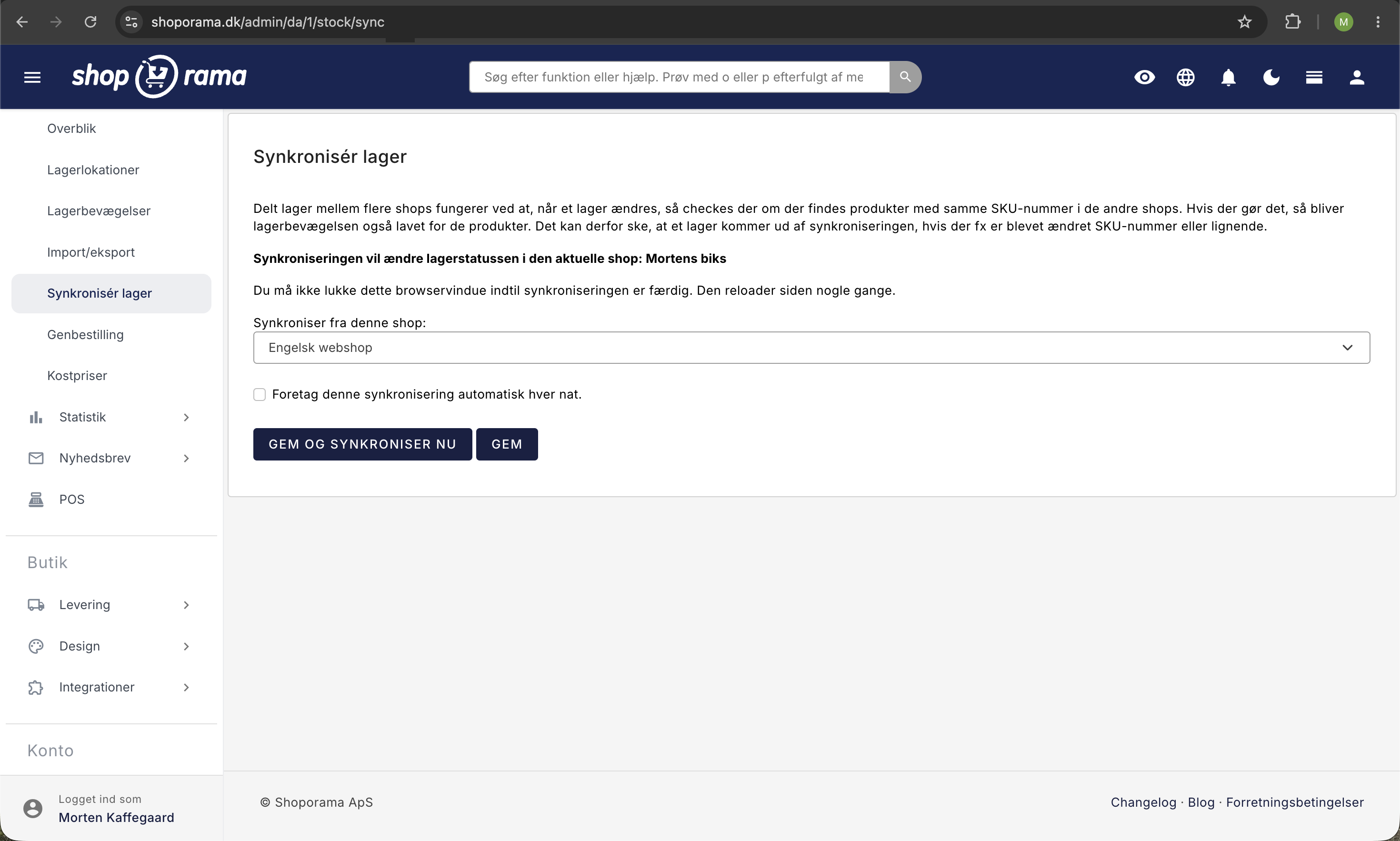
- Go to the store that will receive the inventory data
- Click " Inventory " in the gray menu
- Click "Synchronize Inventory"
- Select the store you want to sync from
- Click " Synchronize"
Step 2: Enable shared inventory
This setting is located in your company information, not in the individual online store. It therefore applies to all stores under the same company.
- Go to Account → Company → Company Information in the admin menu
- Check the box next to "Enable shared inventory across your stores"
- Click Save
Now your shops automatically share inventory status. When an item is sold in one shop, the inventory is deducted from the other.
Troubleshooting
- Inventory not syncing? Check that the products have identical SKU numbers in both shops
- Duplicate SKUs? Make sure each SKU is unique within each shop. Two products with the same SKU will cause errors
- Variants not matching? The SKU must match at the variant level, not just at the product level
Need help? Contact us at support@shoporama.dk.
Related articles
Stock notification: Notify your customers when items are back in stock
Learn how to set up email notifications so your customers can be notified when out-of-stock products are restocked in your Shoporama online store.
Update stock with CSV file
Guide to updating inventory on many products via CSV import in Shoporama.
Synchronizing stock with variants
Guide to stock syncing products with variants in Shoporama.
Related features
Shared stock
Automatically share inventory between multiple online stores in real-time. Avoid overselling, reduce inventory work and easily expand into new...
More shops
Run multiple webshops from the same administration. Own domain, design and prices per shop. Shared inventory and product copying across shops.
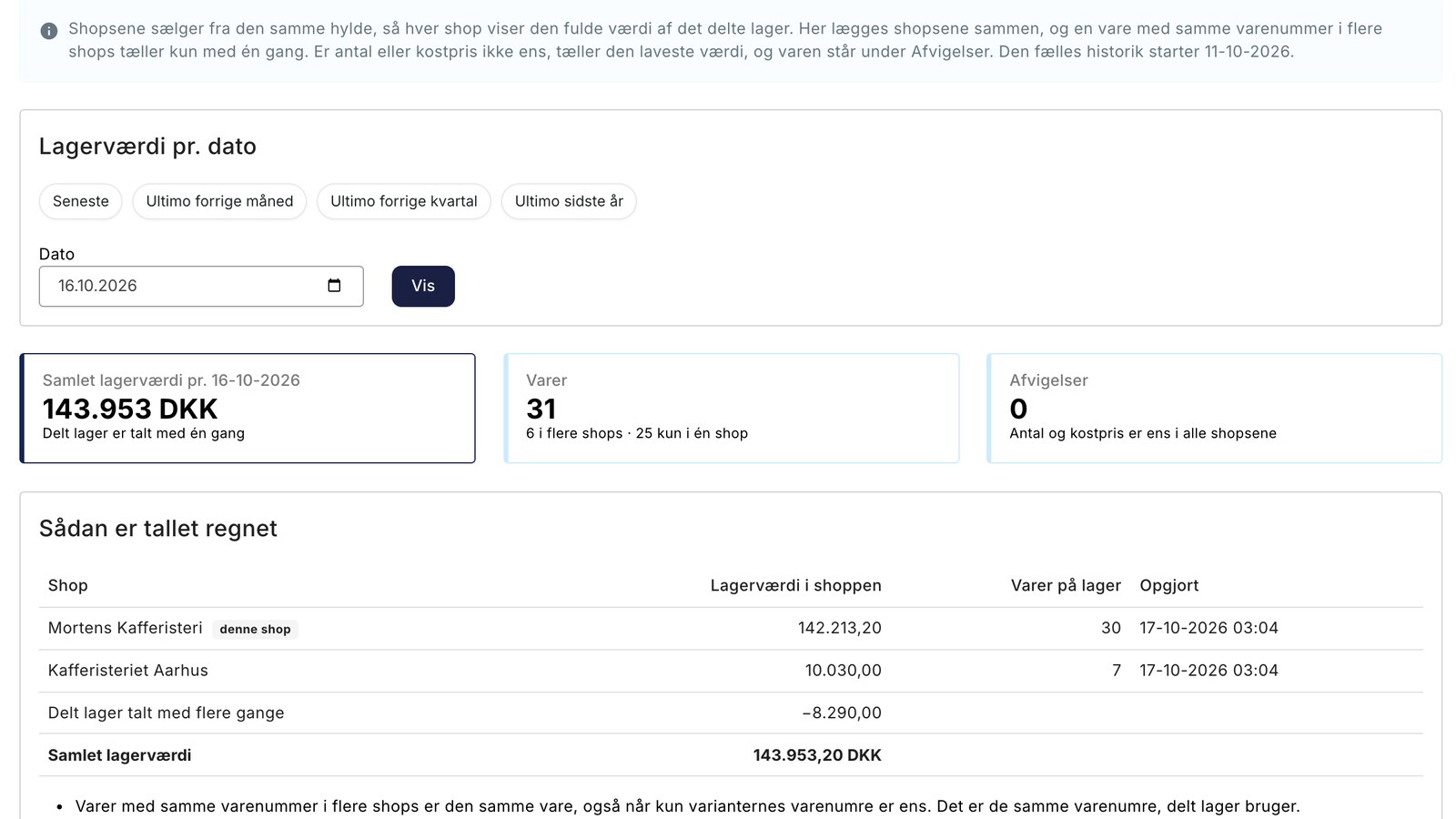
Inventory Value with Split Inventory: One Number for the Financial Statements, Without Duplicates
New in Shoporama: View the total inventory value for your online stores with shared inventory. Items listed in multiple stores are counted only...