Warehouse locations
Learn how to organize your inventory across multiple locations in Shoporama.
With warehouse locations, you can distribute your inventory across multiple physical locations, such as a main warehouse, a store, and a remote warehouse. Shoporama tracks inventory by location and automatically prioritizes which location to pick from.
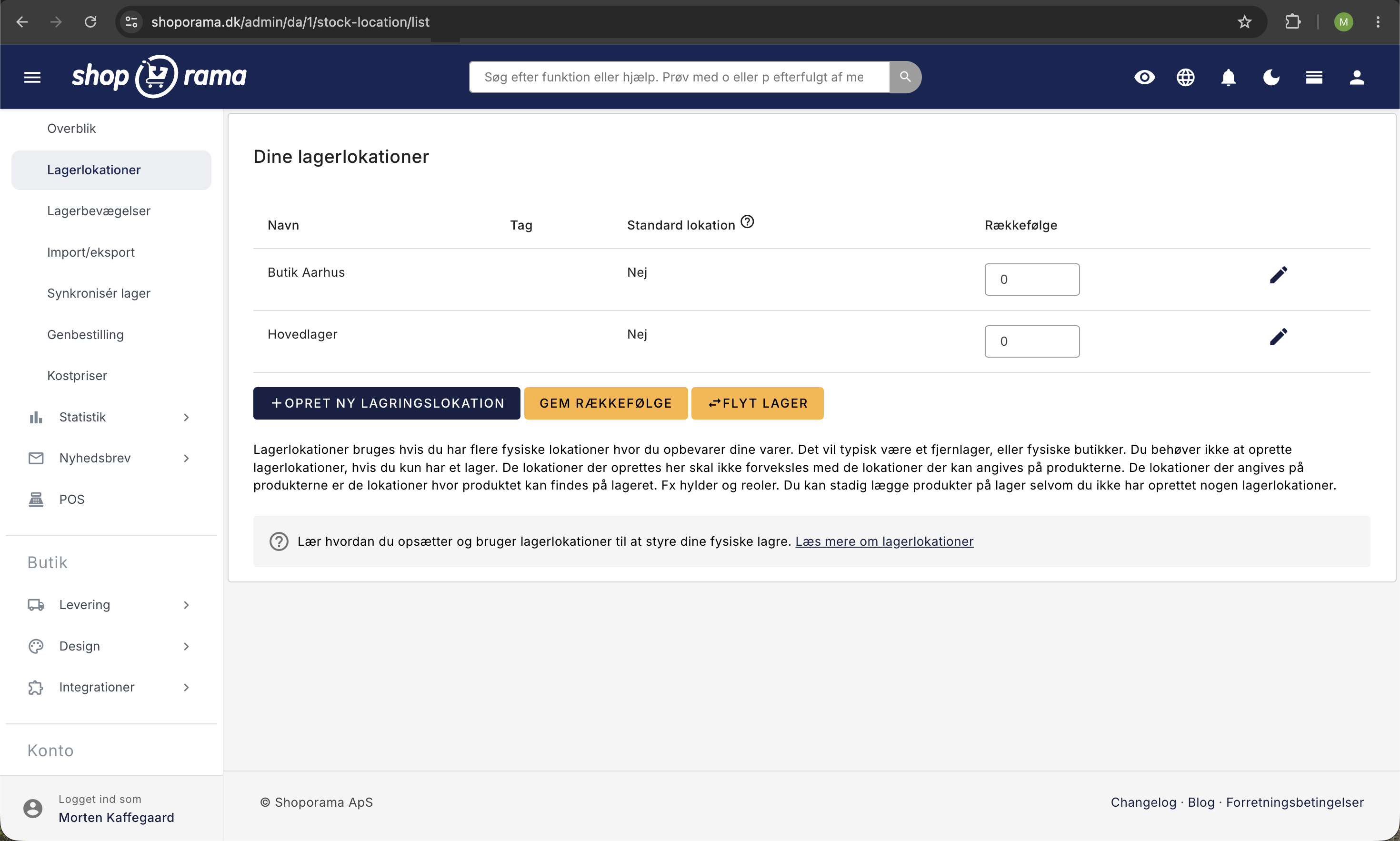
Setup
You’ll find warehouse locations under Inventory → Warehouse Locations. Here you can:
- Create new locations with a name and priority
- Set one location as the default
- Specify a weighting that determines the picking order
Prioritization
Locations have a weighting that determines which location is picked from first. The location with the highest priority is used first, and when it is empty, the system switches to the next one.
If you have any questions about warehouse locations, please feel free to contact us at support@shoporama.dk.
Related articles
Pick list
How to use the picking list in Shoporama: the queue, shelf location for each item, scanning with a barcode scanner, printing picking slips, and the...
Order queue
Guide to the order queue in Shoporama. See the status of automatic order actions such as capture, invoicing and stock pull, and learn how to manage...
Related features
3PL
3PL is the outsourcing of warehouse management and shipping to an external partner. Learn what 3PL is, the pros and cons, and when it makes sense...
Storage hotel
A warehouse stores, packs and ships your goods for you. Learn about the pros, cons, prices and when it makes sense for your webshop to use self...
WMS - Warehouse Management System
A WMS helps you manage inventory, picking, packing and shipping. Learn when you need a WMS and which solutions are suitable for Danish webshops.
Batch Control
Manage batch and lot numbers with expiration dates, supplier tracking, and the FIFO principle. Full traceability from supplier to customer.
Customers 1st Integration
Shoporama's free "Customers 1st" app ensures that products are available in both systems and that a sale in the store updates the inventory on the...
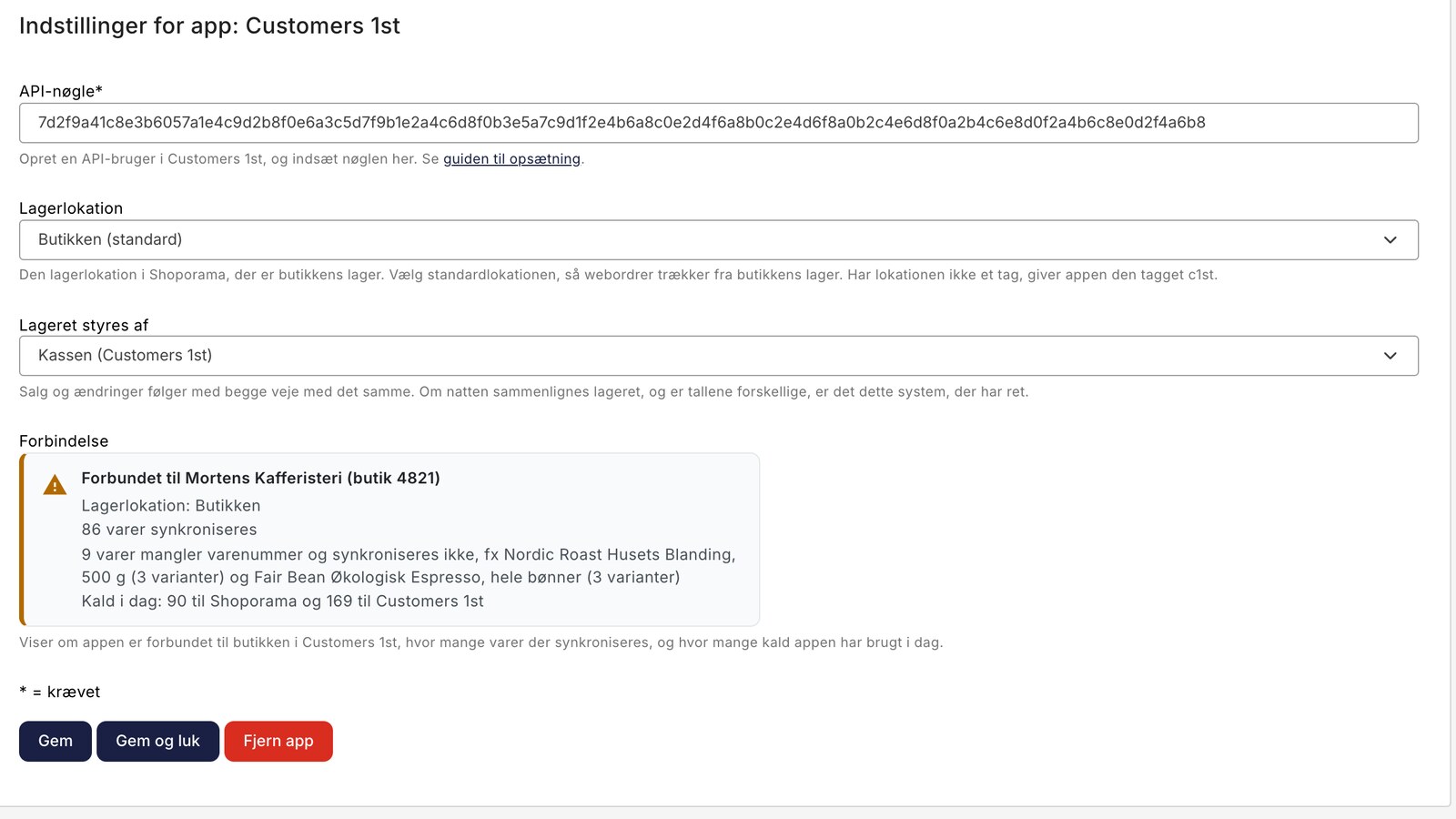
The inventory is now synchronized between Customers 1st and the online store
New at Shoporama: a free app connects Customers 1st to the online store. The products are available in both systems, and a sale at the checkout...
Online Store with Customers 1st
Connect your online store to the Customers 1st point-of-sale system using Shoporama's free app. The products are available in both systems, and...
Stock integrations
Stock records, stock locations, order list, stock value and automatic notifications. Avoid overselling with Shoporama inventory management.
Webshop with cash register
Combine webshop with cash register at Shoporama. Web-based POS, shared inventory, barcode scanning and automatic synchronization with your online...
Stock integrations
Inventory management keeps track of inventory and avoids overselling or underselling. Read about inventory management, stock alerts and integration.