Never sell something you don't have
Selling out of stock is one of the most costly mistakes an online store can make. The customer places an order, you send an apology, and trust is lost. Shoporama’s inventory management keeps track of every single product and variant, ensuring that inventory levels are always accurate—even across multiple sales channels.
Inventory Entries and History
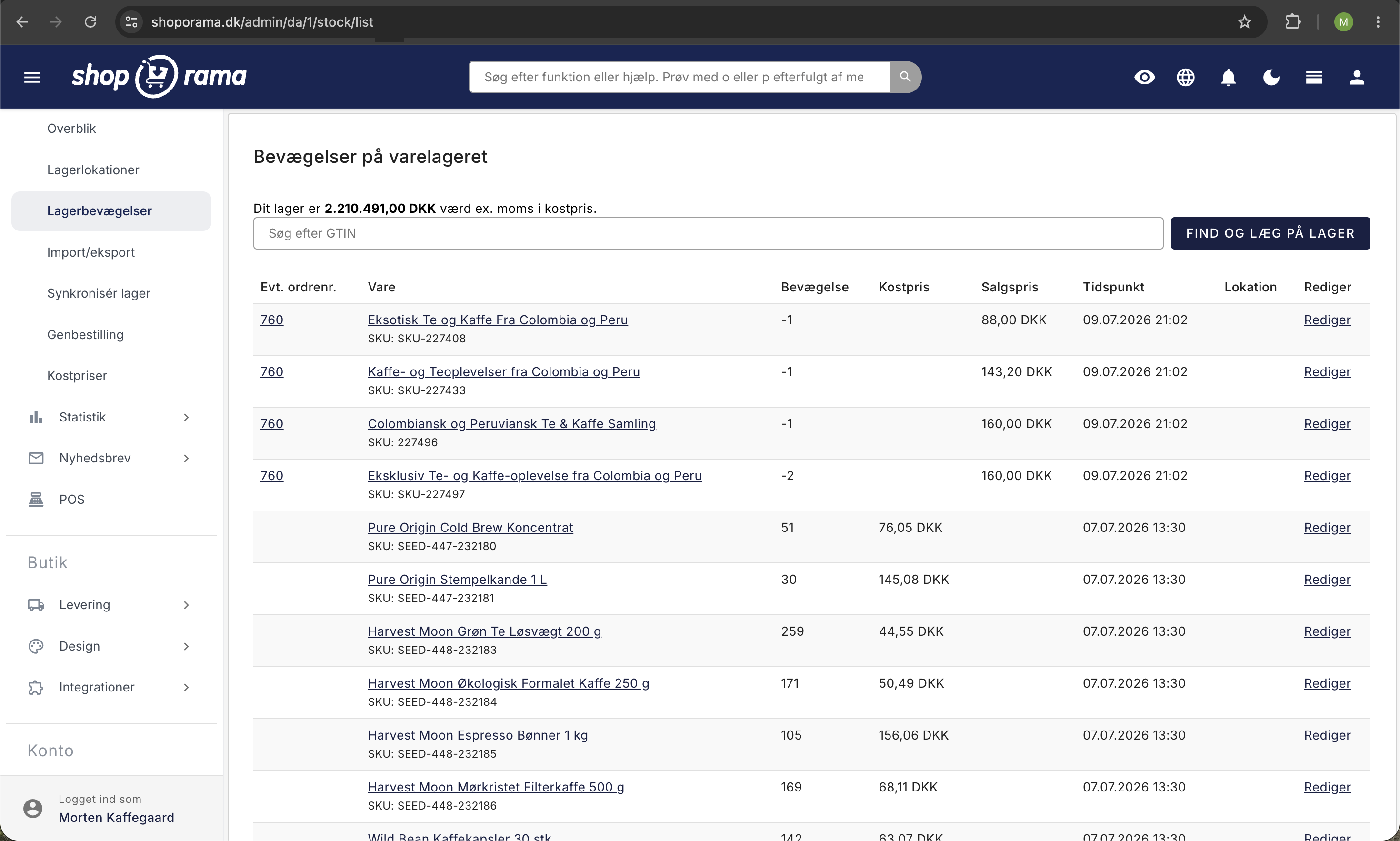
Every movement in your inventory is recorded as an inventory entry. You can see when items were added to inventory, sold, or adjusted—and by whom. This gives you full traceability and makes it easy to identify errors.
Inventory Locations
Do you have items in multiple locations? With inventory locations, you can keep track of where your items are physically located. This is especially useful if you have multiple warehouses, a store and a warehouse, or drop-shipping suppliers.
Order List
Shoporama’s order list analyzes your sales and inventory levels and tells you exactly which items you should reorder. It takes into account minimum stock levels, delivery times, and current sales rates—so you always order the right items at the right time.
Inventory Value
If you’ve entered purchase prices for your products, Shoporama continuously calculates your inventory value. Every year on December 31, we’ll also send you an email with the year’s inventory value—handy for your accounting.
Scan and Add to Inventory
If you’ve entered your products’ GTIN or item number, you can add items to inventory by scanning the code, entering the quantity, and pressing Enter. Afterward, the cursor returns to the scan field with a receipt for what you just added, so the entire shipment can be scanned in one seamless process. See quick inventory entry.
Automatic notifications to customers
If an item is out of stock, your customers can sign up for a notification. The moment you restock the item, they’ll automatically receive an email with a direct link to the product. This saves sales that would otherwise be lost.
Variants and Inventory Synchronization
Shoporama supports inventory at the variant level. If you sell T-shirts in three sizes, we track inventory for each individual size. You can also set products to automatically go offline when they’re out of stock.