Cancel your Shoporama subscription
To cancel your Shoporama subscription: send an email to support@shoporama.dk. Read about the notice period and what you need to prepare beforehand.
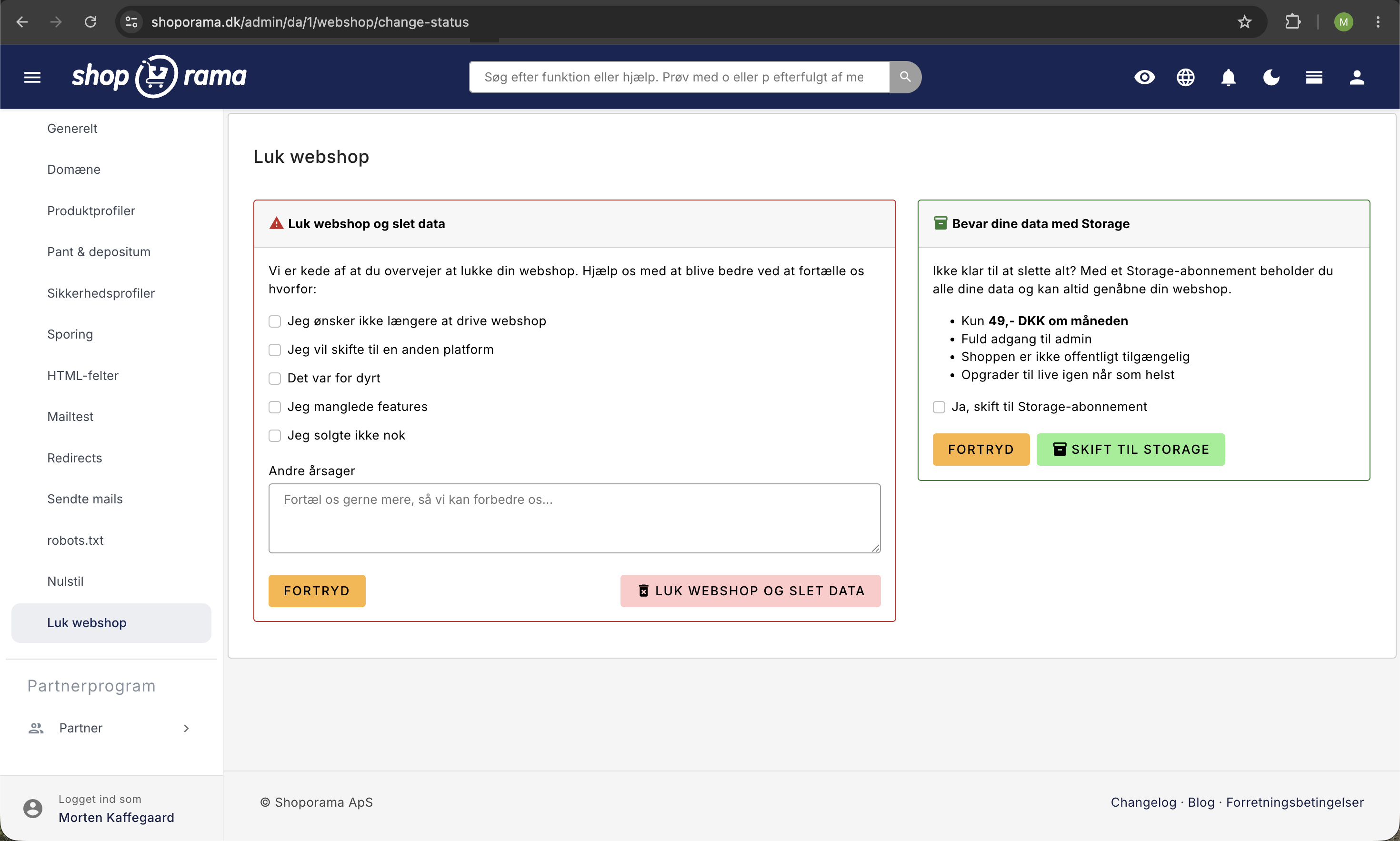
If you want to cancel your Shoporama subscription, you can do so by sending an email to support@shoporama.dk. The cancellation is handled manually by the support team; there is no button in the admin panel that you can click yourself. This allows us to check whether, for example, you’d rather pause your shop or transfer your data.
Here’s how to cancel
- Send an email to support@shoporama.dk from the email address listed as the shop owner
- Clearly state that you wish to cancel your subscription, and include the shop’s name or URL
- Feel free to tell us why: it helps us improve Shoporama, and it saves us from having to ask you for details
- We’ll confirm the cancellation and provide you with an end date
What should the email include?
- The store’s name and URL: so we can find the right one
- Owner’s name and contact person: the person authorized to cancel
- Desired termination date: or write “as soon as possible”
- Reason (if any): optional, but it helps us
Tip: Find your contact information and see who is listed as the owner by going to Company → Company Information in the admin panel. Use the email address listed there when sending the cancellation notice.
Notice Period
A Shoporama subscription is billed monthly. When you cancel, the subscription continues until the end of the current billing period and will not be renewed thereafter. This means you won’t be charged for any time after the current period ends. If you cancel in the middle of a billing period, there is no refund for the remaining portion.
Before you cancel
Take a moment to make sure you have everything you need before the shop closes:
- Back up your data: export products, orders, and customers using the relevant export features in the admin panel
- Download invoices: save your Shoporama invoices if you need them for accounting
- Download your theme: if you’ve customized your theme, you can download the files via SFTP
- Transfer your domain: Point the domain away from Shoporama if you want to use it elsewhere
- Cancel integrations: e.g., Shipmondo, e-conomic, Klaviyo, and other services linked to the store
What happens after cancellation?
- The store will continue to operate until the billing period expires
- After that, the store will close and will no longer be accessible at your URL
- We’ll store your data for a period of time so we can retrieve it if you change your mind
- After a certain period, the data will be permanently deleted
Note: If you simply want to remove the automatic card subscription (without closing the shop), you can do so yourself under Company → Company Information. This does not pause the shop or cancel the subscription, but it means you’ll have to pay the invoice yourself next time.
Alternatives to cancellation
If you just need a break, please mention this in your email. In some cases, we can offer a pause or a lower subscription tier—for example, if you want to retain access to your data without having the store open to customers. This is evaluated on a case-by-case basis.
Frequently Asked Questions
Why isn’t there a “Cancel” button in the admin panel?
We handle cancellations manually so we can assist you along the way. Many shop owners have questions about data, integrations, or domains, and we’d rather spend time helping you than making the process fully automated.
Will I get a refund for the remainder of the period?
No, there are no refunds for the remaining portion of a period that has already been paid for. However, your store will continue to run for the duration of the period you’ve paid for.
Can I cancel my cancellation?
Contact us as soon as possible. As long as the store hasn’t been closed and the data hasn’t been deleted, we can usually reverse the cancellation. Once the data has been deleted, we can’t retrieve it.
How do I back up my orders and customers?
In the admin panel, you can export orders from “Orders ” and customers from “Customers.” Products are exported from “Products.” The export is downloaded as a CSV file, which you can open in Excel or import into a new system.
What happens to my domain?
You own the domain yourself through your domain provider. When the shop closes, the domain will no longer point to Shoporama. You can transfer it to another provider or a new shop by updating the DNS settings with your domain provider.
What about my invoices from Shoporama—can I still download them?
Download them while you still have access to the admin panel. Once the store is closed, you can only obtain invoices by contacting support.
What about subscriptions to integrations like Shipmondo or Klaviyo?
You’ll need to cancel those yourself with the respective provider. Shoporama does not have the ability to close accounts with external services.
Need help? Contact us at support@shoporama.dk.
Related articles
Subscriptions
Learn how to set up subscriptions in Shoporama so your customers can create recurring orders with automatic payment and delivery at set intervals.
What does a Shoporama shop cost?
Pricing on Shoporama: Flex, Pro, and Storage; usage-based add-ons; billing; changing your pricing plan; and answers to the most frequently asked...
How do I change company information
Guide to changing company name, address and other business information in Shoporama.
Change payment card for your subscription
Guide to changing the payment card you use to pay for your Shoporama subscription.