SSL / HTTPS on your webshop
All about SSL/HTTPS in Shoporama - automatic certificates, troubleshooting SSL issues and DNS configuration.
All Shoporama online stores automatically receive a free SSL certificate, which ensures that your store runs over HTTPS. The SSL certificate is created automatically once your domain is properly configured.
Automatic SSL
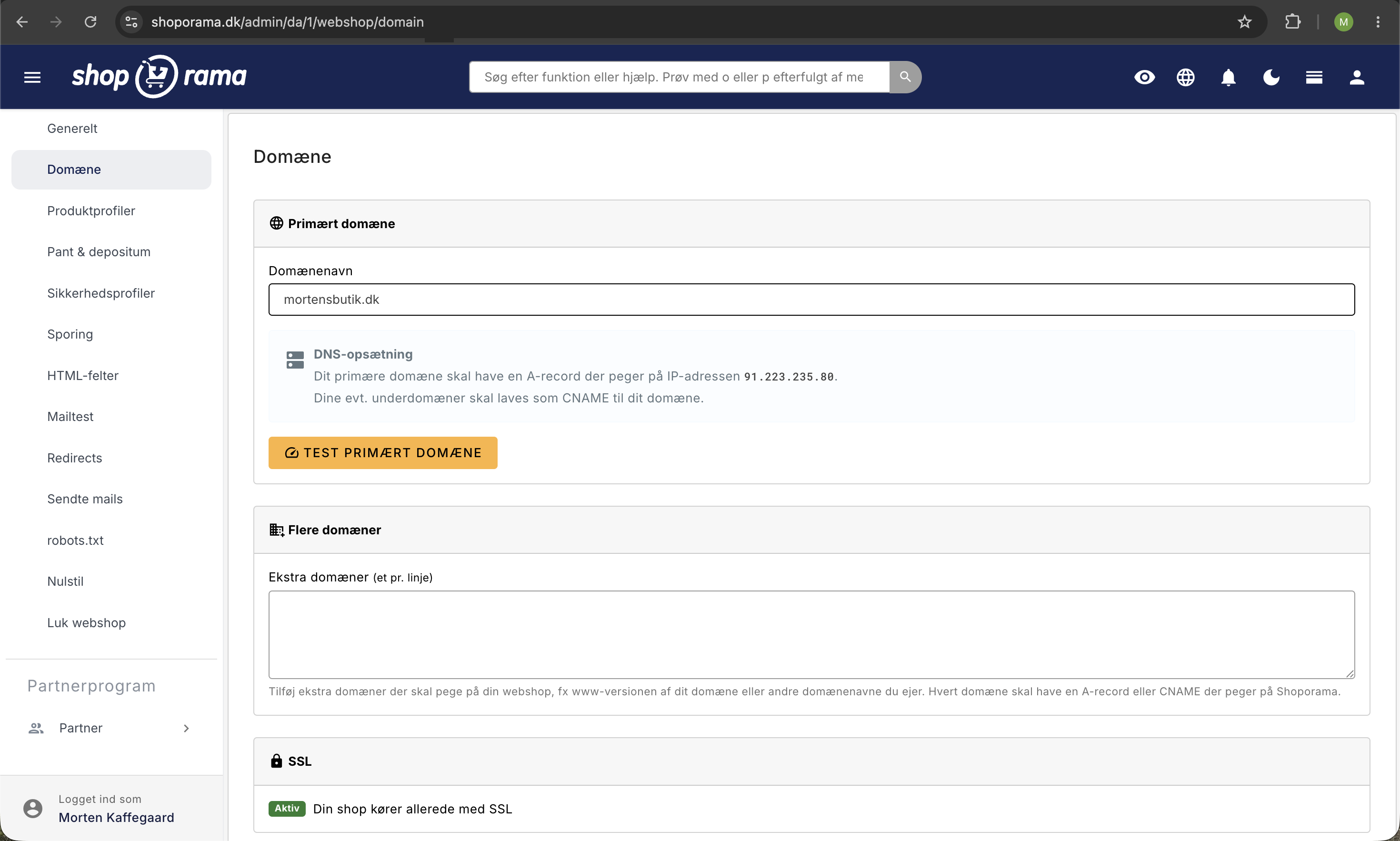
When you add a domain to your online store under Settings > Domains, Shoporama automatically creates an SSL certificate. This requires that the domain’s DNS records are correctly pointed to Shoporama’s servers.
Check SSL Status
Under Settings > Domains, you can view the status of each domain. A green checkmark indicates that SSL is active.
Troubleshooting
- "Connection is not secure" in the browser – The SSL certificate has either not been created yet or has expired. Check that the DNS is pointing correctly to Shoporama, and wait up to a couple of hours.
- DNS status shows “verifying” —Your domain has not yet been verified. Check that the A record points to the correct IP address. See the article “DNS Setup for Your Domain.”
- Mixed content warnings – Your site is loading some content over HTTP instead of HTTPS. Check that all links in your theme use HTTPS or relative paths (without http://).
- SSL works with “www” but not without it – Both versions of the domain must be added under Settings > Domains, and both must have correct DNS records.
Important Information About SSL
- SSL certificates renew automatically—you don’t need to do anything
- SSL is free and included in all Shoporama subscriptions
- Google favors HTTPS pages in search results—SSL is beneficial for your SEO
Related articles
DNS setup for your domain
Step-by-step guide to DNS setup so you can use your own domain with your Shoporama online store.
Own email on your domain
Information about email hosting and options to get email on your own domain with Shoporama.
Move your shop to your own domain
Guide to moving your Shoporama online store to your own domain with DNS setup, SSL and domain validation.
Related features
Free HTTPS/SSL - encrypted and secure webshop
All Shoporama webshops get a free SSL certificate with automatic renewal. Encrypted traffic, better Google rankings and customer trust.
SSL certificate
An SSL certificate encrypts the connection to your online store and protects customer data. Learn about types of SSL, why it's important and how it...
Custom Domain and SSL: Launch Your Online Store
Point your domain to Shoporama, order a free SSL certificate, and switch your demo store to live in the correct order, without causing your store...