Show prices incl. VAT in the backend
Learn how to switch to showing product prices including VAT in the Shoporama admin panel.
By default, product prices are displayed excluding VAT in the Shoporama admin panel. You can easily switch to displaying prices including VAT.
Here’s how
- Go to Account → Webstore → General
- Check the box next to "Prices for products in the admin panel include VAT"
- Click Save
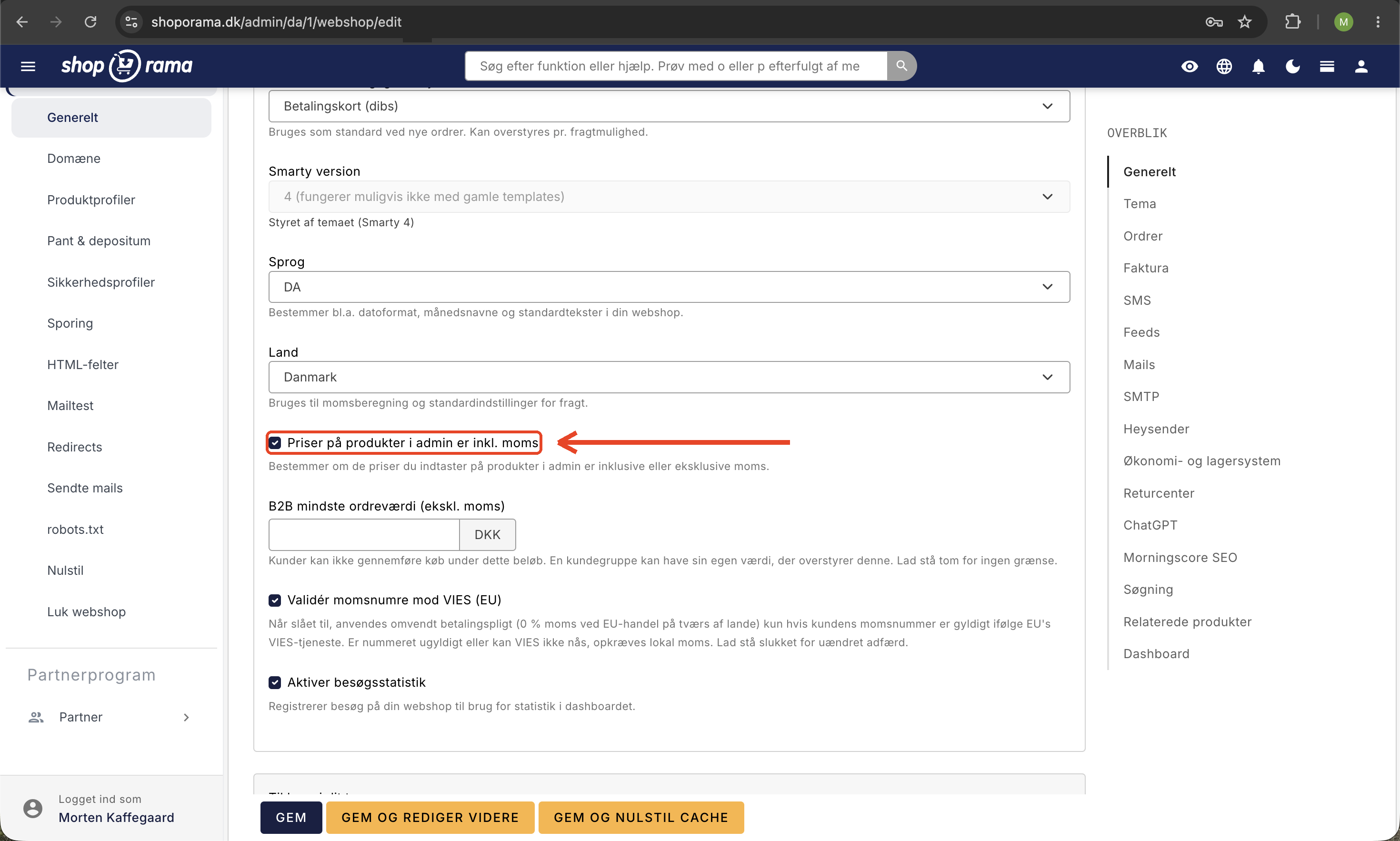
After that, all product prices in the admin panel will be displayed including tax. This setting determines whether the prices you enter for products in the admin panel include or exclude tax, and therefore affects both the display in the admin panel and the prices customers see in the store.
Need help? Contact us at support@shoporama.dk.
Related articles
Product reviews
Learn how to use product reviews in Shoporama. Collect customer reviews automatically, moderate them and display star ratings on your product pages.
Are the numbers in the backend with or without VAT?
Answer whether the revenue figures on the Shoporama backend are with or without VAT.
Update prices via CSV import
Step-by-step guide to update prices on many products at once via CSV import in Shoporama. Incl. explanation of the VAT checkbox.