Reverse charge og VIES-validering: sælg uden moms til erhverv i EU
If you sell to businesses in other EU countries, in many cases you must sell without VAT. This is called “reverse charge.” The rules are simple once you know them, but there’s a pitfall: if you exclude VAT based on a VAT number that turns out to be invalid, you may end up being liable for the VAT yourself. This article explains how Shoporama helps you do this correctly and securely by automatically validating VAT numbers against the EU’s official register.
What is reverse charge?
When you sell a good or service to a VAT-registered business in another EU country, the general rule is that you do not charge Danish VAT. Instead, the buyer is responsible for paying the VAT in their own country according to local rates. This is what is meant by reverse charge: the obligation to pay VAT is reversed, so that it lies with the buyer rather than the seller.
For you as a store owner, this means that you issue an invoice without VAT and clearly state that the transaction is subject to the reverse charge mechanism. The prerequisite is that the buyer is actually a VAT-registered business in another EU country. If the buyer is a private individual, or if the business is not validly VAT-registered, you must charge VAT as usual.
Domestic sales and sales to countries outside the EU are not affected by the reverse charge mechanism. If you sell to a Danish business or a customer outside the EU, this feature does not change your normal VAT handling.
Why It’s Important to Validate the VAT Number
A VAT number serves as proof that the buyer is a VAT-registered business, and thus confirms your right to sell without charging VAT. Problems arise if the number is entered incorrectly, has expired, or does not exist at all. If you’ve sold goods without charging VAT to an invalid number, you’ll be held liable, and you may be required to pay the VAT retroactively.
That’s why the EU recommends that you verify VAT numbers against VIES, which stands for VAT Information Exchange System. This is the EU’s official registry where you can check whether a VAT number is valid and active. Shoporama can perform this check automatically for you, so you don’t have to manually verify numbers one by one.
How VIES Validation Works in Shoporama
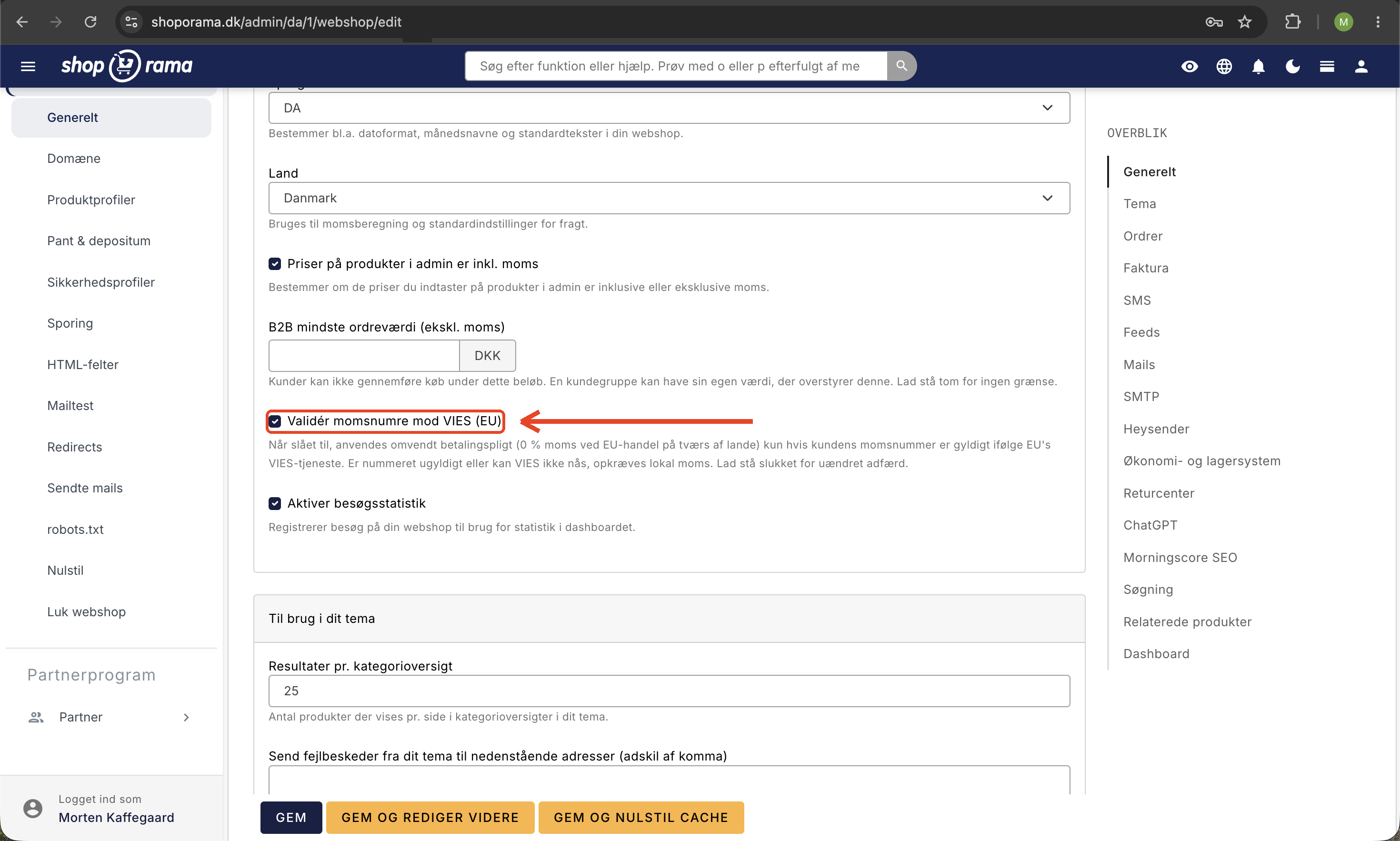
This feature is a setting you enable on a per-store basis. It’s called “Validate VAT Numbers Against VIES (EU) ” and can be found under Webstore → General. When enabled, the following happens:
- The customer provides their VAT number, for example, at checkout, when creating an account, or in their profile.
- Shoporama automatically looks up the number in the EU’s VIES registry and saves the result for the customer.
- If the number is valid and verified, the VAT is removed, and the transaction is processed as a reverse charge.
- If the number is invalid or unverified, the sale is processed with standard VAT.
The key principle is that VAT is only removed for a valid, verified number. This protects you: you’ll never omit VAT on an invalid VAT number, in which case you would be liable for the VAT yourself. It’s better to have a correct invoice with VAT than an incorrect one without it.
The lookup itself occurs when the customer enters the number, or when you, as the store owner, edit the customer’s information in the admin panel. A live lookup against VIES is never performed in the middle of a price calculation, because that would slow down the checkout and make it dependent on the EU service responding instantly. Instead, the result is stored by the checkout system for the remainder of the visit, ensuring that price calculations are always fast.
What does a business customer pay when VAT is removed?
In practice, removing VAT means that Shoporama uses the rate listed in the “B2B VAT (%)” field for the delivery country under Delivery → Countries. If it is set to 0%, the VAT will be 0 DKK on items subject to that country’s VAT rate. This also applies to items with a VAT category, such as books: if “B2B VAT (%)” is set to 0%, the item is also 0% regardless of category, and the adjustment below applies to them as well. Items with an “Old VAT Rate” listed on the product will retain that rate in all countries, including for business customers, and the adjustment below will not change their price. Whether the customer also pays a lower price depends on how you enter your prices:
- Prices excluding VAT: If “Prices for products in the admin panel include VAT” is turned off, Shoporama adds the VAT to your price. With 0% VAT, the business customer therefore automatically pays the price excluding VAT.
- Prices including VAT: By default, the customer pays the price you’ve entered, regardless of country and VAT number. The VAT is calculated based on the price, so the business customer pays the full price, with only 0 DKK in VAT on the order.
- Prices including VAT, adjusted for the delivery country: If you have enabled “Adjust prices to the destination country’s VAT” under Webshop → General, and the VAT number has been confirmed, your own VAT is deducted from the price, and the rate in “B2B VAT (%)” is added instead. If it is set to 0%, an item priced at 125 kr. (including 25% Danish VAT) will cost the business customer 100 kr. with 0 kr. in VAT. This adjustment applies to all customers, so private customers in countries with a different VAT rate than your own will also see a different price.
If you have entered your prices including VAT and the VAT number has not been verified, a business customer in another EU country will pay the same price as a private customer in the same country, even with the adjustment enabled. If “Validate VAT Numbers Against VIES (EU)” is turned off, the number will never be verified, but the VAT on the order will still follow “B2B VAT.” If your VAT rate is 25%, and the country is set to 19% in “B2C VAT” and 0% in “B2B VAT,” for example, the business customer will pay 119 DKK for an item priced at 125 DKK with the adjustment enabled, and the VAT on the order is 0 DKK. Read more about the adjustment in the article on prices including VAT.
Here’s what you’ll see in the admin panel
On the customer’s page in the admin panel, you’ll see a clear badge next to the VAT number. A green badge means the number is valid according to VIES, and you’ll also see the company name that VIES returns for that number. A red badge means the number is invalid. This way, you can see at a glance whether a business customer is properly registered for VAT without having to log in to an external registry yourself.
On the order in the admin panel, the buyer’s VAT number appears in the “CVR number” field on the “Customer” card, and the VAT on the order is 0 DKK. This way, you can always see why the transaction was sold without VAT and retrieve the number if you need to document the transaction during an auditor’s visit or an audit. The order in the admin panel and the invoice in the built-in themes do not automatically include the text “reverse charge,” so talk to your accountant about how this should be indicated on your invoices. If you’re using the B2B theme, the customer will see the text “Reverse charge” along with their VAT number on the order page in the store.
If VIES is temporarily down
The EU’s VIES service is stable, but in rare cases it may be temporarily unavailable. If this happens, the number cannot be verified at that moment, and Shoporama opts for the safe solution: sales are processed with VAT until the number is verified. A background process automatically retries later, so a number that could not be validated due to downtime will be checked again as soon as the service is back online. You don’t need to do anything yourself.
What happens if I don’t enable this feature?
If the setting is turned off, the behavior remains exactly the same as how your store operated before. A provided VAT number is trusted as before, and VAT is removed based on that number without a VIES lookup. However, if you use “Adjust prices to the destination country’s VAT,” business customers in other EU countries will pay the same price as a private customer in the same country, as long as validation is turned off. The price excluding VAT requires a verified number. So you can choose for yourself whether you want to take advantage of this extra layer of security. We recommend that you enable validation if you sell to businesses in other EU countries, precisely because it eliminates the risk of selling without VAT to an invalid number.
Get started with B2B sales
VIES validation is part of Shoporama’s comprehensive suite of tools for business-to-business sales. If you’d like to learn more about selling to businesses, you can explore the options on the B2B online store page, and if you’re just getting started, follow the “Get Started with B2B” guide.
Please note that this article describes the general principle behind reverse charge and how Shoporama supports it. It is not tax or VAT advice. If you’re unsure about the rules for your specific situation, talk to your accountant or bookkeeper.
Frequently Asked Questions
How do I know in my accounting records that an order was sold without VAT?
On the order in the admin panel, the buyer’s VAT number appears in the “CVR number” field, and the VAT amount is 0 DKK. This allows you to see directly on the order why VAT was not charged. The text “reverse charge” does not automatically appear on the order in the admin panel or on the invoice in the built-in themes, so talk to your accountant about how this should be indicated on your invoices.
What happens if I have an audit and a customer had an incorrect number?
With VIES validation enabled, VAT is only excluded for a valid, confirmed number. If a number was invalid, the sale was processed with standard VAT, so you won’t end up with a transaction where VAT was mistakenly omitted. That’s precisely where the security lies.
I sell to customers in several EU countries. Does Shoporama validate numbers from all countries?
Yes. VIES covers all EU member states, and Shoporama recognizes the country code in the VAT number or uses the customer’s country. Domestic transactions and sales to countries outside the EU are not affected, as the reverse charge mechanism applies only to business-to-business sales across EU borders.
I’m not very tech-savvy. Do I have to do anything myself every time a customer makes a purchase?
No. Once you’ve enabled the setting, it runs automatically. The customer enters their VAT number, Shoporama verifies it, and the VAT is handled correctly on its own. You can see the result as a green or red marker on the customer’s page in the admin panel.
How do I see which company is associated with a VAT number?
On the customer’s page in the admin panel, the green badge displays the company name that VIES returns for that number. It’s a quick way to confirm that the number belongs to the company you think you’re doing business with.
What if the EU service is down just when a customer wants to make a purchase?
In that case, the number cannot be verified at the moment, and the sale will be processed with VAT for now. A background process will automatically retry later, so the number will be validated as soon as VIES is back online. This means the customer can still complete the purchase—albeit with VAT included—until the number is verified.
Will this change anything for my existing customers or my past sales?
If you leave the setting disabled, nothing will change. If you enable it, the validation will apply going forward whenever numbers are entered or edited. Domestic sales and sales outside the EU will not be affected in any case.
Does the lookup slow down the checkout process when the store is busy?
No. The VIES lookup itself occurs when the customer enters their address at checkout, not in the middle of the price calculation. The result is cached for the remainder of the session, so the checkout process and price display remain fast, even during busy periods with many orders.
When does a business customer see the price excluding VAT?
If you’ve entered your prices including VAT, both “Validate VAT numbers against VIES (EU)” and “Adjust prices to the destination country’s VAT rate” must be enabled. With VIES validation, the customer will only see the price excluding VAT once the address with the VAT number has been entered at checkout and VIES has confirmed the number. Until then, the customer sees the same prices as a private customer, even when logged in. After that, the shopping cart, order, and payment will display the price excluding VAT.
Related articles
B2B sales in Shoporama
How to sell to businesses (B2B) and public institutions (B2G) in Shoporama with CVR, EAN and differentiated VAT.
Kundegrupper og B2B-priser: giv forskellige kunder forskellige priser
Firma-konti med flere brugere og roller
Countries and Currency: Delivery Countries, Sales Tax, and Shipping
Set up delivery countries under Delivery → Countries with VAT rates, VAT zones, shipping options, and free shipping, and see how they relate to...
Related features
OSS (One-Stop Shop)
OSS (One Stop Shop) is the EU's VAT scheme for sales to consumers in other EU countries. Learn what OSS is and how Shoporama helps with...
B2B webshop
A B2B webshop sells to business customers with customer pricing, CVR validation and invoicing. Read about B2B e-commerce and features.
B2B webshop
Shoporama now offers a full-featured B2B solution: a login-based store, customer group pricing, volume discounts, company accounts with roles,...
B2B online store
B2B Online Store with Uniconta
Sell to businesses and import the orders into Uniconta as sales orders with CVR, EAN, and prices excluding VAT. Here’s how Shoporama’s free...
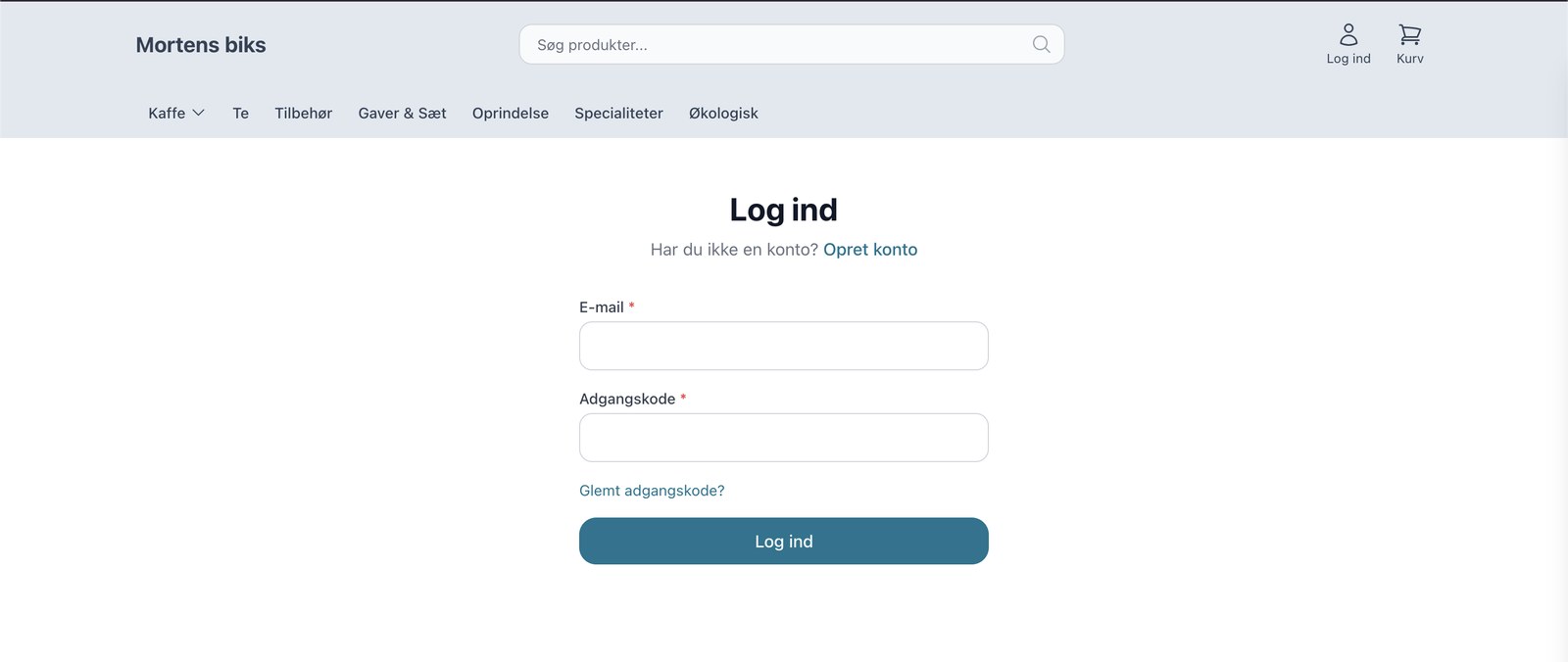
Nu kan du drive en rigtig B2B-webshop med Shoporama
Shoporama now offers a full-featured B2B solution: a login-based store, customer group pricing, volume discounts, corporate accounts, VIES reverse...
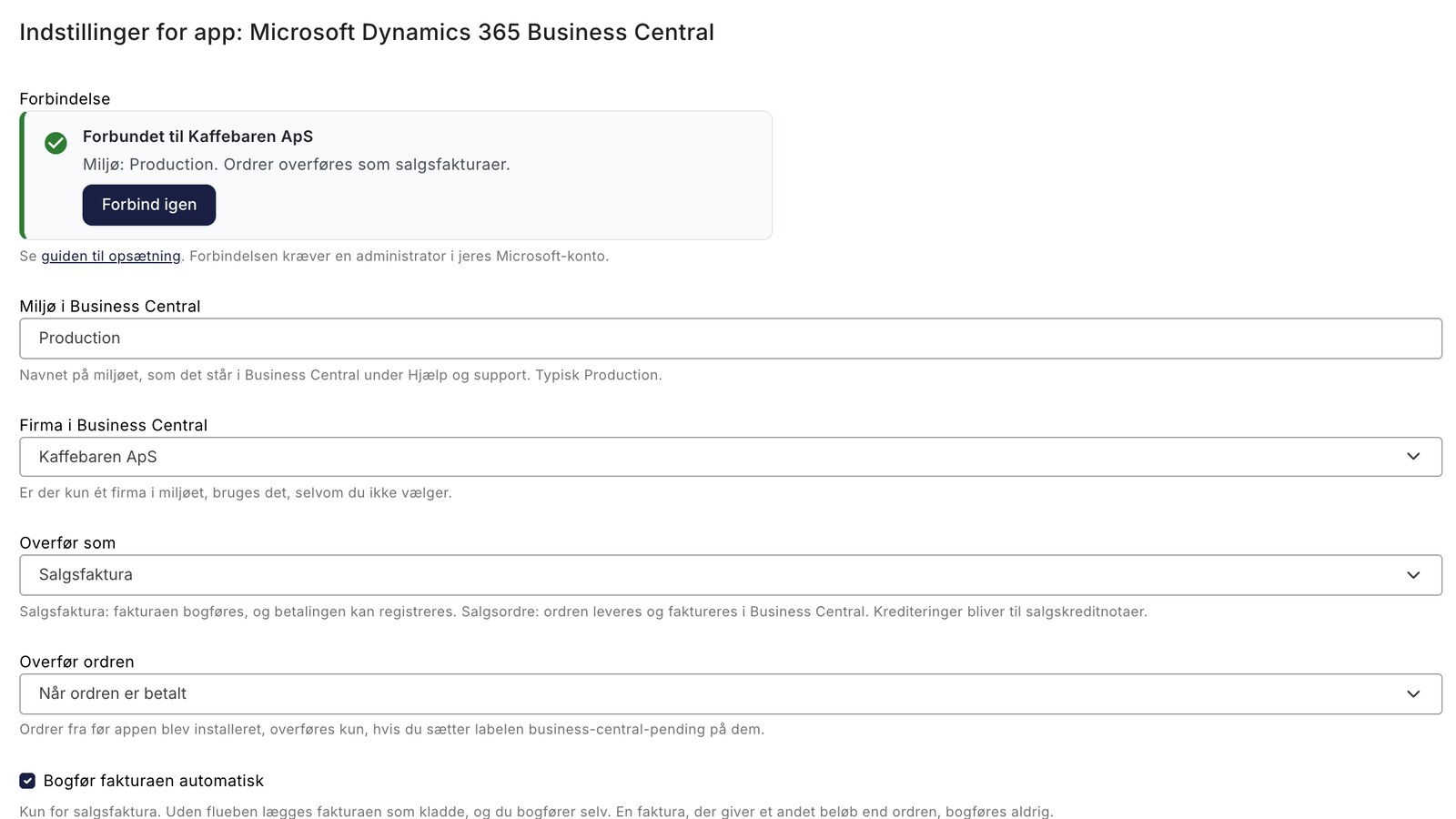
New Free App Sends Online Store Orders to Business Central
New on Shoporama: A free app sends orders from the online store to Business Central as posted sales invoices, including customer information, VAT,...
Theme Settings in MontanaB2B: Fields and B2B Features
An explanation of all fields in MontanaB2B's theme settings, plus the login screen, prices excluding VAT, customer groups, company accounts, and...
Online Store with Business Central
Connect your online store to Microsoft Dynamics 365 Business Central using Shoporama's free app. Orders are posted as sales invoices with sales...
B2B Online Store with Business Central
Sell to businesses and have the orders imported into Business Central as sales invoices or sales orders with a CVR number, open items for invoice...
e-conomic vs. Dinero: Which One Is Best for Your Online Store?
e-conomic or Dinero for your online store? See the differences in VAT, OSS, payments, credit memos, and customers when orders are posted...