When Doing It One at a Time Isn't Enough
Do you have 500 products that need price updates? Or 200 products that need to be moved to a new category? With Shoporama’s bulk editing feature, you can get it done in minutes instead of hours. There are several ways to work efficiently—choose the one that fits the task.
Queued bulk edits
Major changes run in the background. Read our guide to bulk editing for a complete overview. You select the products, specify the changes, and Shoporama applies them in the background. You can continue working while the changes are being processed and will be notified when the task is complete. You can bulk edit:
- Prices (fixed amount or percentage change)
- Categories (add or remove)
- Supplier and brand
- Additional fields and product data
- SEO fields (meta title, description)
Loop Edit — sequential editing
With Loop Edit, you select a group of products and scroll through them one at a time in full-screen mode. It’s ideal when you need to review many products and make individual changes quickly—without having to navigate back and forth in the product list. Think of it as a turbo version of product editing.
Loop Stock — quick inventory update
Loop Stock is built specifically for inventory management. Quickly scroll through your products and update inventory levels—perfect when you’ve received new items and need to update your inventory. One product at a time, lightning-fast.
Bulk Actions from the Product List
Select products directly in the product overview and perform actions on all of them:
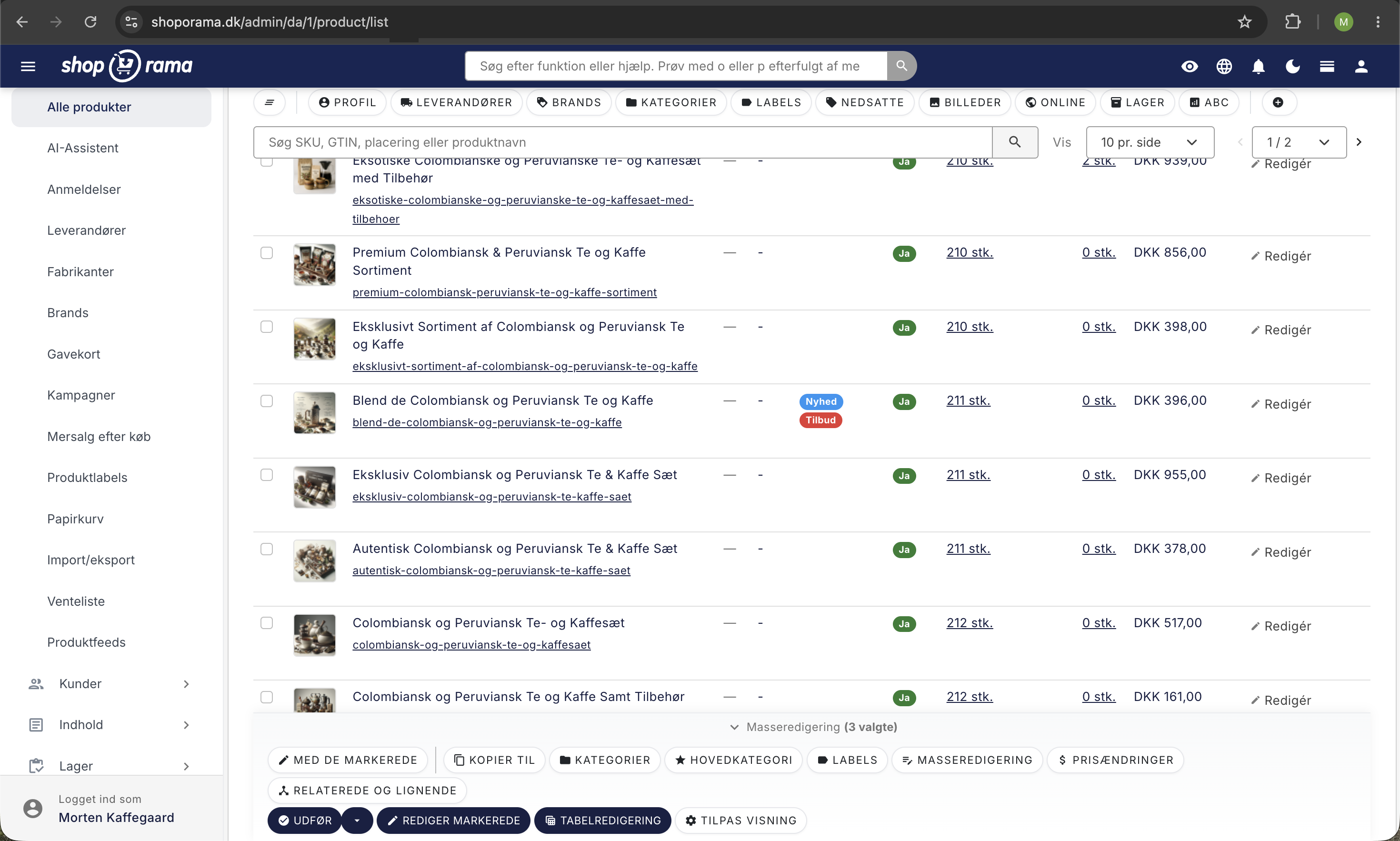
- Set offline/online — hide or show products
- Remove products — delete multiple at once
- Add related products — drive cross-selling
- Set canonical URL — avoid duplicate content
- Export — export selected products to CSV
Filtering makes it easy
Use the product list filters to find the right products before bulk editing. Filter by supplier, brand, category, or stock status, or search by name and SKU. That way, you’ll target exactly the products that need to be updated.