What is the difference between open basket and closed basket?
Understand the difference between open and closed baskets in Shoporama - stock reservation, customer experience and which type is right for your online store.
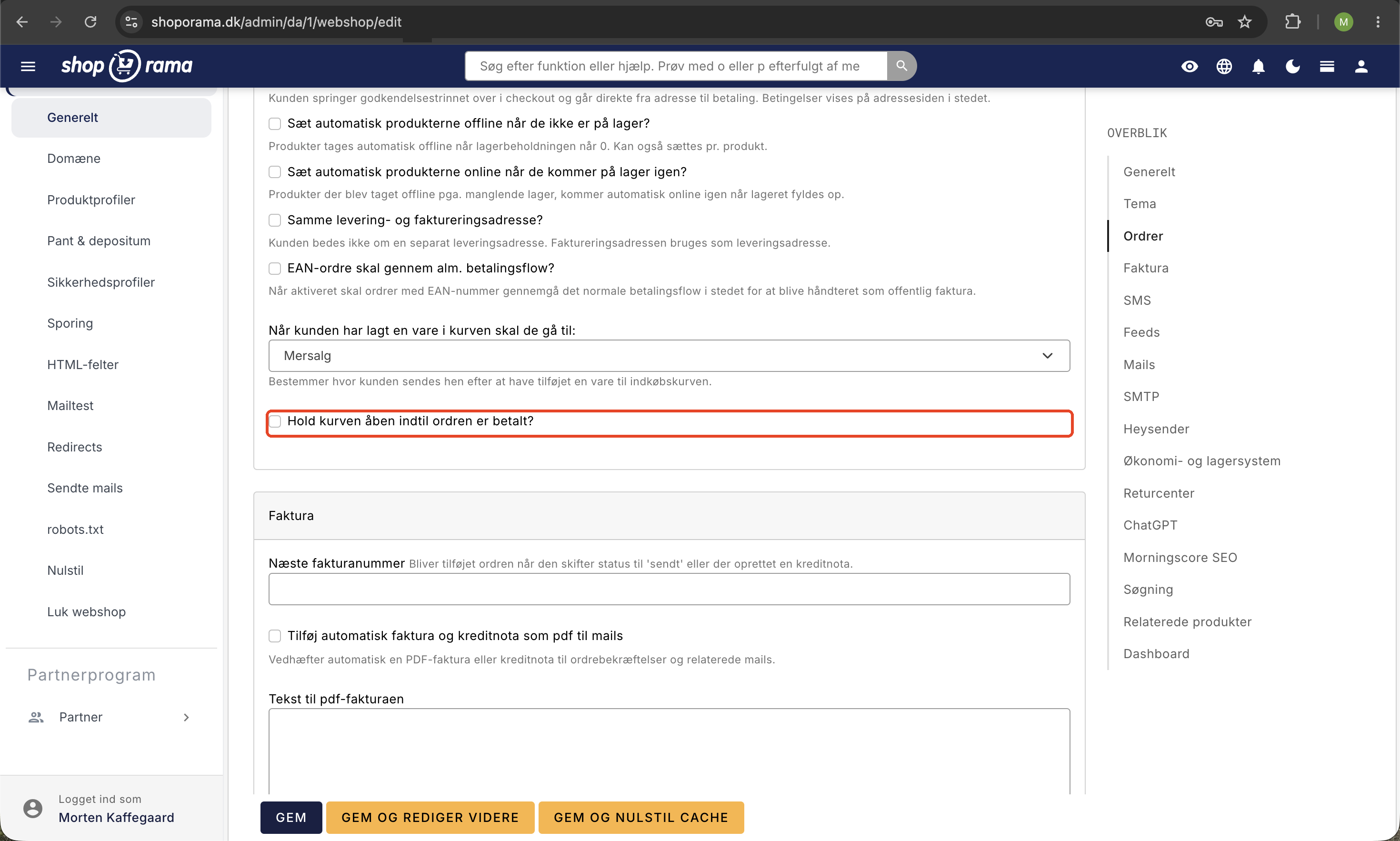
In Shoporama, you can choose between an open cart and a closed cart. The two types handle the order process differently, and your choice affects both inventory reservation and the customer experience.
Closed Cart
The order is created when the customer confirms their order at checkout—that is, before payment. At the same time, the items are deducted from inventory. This means that other customers cannot purchase the same item if there is only one left in stock.
Advantages
- Items are reserved so that two customers cannot purchase the same item
- You can send payment reminders to customers who haven’t paid
- The order is already created when the customer proceeds to checkout
Disadvantages
- Items are "locked" if the customer does not complete the purchase—others cannot buy them
- The customer cannot change the order after reaching the payment screen
- Unpaid orders require manual or automatic cancellation
Auto-cancellation: You can configure Shoporama to automatically cancel unpaid orders after a specified number of minutes. Find the setting under Settings → Auto-cancel Order in your admin panel.
Open Cart
With the “Open Cart” feature, the order is not created until the customer completes the payment. Items are not reserved in inventory while they remain in the cart.
Advantages
- Items are never “locked”—they’re always available to other customers
- The customer can freely edit their order right up until payment
- No unpaid orders that require cleanup
Disadvantages
- Two customers can have the same item in their cart, even if there’s only one in stock
- If one customer purchases the item, the other may be left with a sold-out item
- You must manually handle situations where items sell out during checkout
Which one should you choose?
The choice depends on your online store:
- A closed cart is a good option if you sell unique or limited-quantity items where stock reservation is important
- An “open cart ” is a good choice if you have ample stock and prioritize a flexible customer experience
You can change this setting under the gear icon (Settings) in your admin panel. Also read about the transactional emails that are relevant for both cart types.
Order Number and Cart Number with Your Payment Provider
The cart type determines which number your payment provider will see. With a closed cart, the order already exists when the customer pays, so your order number is sent along with the payment. With an open cart, the order is created only after payment is made, and the cart number is sent instead, because the order number does not yet exist. This applies to all payment providers, not just OnPay.
The order number is the sequential number your customer sees in the order confirmation. The cart number is Shoporama’s own number for the cart, and it’s typically a long number, such as 28113957. Both are listed on the order in the admin panel, where you’ll find “Cart Number” at the top next to the date.
Frequently Asked Questions
Why doesn’t the order number in OnPay match the order number in Shoporama?
Because your online store uses an open cart. The number in the Order ID column at OnPay is the cart number—for example, 28113957—and not your order number. This is not an error, and the payment is associated with the correct order. You can find the order by searching for the number in Shoporama.
How do I find the order using the cart number?
Enter the cart number in the search field in the order list. The search will find both order numbers and cart numbers. If you often need to look up orders this way, you can add the “Cart Number” column to the order list under “Customize View” so you can see both numbers side by side.
Can my payment provider get the order number even if I’m using an open cart?
No, not at this time. The order isn’t created until the payment is completed, and by that point, the payment has already been created with the cart number. If you want the same number in both places, you’ll need to use a closed cart. In that case, consider the drawbacks mentioned above, especially that unpaid orders remain in the order list until they’re paid or canceled.
The numbers matched before we switched to Shoporama. Why not now?
Some platforms create the order before the customer pays, just like the “closed cart” in Shoporama. In that case, the payment provider knows the order number from the start. With an “open cart,” the order is only created after payment, which is why the payment provider has the cart number.
I’ve changed the cart type. Why do some of the numbers match and others don’t?
The number recorded by the payment provider corresponds to the cart type you were using when the customer paid. Payments made before the change retain the type of number they were originally created with. Only new payments are assigned the new type.
I use OnPay. Can I see both numbers in one place?
Yes, for payments that haven’t been withdrawn yet. The Unwithdrawn Transactions page shows your order number in the Order column and the number that OnPay displays as Order ID in the OnPay Reference column.
What does this mean for my bookkeeping?
Your order numbers and invoices are the same as always. Only the number from the payment provider is the cart number. If you reconcile payments from the payment provider, you can look up the cart numbers in the order list. If you use e-conomic, you can choose to include the basket number on the invoice under Integrations → Accounting System in the field “Use the following as basket number”; see Set Up e-conomic Integration.
Related articles
What emails does Shoporama send to my customers?
Overview of automatic emails Shoporama sends to your customers - order confirmation, abandoned baskets, track-and-trace, product reviews, and more.
POS - Point of Sale
Learn how to use Shoporama's POS system to sell products in your physical store. Log in with your Shoporama account, scan barcodes, add products to...
Add a comment to a product in your cart
Learn how to add a comment field to products in the basket - for engraving, gift wrapping or other customer requests.
Unclaimed Transactions: Find Payments You Haven't Claimed
See which OnPay payments have been authorized but never withdrawn, and withdraw or cancel them directly. Explains the difference between...
Manage your orders in Shoporama
Guide to managing orders in Shoporama - from receiving to shipping and status updates.