Change the content of your emails
Guide to customize the content of the automatic emails your Shoporama webshop sends, either via admin or theme templates.
There are two ways to change the content of your automated emails: through the store’s general settings (easy) or by editing the theme templates (requires a developer).
Method 1: Through the store’s settings (recommended)
- Go to Account → Web Store → General in the left-hand menu (the /webshop/edit page)
- Find the section with email settings
- Here you can change the subject line and additional text for your transactional emails
- Click Save
The email settings are part of the store’s general configuration, not a separate menu item. See the transactional email settings for details.
Method 2: Edit theme templates (advanced)
For full control over email layout and content, you can edit email templates in your theme:
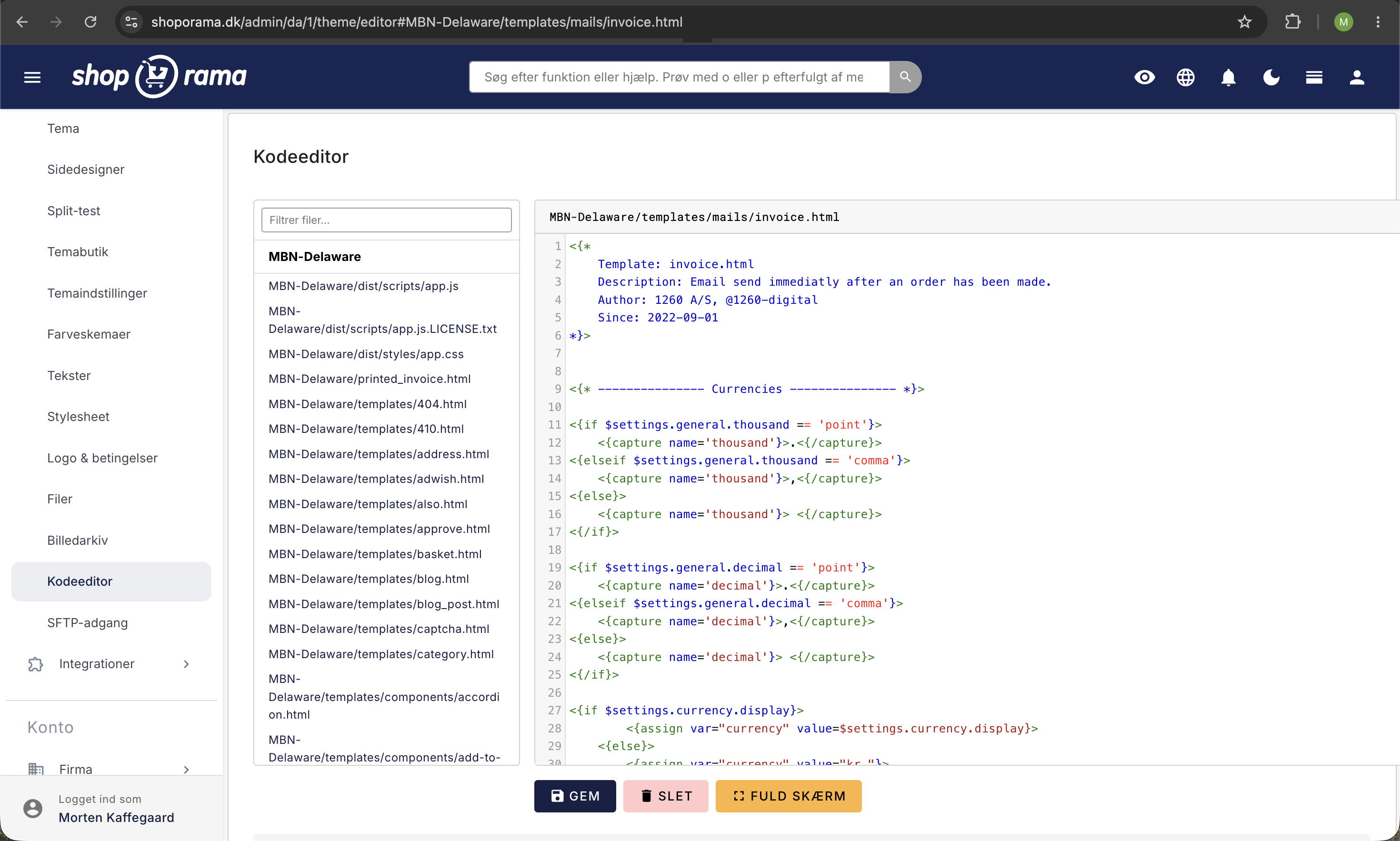
- Find the email templates in your theme’s `templates/mails/ ` folder
- Edit via SFTP or the theme editor
- Use Smarty variables for dynamic content
View the email templates in your theme and see which templates are used for which emails.
What can you customize?
- Subject line – what the customer sees in their inbox
- Additional text – a personalized message in the email
- Layout – via theme templates (advanced)
- Attachments – attach files
Tip
You can also customize emails based on the shipping method, for example, showing shipping information for delivery orders but pickup information for in-store purchases.
Need help? Contact us at support@shoporama.dk.
Related articles
Email templates in your theme
Overview of all email templates in Shoporama themes. Learn what each template does, when it's sent, and what variables you can use to customize...
Which templates are used for which emails?
Complete overview of all email templates in Shoporama - order confirmations, abandoned baskets, return labels, product reviews and much more.
Unsubscribe links in automatic emails
Give your customers the option to unsubscribe from automatic follow-up emails after purchases and product reviews - with a simple link in the email.
Related features
Transactional mails
Transactional emails like order confirmations and shipping notifications have 60-80% open rates. Learn about the types, Shoporama's email system...
Full design freedom - your design, your rules
Design your online store freely with full access to HTML, CSS and templates. Use templates, Page Builder or build from scratch.
Emails to Your Customers: Sender, Content, and Email Testing
See what emails Shoporama sends to your customers, how to edit the sender and text, how to use Mailtest, and what to do about spam.
Point of Sale, Email, and Integrations in Delaware
All fields in Delaware's theme settings for the checkout, emails, terms of service, integrations, and error pages explained with tags, examples,...