Create redirects in Shoporama
Short guide to creating redirects in Shoporama so that old URLs point to the right pages.
A redirect is an instruction that sends visitors and search engines from one URL to another. It’s important to use redirects when you change URLs in your store; otherwise, you’ll lose traffic and SEO value.
What is a redirect?
When you rename a product, a category, or a static page, the URL changes. A redirect tells the browser (and Google) that the old URL is now located somewhere else. There are two types:
- 301 (permanent): The old URL has been permanently moved. Google transfers the SEO value to the new URL
- 302 (temporary)—the old URL has been temporarily moved. Google retains the SEO value on the old URL
In most cases, you should use a 301 redirect.
Create a redirect in Shoporama
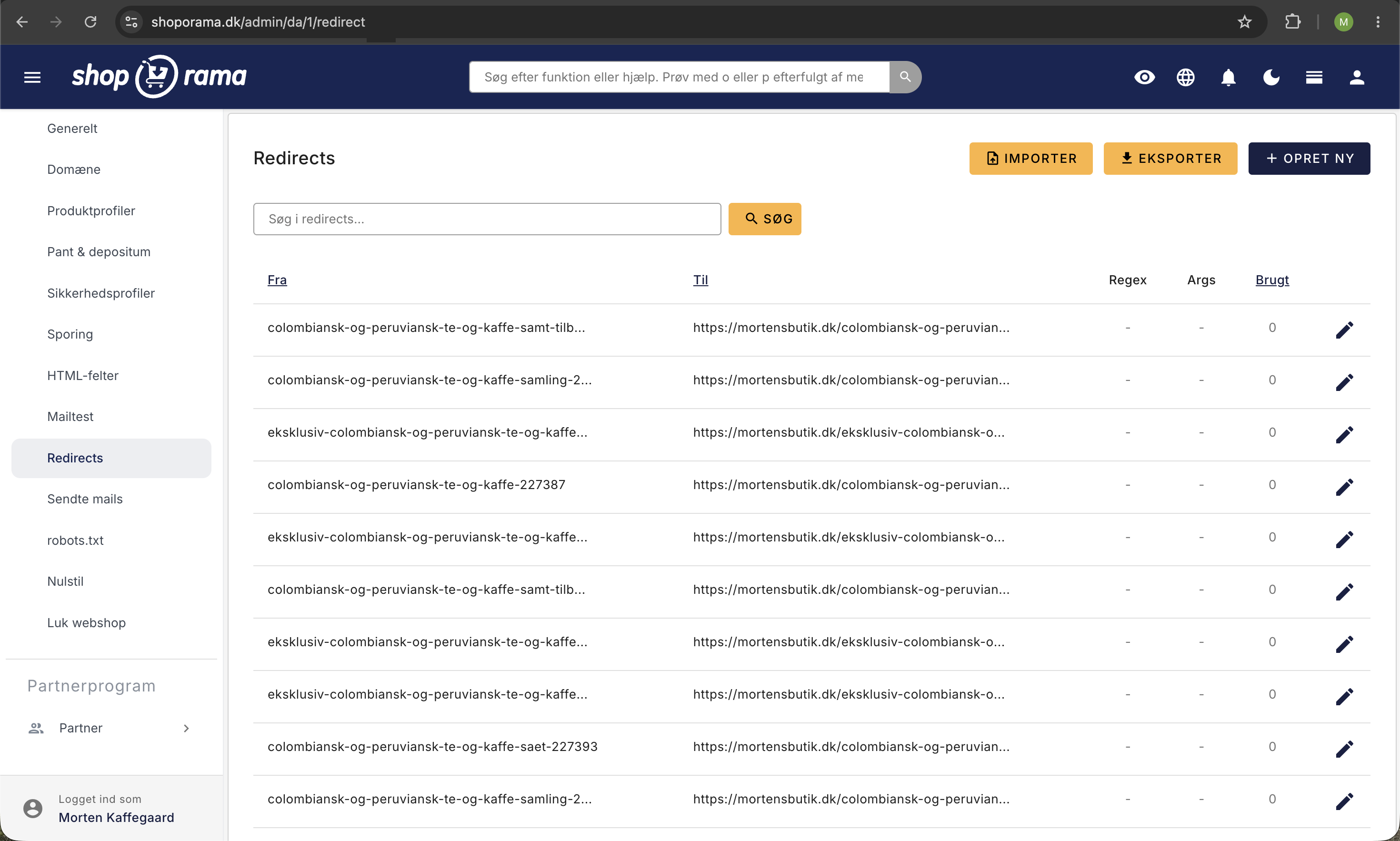
- Go to Account → Webstore → Redirects (URL: /redirect)
- Click "Create New"
- Enter the old URL (From) and the new URL (To)
- If necessary, check the box for Regular Expression or Include Arguments (all redirects in Shoporama are 301)
- Click Save
Using Regular Expressions
Shoporama supports regular expressions (regex) in redirects. This is useful if you need to redirect many URLs according to a specific pattern, such as when migrating from another platform.
Example: Redirect all URLs starting with /shop/ to the root:
From: ^/shop/(.*)$
To: /$1
When should you create redirects?
- When you rename a product or category (the URL changes)
- When you delete a page that has incoming links
- When you move your store from another platform
- When you restructure your store (e.g., change the category structure)
Tip
Keep an eye out for 404 errors in your dashboard; they’ll show you which URLs are missing redirects.
Also check out our comprehensive guide to redirects for advanced techniques. Need help? Contact us at support@shoporama.dk.
Related articles
The big guide to redirects
Complete guide to redirects in Shoporama. Learn when and how to create redirects and avoid losing rankings in Google.
Redirects when moving shop
Guide to setting up redirects when moving your shop to Shoporama to preserve SEO value.
How to create redirects on Shoporama
Guide to creating redirects in Shoporama - from simple redirects to regex and CSV import.