An e-commerce platform built for SEO
Good SEO is about more than just writing good copy. It’s about speed, structure, technical setup, and having the right tools for day-to-day operations. Shoporama provides you with robust built-in features so you can focus on your content and products.
We want to be transparent about what’s included in the platform itself and what depends on the theme you’re using. This is an important distinction to consider when evaluating your store’s SEO.
Lightning-Fast Speed
Speed is one of Google’s most important ranking factors. Shoporama is built to be fast:
- Images are automatically served in WebP format and are typically much smaller than the original JPG or PNG files
- All stores run on HTTP/2 with advanced caching
- Static assets are aggressively cached and served with proper cache headers
Full control over titles and meta descriptions
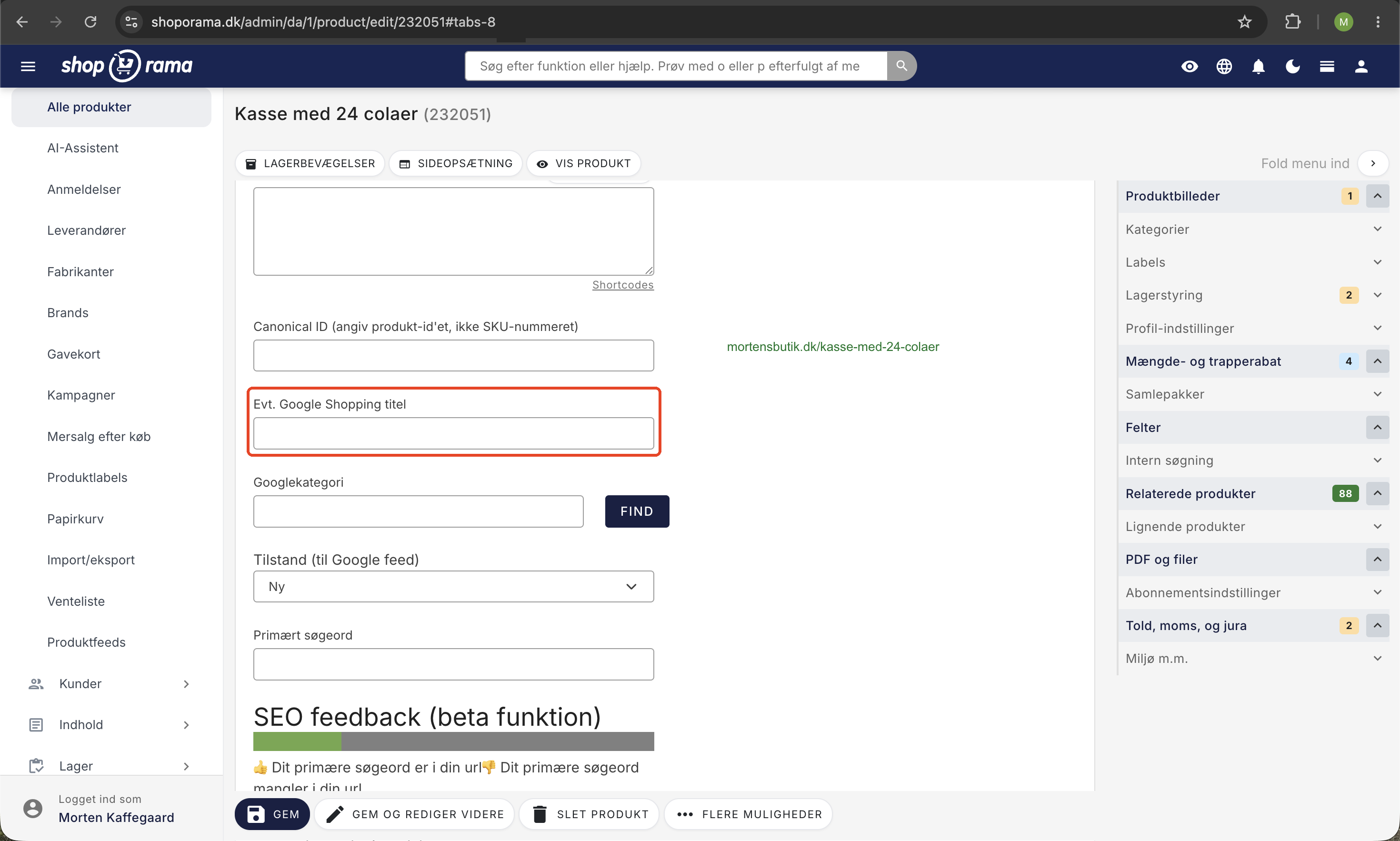
For all products, categories, pages, and blog posts, you can set the following yourself:
- A title that appears in Google search results and in the browser tab
- A meta description that appears as a description in search results
- Open Graph fields that determine how your content appears when shared on Facebook and LinkedIn
Dynamic tags in meta fields
Keep your titles and meta descriptions up to date without manual effort. With dynamic tags, you can insert variables that update automatically:
- [YEAR] is replaced with the current year
- [MONTH] is replaced with the current month
- [SEASON] is replaced with the current season (spring, summer, fall, winter)
- [PRICE] is replaced with the product’s current price
For example, write "Best Running Shoes ([SEASON] [YEAR])" and let Shoporama automatically update the season and year.
Clean and SEO-friendly URLs
You decide what your URLs should be called. No cryptic paths or file extensions—just clean, readable URLs that both users and Google can understand.
Automatic 301 redirects
Redirects are essential for preserving link equity when URLs change. Shoporama helps you in several ways:
- When you change the URL of a product, category, or page, a 301 redirect is automatically created from the old URL to the new one
- You can create 301 redirects yourself using both fixed URLs and regular expressions
- When you delete a product, Shoporama asks if you want to redirect to another page
- Broken links (external 404 errors) are logged so you can create a redirect and preserve link equity
Dynamic Categories and Landing Pages
One of Shoporama’s most powerful SEO features is dynamic landing pages. You can combine products across categories to create new, targeted pages:
- Create a landing page with a name like "Organic Puppy Food"
- Set up rules that retrieve products from multiple categories at once
- Give the page an SEO-friendly URL and write relevant text, or use the built-in AI assistant
- Link to the page from your navigation menu or related content
This way, you can create more entry pages and target long-tail searches without duplicating products.
Noindex and canonical
You have control over which pages Google is allowed to index. Set "noindex" on pages that shouldn’t appear in search results, and use canonical tags to avoid duplicate content.
XML Sitemap and robots.txt
Shoporama automatically generates an XML sitemap (/sitemap.xml) and a separate image sitemap (/image-sitemap.xml) for Google. The sitemap is updated regularly so that search engines can always find your pages, categories, and products. You also have full control over robots.txt.
Structured Data (Schema.org)
Schema.org markup is not an automatic core feature of the platform itself, but is included with several of our official themes, such as Delaware, DelawareDK, Montana, and California. These themes include JSON-LD for products, breadcrumbs, business information, and reviews, allowing you to display rich snippets with star ratings, prices, and stock status in Google.
If you’re using an older or custom-developed theme, structured data must be added manually by your theme developer. We’re happy to help you assess whether your theme is ready for rich snippets if you’re unsure.
Multilingual Online Stores
If you sell in multiple countries, you can translate texts, categories, and products into multiple languages directly in the admin panel. Please note that hreflang tags—which tell Google which language version to display—are not automatically inserted by the platform. They must be handled within the theme you’re using, and we’d be happy to help your theme developer set them up correctly.
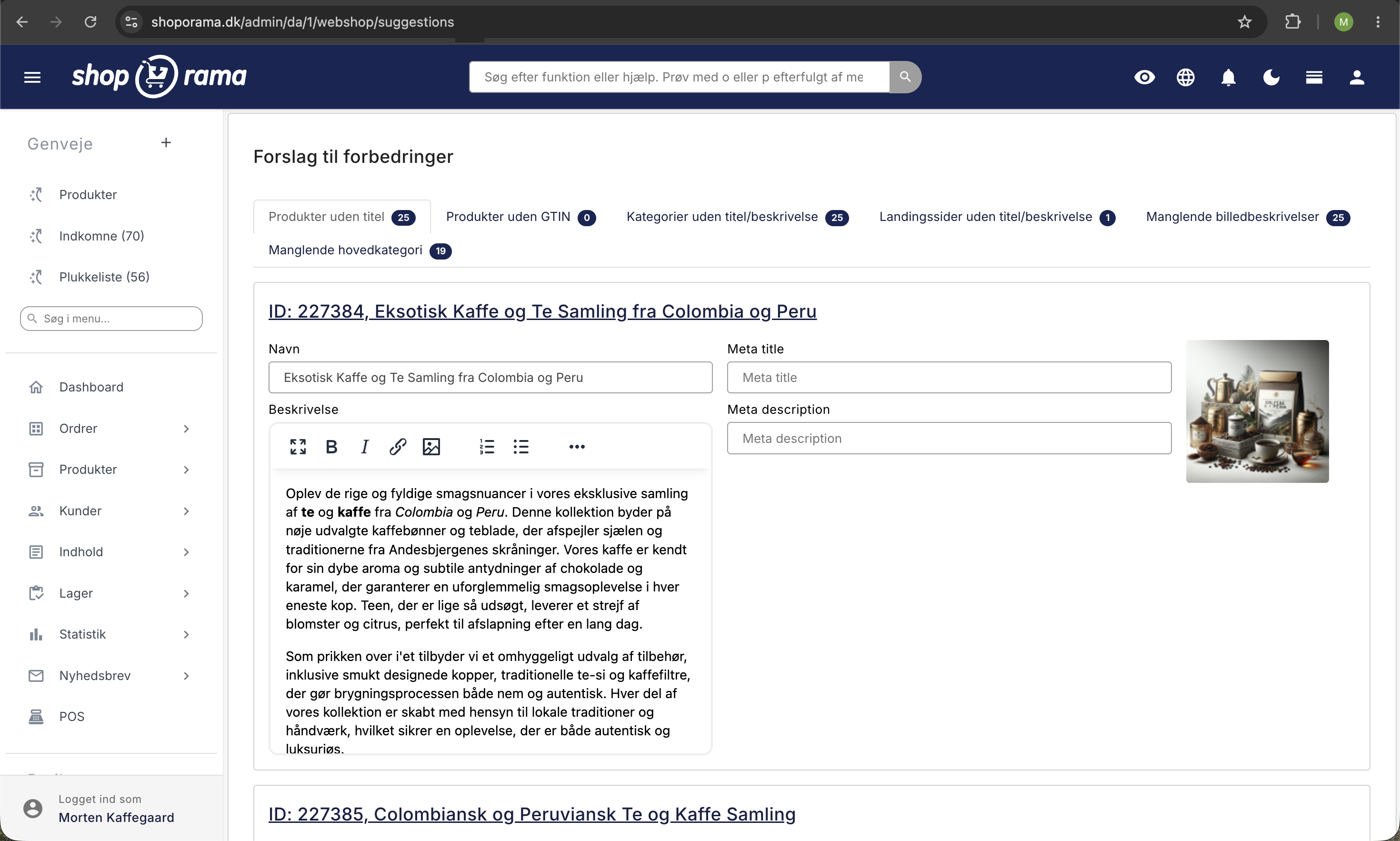
AI Assistant for SEO Content
Do you need help writing SEO-optimized content? Shoporama’s built-in AI assistant can generate product descriptions, meta descriptions, and category descriptions directly in the admin panel.
Ready to get started?
Are you ready for an online store with a solid SEO foundation? Send an email to support@shoporama.dk, and we’ll help you get started.