Embroidered teddy bears, engraved jewelry, christening gifts with dates, name tags for preschool. If you sell items that customers personalize themselves, until now you’ve had to make do with a comment field or back-and-forth emails afterward. You no longer have to do that.
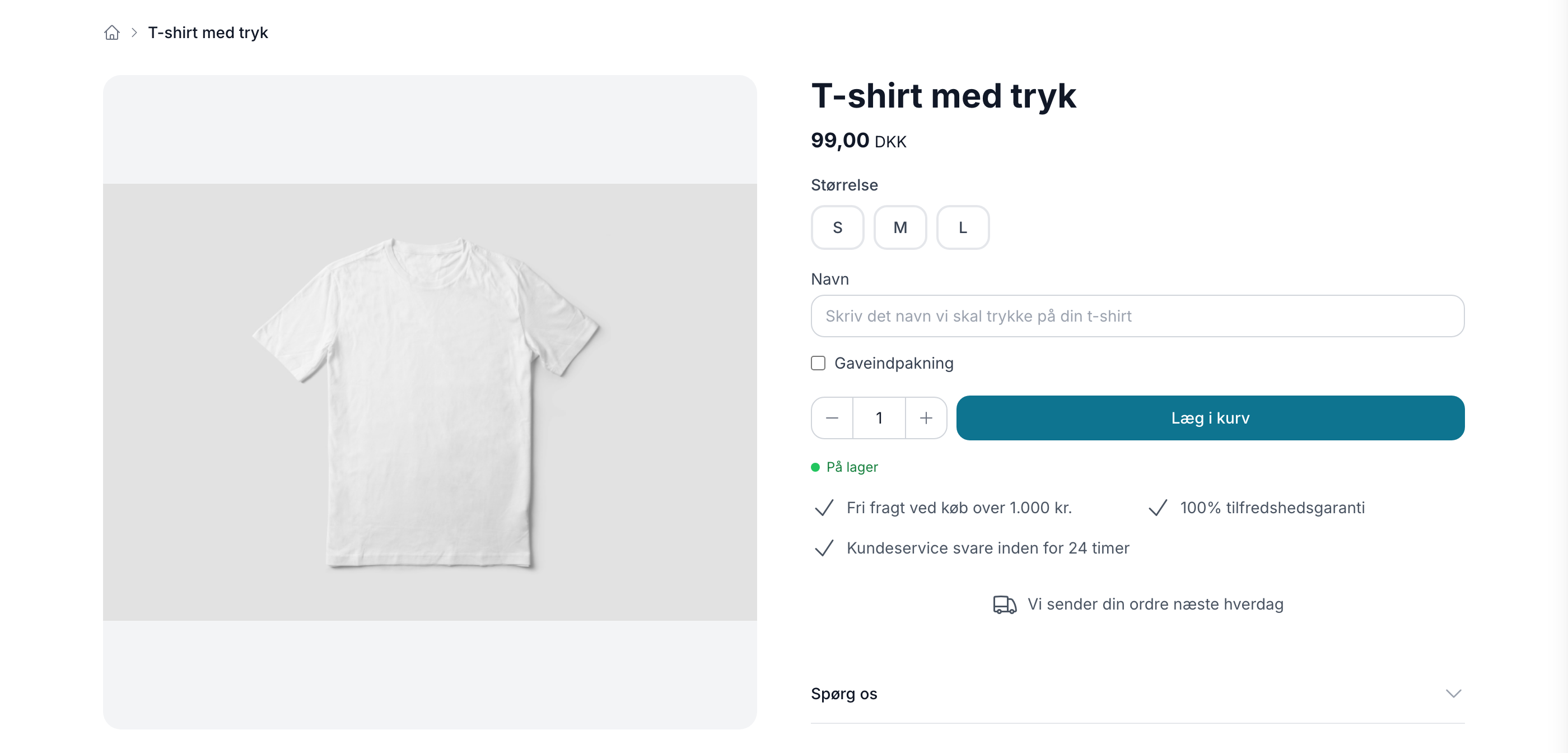
Fields the customer fills out, directly on the product page
You create the fields on the product profile and check the “Customer fills in” box. All products using that profile will automatically have the fields added, so you don’t have to edit products one by one.
- Text for names, dates, and greetings
- Yes/No for optional extras like gift wrapping
- List of values when the customer needs to choose from fixed options
- Numbers for quantity and measurements
- File upload for the customer’s own logo or design
You decide whether the field is required, how long the answer can be, and what help text the customer sees in the empty field. If the field is required, the item cannot be added to the cart until the customer has filled it out.
The responses follow the order throughout the process
Whatever the customer writes appears on the order line: in the cart, on the order confirmation, in the order details in the admin panel, on the picking list, in the order list, in the CSV export, and in the REST API. There’s never any doubt about what needs to be embroidered when the order is packed, and no one has to search through emails to find it.
Secure handling of customer files
Uploaded files are stored outside the online store’s public files and can only be accessed by you via the link on the order. Only images and PDFs up to 10 MB are accepted, and the content is checked upon upload. The system automatically deletes files from shopping carts that never become orders.
Works with Shoporama themes from day one
The fields appear automatically in Montana, MontanaB2B, Delaware, DelawareDK, Alaska2, and California. Washington supports all field types except file upload. If you’re using a custom-developed theme, your theme developer must add the fields to the product page.