Which user receives system emails?
Guide to view and change which user receives system emails from Shoporama.
System emails from Shoporama (such as operational information, invoice reminders, and important announcements) are sent to the primary contact for your store.
Who receives system emails?
System emails are sent to the email address registered for the shop owner —that is, the user who originally created the shop.
Change Recipient
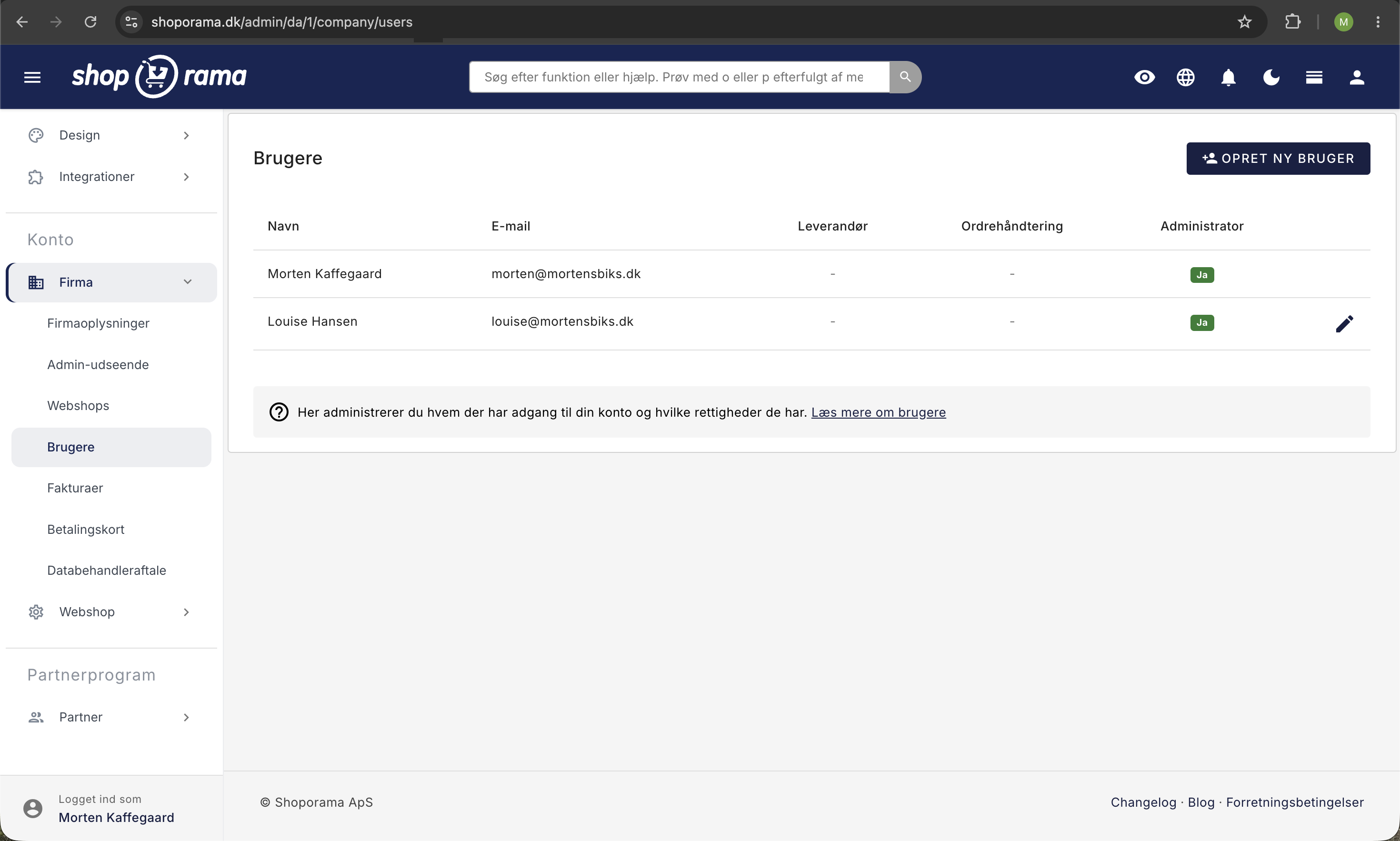
To change who receives system emails:
- Click on your company name at the top of the admin panel
- Go to Users
- Edit the primary user
- Update the email address for the new recipient
- Click Save
Difference between system emails and order emails
- System emails — from Shoporama to you (operations, invoices, notifications)
- Order notifications — notifications about new orders (configured under Settings → Notifications)
- Customer emails — from your store to customers (order confirmation, shipping, etc.)
Tip
Make sure your primary email address is always up to date. Important messages about your store will be sent there.
Need help? Contact us at support@shoporama.dk.
Related articles
Unsubscribe links in automatic emails
Give your customers the option to unsubscribe from automatic follow-up emails after purchases and product reviews - with a simple link in the email.
Blacklist - Block unwanted orders
Learn how to use Shoporama's blacklist feature to block spam orders and unwanted customers by blacklisting email, phone number or IP address.
Export customers who have purchased a specific product
Guide to export a list of customers who have purchased a specific product and send them an email.