Bundles (Bundles)
Learn how to create bundles in Shoporama so you can sell multiple products as one package with automatic inventory tracking.
With bundle packages, you can sell multiple products as a single package. The customer sees one item with one price, and you can offer a package price that’s lower than the sum of the individual products. When the package is sold, the inventory for the individual products is automatically updated.
When should you use bundle packages?
Bundles are ideal when you want to:
- Sell a promotional bundle, such as a Christmas gift box with three selected wines or a Valentine’s Day box with chocolate and a card.
- Offer a starter pack to new customers, such as a skincare routine with cleanser, serum, and moisturizer, or a starter kit for a new hobby.
- Increase the average order value with cross-sell bundles, such as a camera, bag, and memory card.
- Clear out dead stock by bundling hard-to-sell items into a mystery box or a bundle deal.
- Create volume deals, such as three T-shirts for 300 kr or two bottles of wine at a discounted price.
How to Create a Bundle
A bundle is essentially a regular product in your online store to which you’ve added other products as contents.
- Create or open the product that will serve as the bundle. Give it a descriptive name, a price, images, and, if desired, a description—just like a regular product.
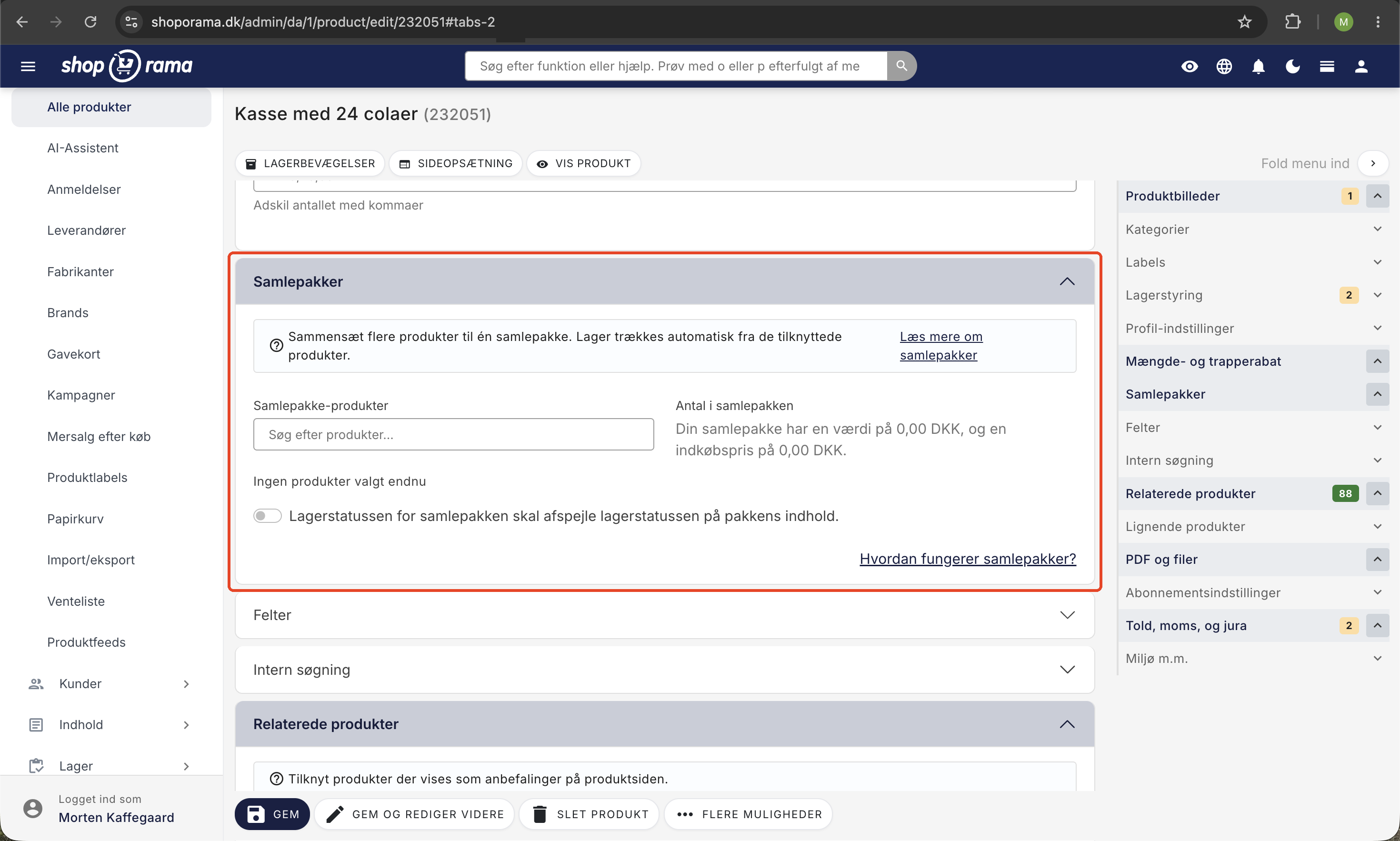
- Find the “Bundles ” section on the product page.
- Search for the products you want to include in the bundle and add them.
- Specify the quantity of each product in the bundle (e.g., 3 T-shirts or 1 camera + 1 bag).
- Click Save.
Below the product list in the Bundles section, you’ll see the total sales value of the included products and their total purchase price. This makes it easy to determine what bundle price makes sense.
Pricing the Bundle
The bundle price is the selling price of the product you’ve created as a bundle. Set it lower than the sum of the individual products if you want to offer the customer a discount.
Example: A skincare bundle is sold for 499 kr. The individual products cost a total of 647 kr (cleanser 199, serum 249, cream 199). The customer saves 148 kr by purchasing the bundle.
On the order, the bundle itself appears as a single line item with the bundle price. The individual products are listed as separate line items with a unit price of 0, so they can be packed and handled independently without affecting the total order price.
Display in the online store
When the customer opens the bundle in the online store, an overview of the included products is displayed, showing images, quantities, and links to the individual products. The customer can click through to view details about each individual product.
If a product in the bundle has variants (e.g., size or color), the customer must select the variant directly on the bundle’s product page before the bundle can be added to the cart. This way, you always know exactly what needs to be packed.
Order Processing
When a customer purchases a bundle:
- The order includes a line item for the bundle itself, showing the bundle price.
- Each individual product is created as a separate order line, so you can see exactly what needs to be packed and shipped.
- Stock levels are automatically updated for each of the individual products. For example, if a customer buys 2 bundles of 3 T-shirts each, 6 T-shirts are deducted from inventory.
- If an underlying product has “Automatically go offline when out of stock” enabled, it will be marked as out of stock when inventory reaches zero.
Automatically mark bundle orders
You can create an order label that is automatically assigned to bundle orders. This is useful if bundles need to be packed in a specific way—such as in a gift box—so your warehouse team can quickly see which orders require extra attention.
Inventory Management
On the bundle product page, you’ll find the setting “The bundle’s inventory status should reflect the inventory status of the bundle’s contents.” This is the recommended configuration, and you should almost always have it enabled.
When this setting is active:
- The bundle does not have its own inventory. The stock level is calculated dynamically as the minimum number of bundles that can be assembled from the underlying products.
- Example: A bundle contains 1 cleanser and 1 serum. You have 10 cleansers and 4 serums in stock. The bundle appears as 4 in stock.
- The bundle automatically appears as out of stock if even one of the individual products is out of stock.
- You cannot set stock levels directly for the bundle itself. You must do this for the individual products.
Interaction with "Allow Negative Stock"
The “Allow Negative Inventory” setting on the bundle itself makes it possible to sell the bundle on backorder, even if there isn’t enough stock to cover the order. However, this only applies to the extent that the items in the bundle allow it: if even one of the missing items has “Allow Negative Inventory” turned off, the bundle cannot be purchased.
Therefore, for a bundle to be sold on backorder, you must enable negative inventory for both the bundle itself and the items it contains. Conversely, a discontinued item for which you have intentionally disabled negative inventory is protected from being sold as part of a bundle.
Tip: Enable this setting to prevent selling bundles that cannot be shipped because an item is out of stock. This configuration also makes tracking inventory value in your accounting the most straightforward.
Variants in Bundled Packages
A bundle has a single, fixed price. You cannot set different prices for variants of the bundle itself (e.g., a “small” and a “large” version, each with its own price).
However, the products included in the bundle can have variants. If an underlying product has variants, Shoporama automatically prompts the customer to select a variant when purchasing the bundle. Inventory is deducted from the selected variant.
Read more about variants in the article “Product Profiles and Variants.”
Discount Codes and Promotions
Discount codes, promotions, and volume discounts apply to the bundle’s sale price just as they do to a regular product. A bundle counts as a single item for volume discount purposes, even if it contains multiple underlying products.
Bundles at the POS
Bundles also work when you sell from your physical store using Shoporama’s POS. When you search for or scan a bundle, the POS displays what the bundle contains so that you and the customer can see the individual products. If you click “More Info” on the bundle, you’ll see the individual products with images.
The price of the bundle is calculated by the same engine as your online store, so the bundle price is the same at checkout as it is online. When the bundle is sold, inventory is automatically deducted for each individual product, just as it is for a sale in the online store. This ensures your inventory remains accurate, regardless of whether the bundle is sold online or in-store.
If customers want to purchase bundle packages without assistance from a sales associate, they can also do so via self-service POS, where they scan the package on their own phone and view the contents.
Frequently Asked Questions
Does my bundle count twice toward inventory value?
Only if you’ve turned off shared inventory. With shared inventory (the recommended setup), the bundle package has neither its own inventory nor its own cost price, so the value is calculated based solely on the individual products it contains. Without shared inventory, the bundle can have its own inventory and its own cost price, and then you risk the same items being counted twice in your inventory report. See also calculation of inventory value.
Why does my bundle have a stock value of 0 DKK when it sells for 499 DKK?
This is entirely intentional. In principle, the bundle is simply a sales price for a combination of products. The value lies in the individual products that are actually on the shelf. If the bundle also had an inventory value, you would be counting the same items twice. The selling price therefore has nothing to do with the inventory value. Only the cost price of the underlying products counts.
What happens in inventory when a customer purchases a bundle?
The individual products are deducted from inventory, regardless of whether you use a shared inventory system or not. The bundle product itself does not affect inventory levels. This also means you don’t have to “restock” the bundle yourself. It’s always available as long as the individual items are in stock.
Can I set a lower price for the bundle than the sum of its parts?
Yes, and that’s often the whole point. The price of the bundle product is the price the customer pays. The underlying order lines are recorded at 0 DKK per unit, so the entire amount is attributed to the bundle itself. This way, you can easily create offers like “Buy 3 for 199 kr.” without changing the prices of the individual items.
Do my discount codes work on bundle products?
Yes, discount codes work on bundle products just as they do on other products. However, please note that the discount is calculated based on the bundle’s sale price, not on the sum of the individual items, since they are listed at 0 kr on the order.
Can the customer choose variants within a bundle, such as size or color?
Yes. The bundle product itself cannot have variants with different prices, but the individual items within the bundle can certainly have variants. For example, the customer selects the size of the T-shirt and the color of the cap before adding the bundle to the cart.
Can I create a bundle that contains another bundle?
No, that’s not possible. When you add products to a bundle, you can only select regular products. If you want to combine multiple bundles, you’ll need to create a new bundle that links directly to the individual underlying products.
What happens if one of the individual products is out of stock?
The bundle package can no longer be purchased because part of its contents is missing. If you have enabled “Automatically go offline when out of stock” for the underlying product, it will automatically be hidden in the online store until you restock it. If you want to be able to sell the bundle anyway, “Allow Negative Inventory” must be enabled for both the bundle and the missing item.
Do bundle packages work with subscriptions?
No. Bundles and subscriptions cannot be combined. A bundle cannot be sold as a subscription, and a subscription product cannot be part of a bundle either.
Do bundle packages work at the POS and in self-service?
Yes. Both the staffed POS and the self-service POS display the bundle’s contents and calculate the bundle price using the same engine as the online store. Inventory for the individual products is automatically deducted upon sale.
If you have any questions about bundle packages, please feel free to contact us at support@shoporama.dk.
Related articles
Calculating inventory value
Explanation of how the inventory value is calculated in Shoporama. Weighted average, cost price, bundles, variants and credit notes.
Product Profiles and Variants
Guide to product profiles and variants in Shoporama. Understand how profiles, attributes and variants are related.
Order labels
Guide to order labels in Shoporama. Create color-coded labels to organize and categorize your orders and set up automatic allocation based on...
Create volume discounts on products
How to automatically give customers a discount when they buy more of the same product. The quantity discount is set up per product in the Quantity...
Manage your orders in Shoporama
Guide to managing orders in Shoporama - from receiving to shipping and status updates.
Synchronizing stock with variants
Guide to stock syncing products with variants in Shoporama.
Related features
Bundle
A bundle bundles several products into one package at a discount. Read about bundling, pricing and order value in eCommerce.
Bundles - sell products as packaged solutions
Create bundles with multiple products at a single price. Automatic inventory management, variant selection and clear order display.
Upselling after purchase
Display product recommendations on the receipt page and let customers continue shopping with a single click. Higher order amounts, no need to...
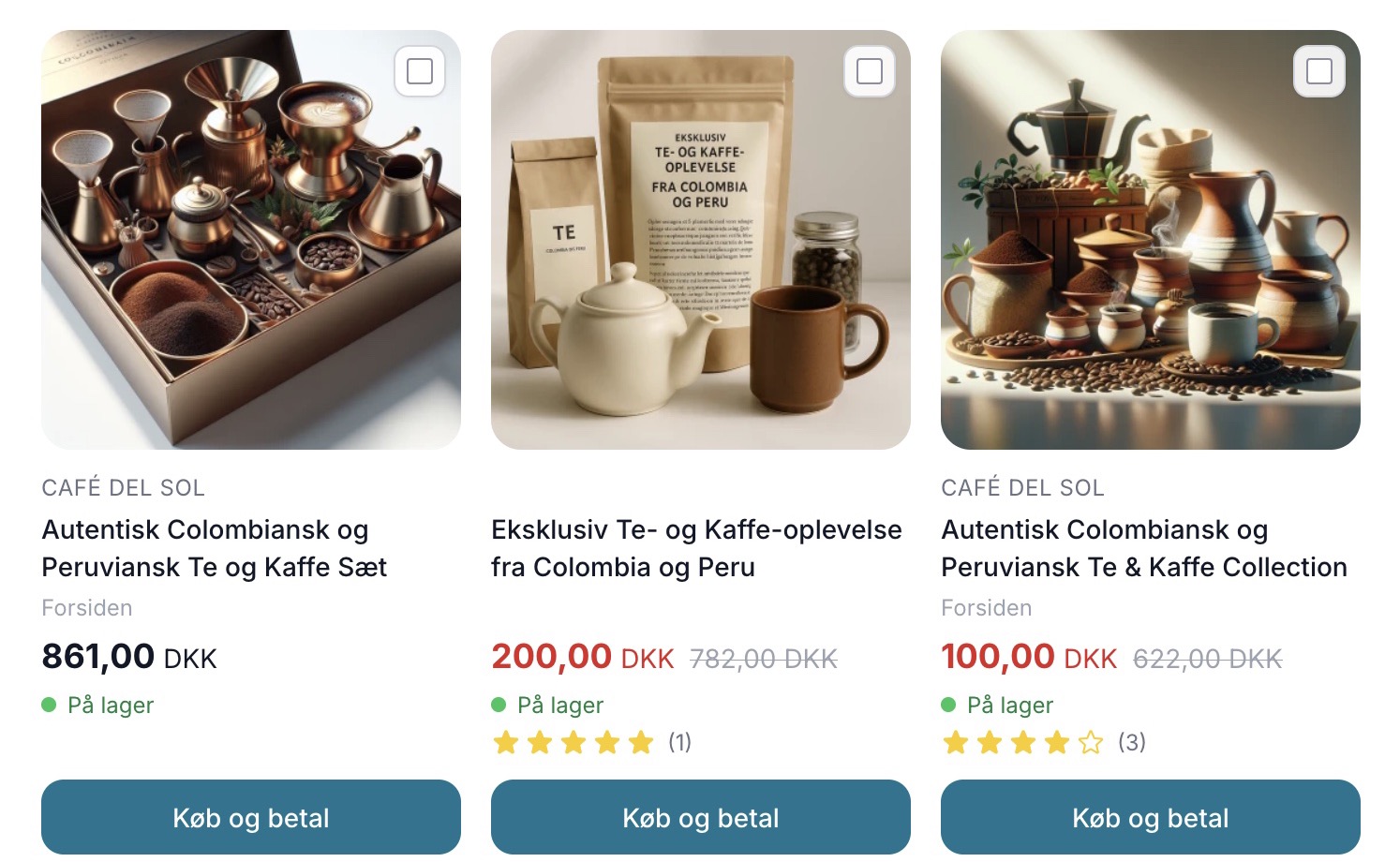
Sælg mere med Mersalg efter køb
Display suggested products on the receipt page that customers can add with a single click. Shoporama's built-in post-purchase upsell feature. No...