GPSR fields on products
Guide to implement GPSR fields (manufacturer and safety profile) on products according to EU regulations.
As of December 13, 2024, it is mandatory to provide safety information for certain products in accordance with the EU General Product Safety Regulation (GPSR). In Shoporama, this is handled through manufacturers and safety profiles, which you associate with your products.
1. Create a manufacturer
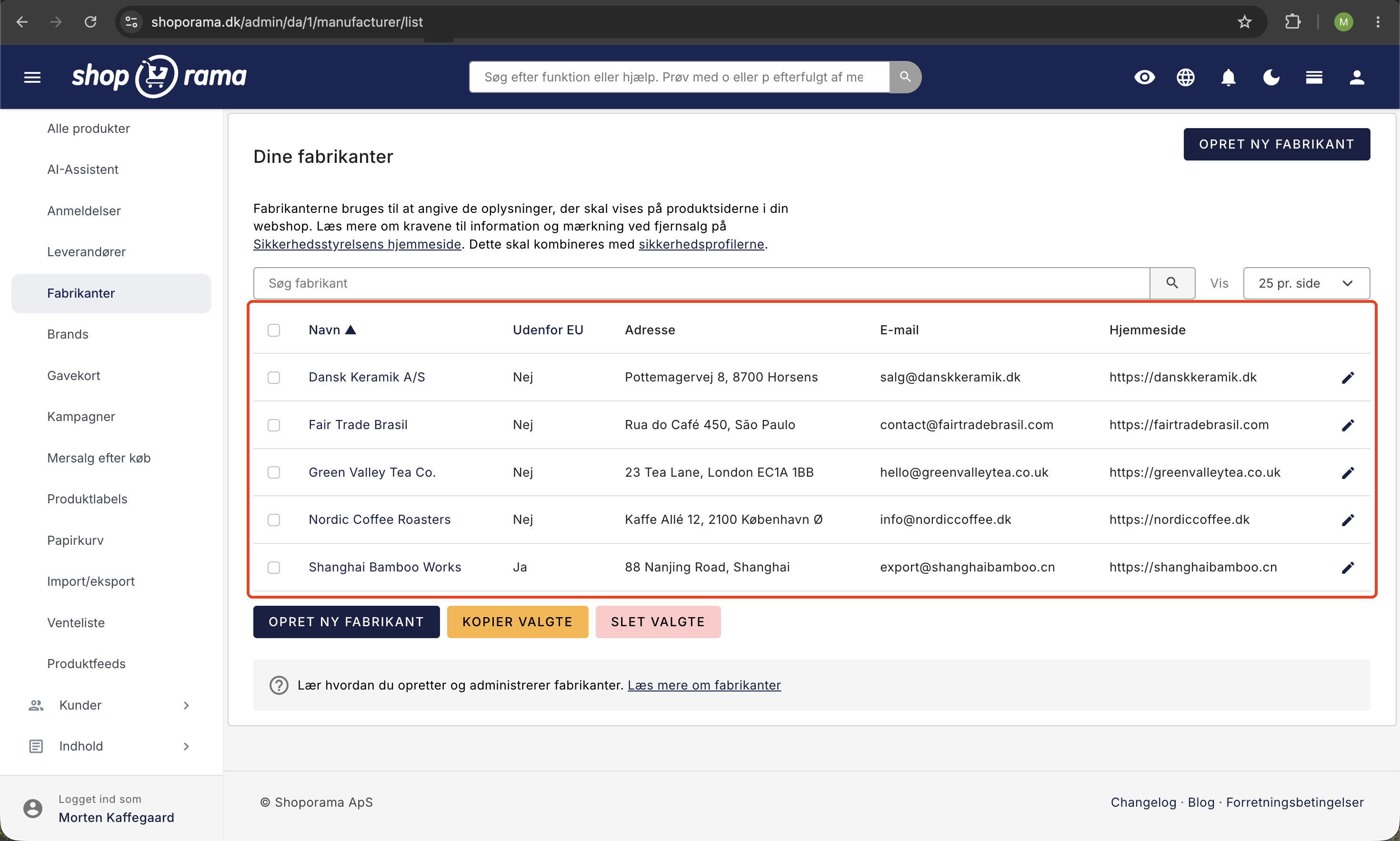
- Go to Products → Manufacturers
- Click Create Manufacturer
- Fill in the name, address, email, and website (if applicable)
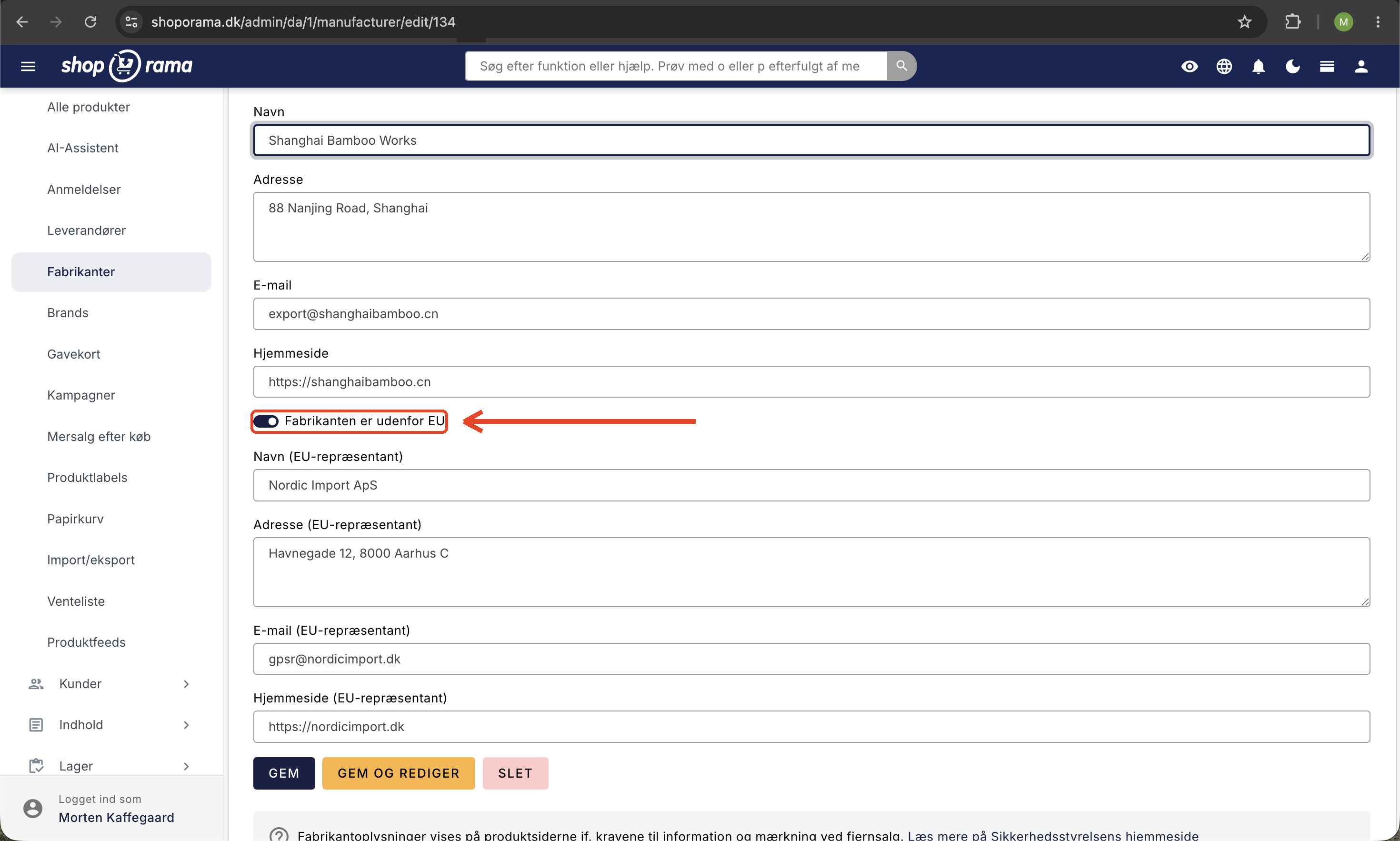
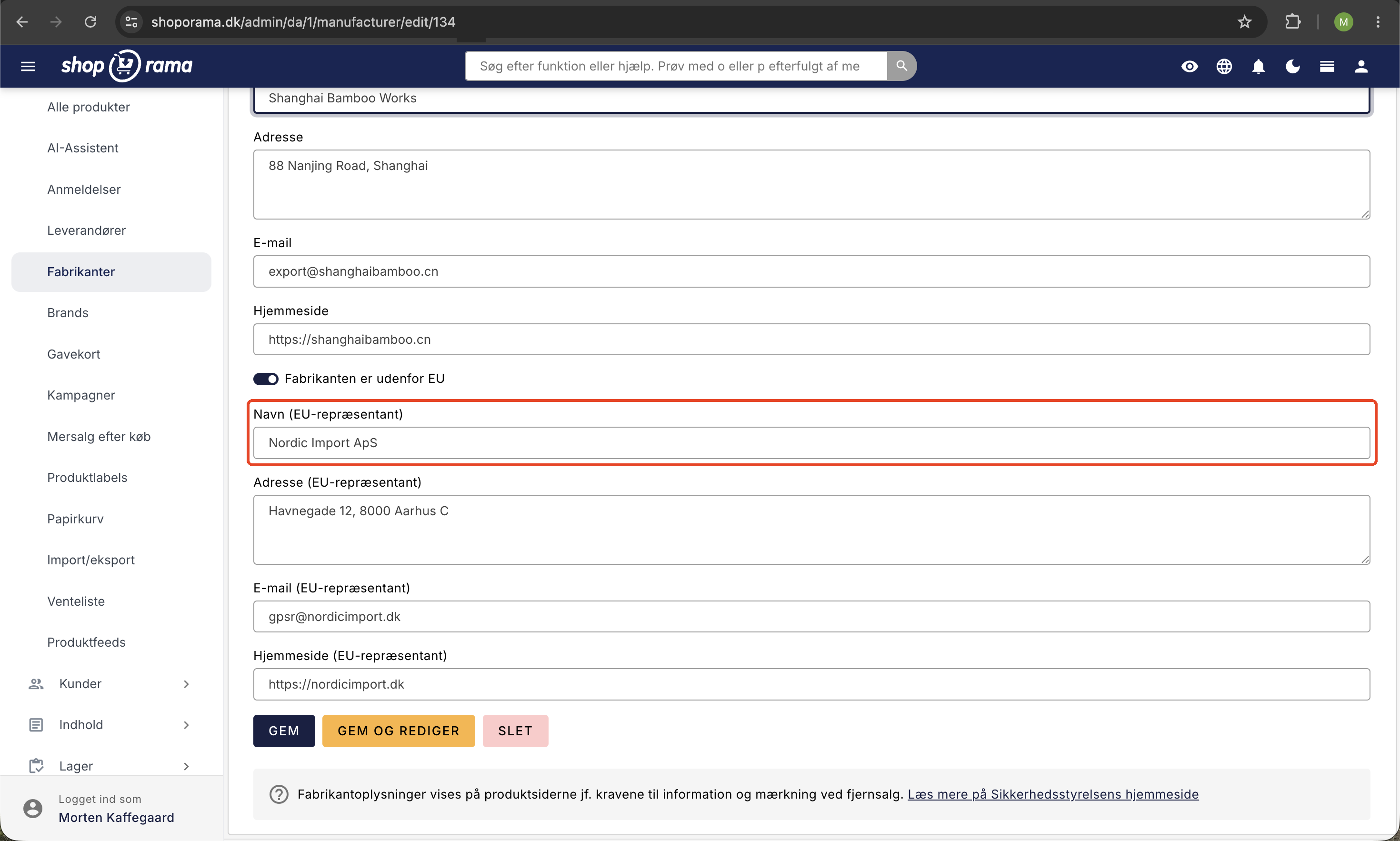
- If the manufacturer is outside the EU, check the box next to “Manufacturer is outside the EU” and fill in the EU representative’s contact information (name, address, email)
- Click Save
2. Create a safety profile (optional)
A safety profile is used to attach safety documentation, CE markings, or similar images to your products.
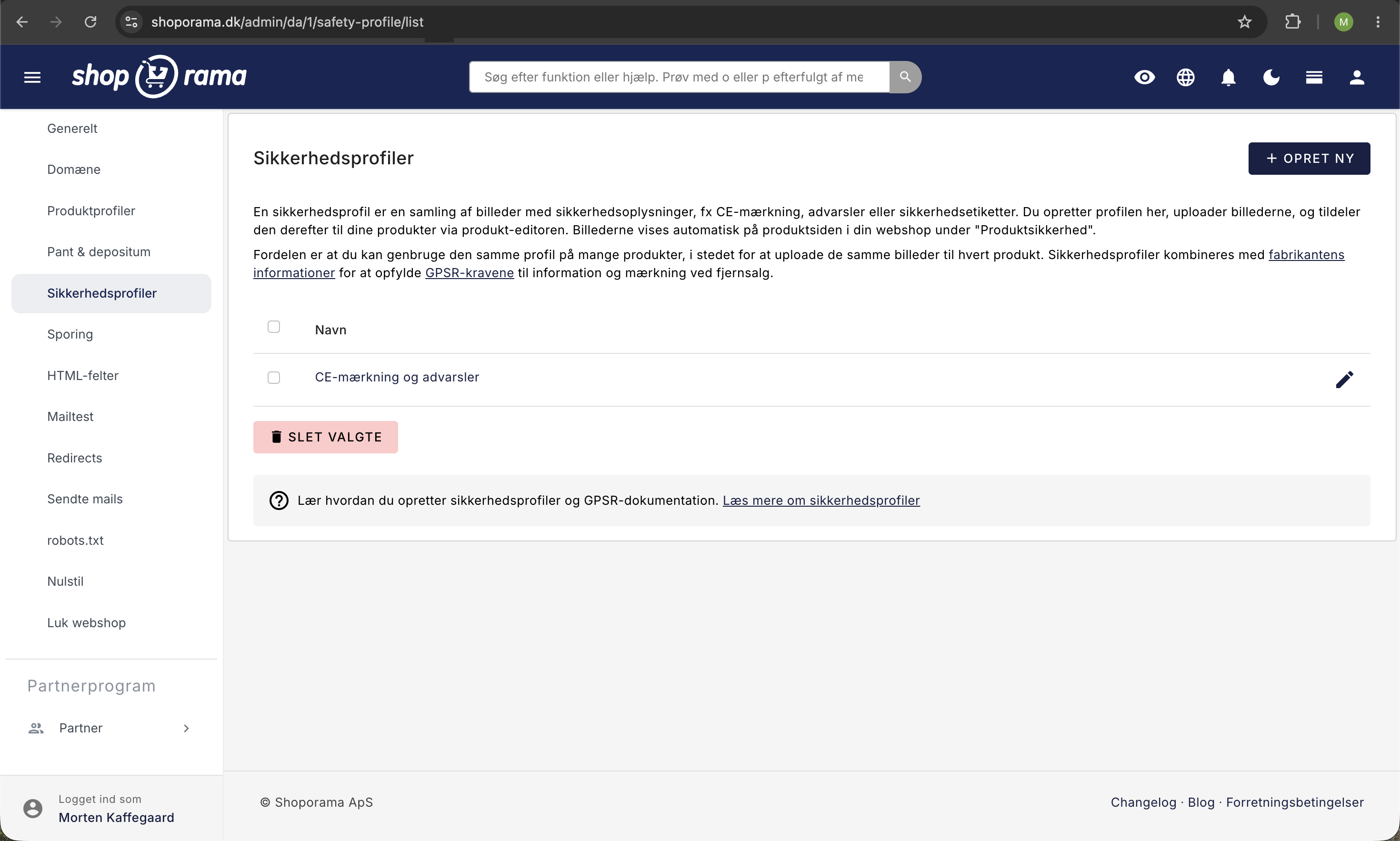
- Go to Products → Safety Profiles
- Click " Create Safety Profile"
- Give the profile a name (e.g., “CE Marking” or “Safety Documentation”)
- Upload relevant images (e.g., CE mark, safety data sheets)
- Click " Save"
Tip
You can reuse the same safety profile for multiple products. If you have many products with the same certifications, you only need to create the profile once.
3. Link to a product
- Go to Products and click Edit on the product
- Under General, you’ll find the Manufacturer and Security Profile dropdown fields
- Select the relevant manufacturer and, if applicable, safety profile
- Click Save
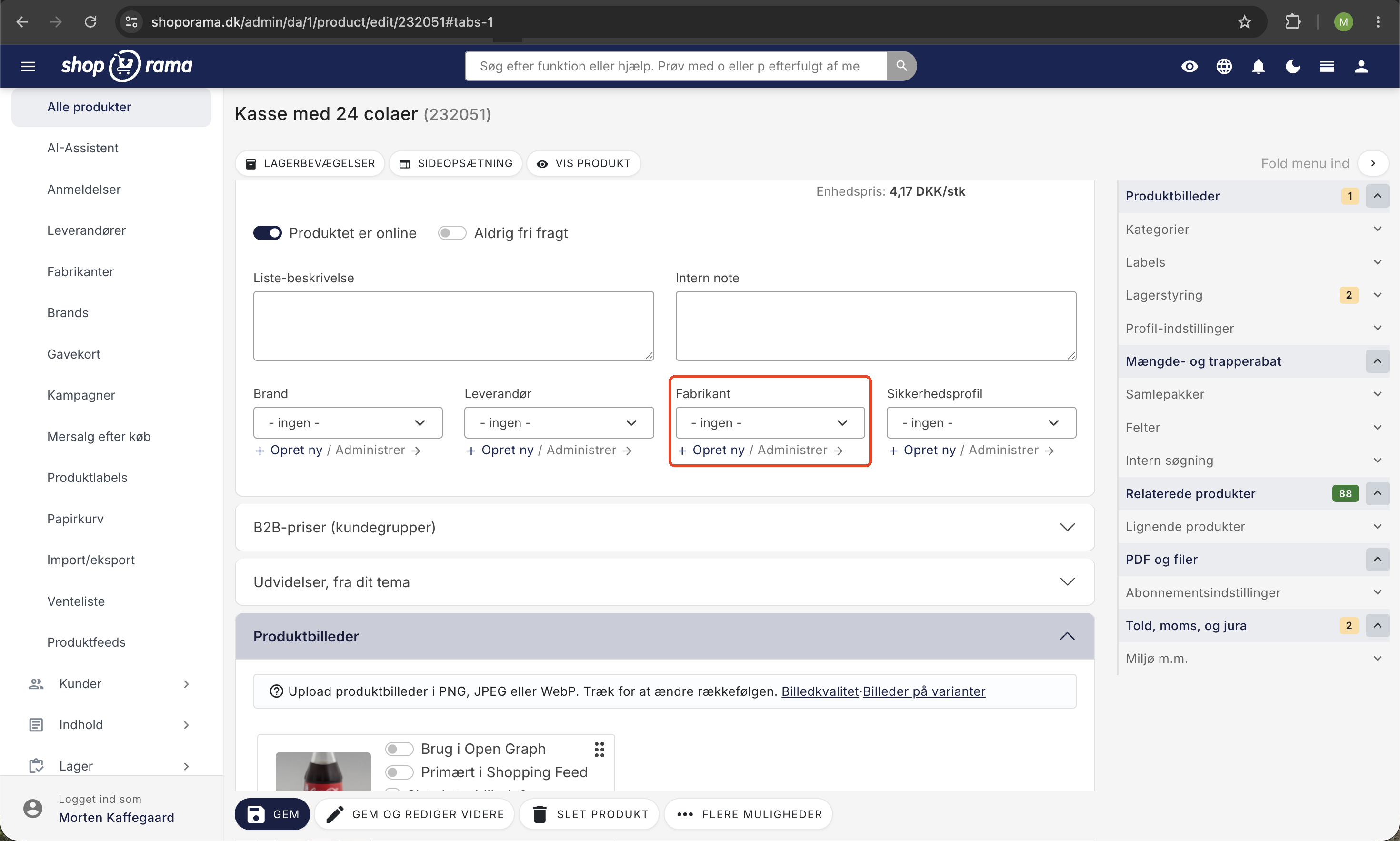
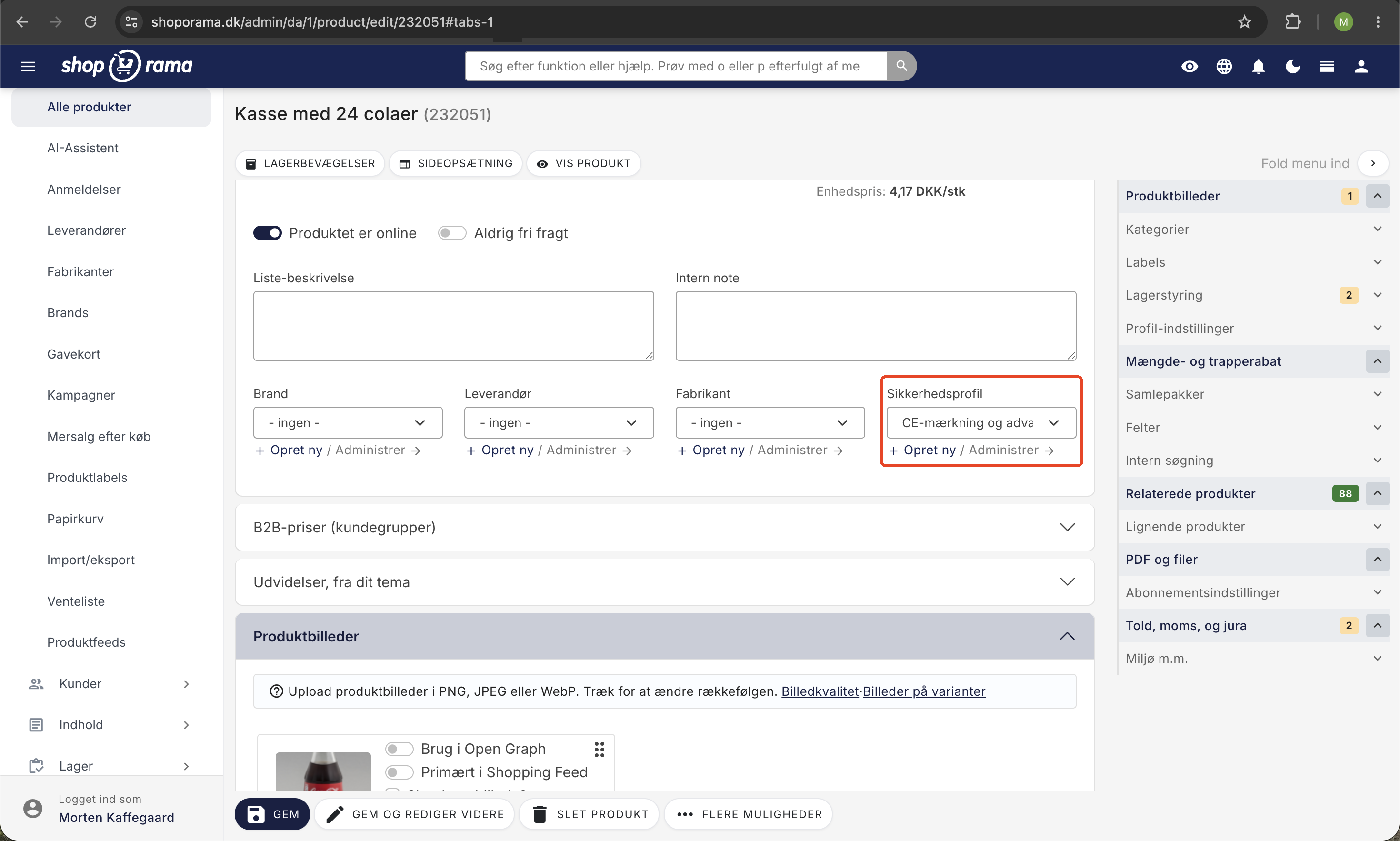
You can also create a new manufacturer directly from the product editing screen using the button next to the dropdown field.
4. Display in the online store
When a manufacturer and/or safety profile is associated with a product, the information automatically appears on the product page in a “Product Safety” section. The following information is displayed:
- The manufacturer’s name, address, email, and website
- EU representative (if the manufacturer is outside the EU)
- Images from the safety profile (e.g., CE marks)
Add GPSR fields via AI
You can fill out GPSR fields for multiple products at once by asking an AI assistant to do so. The AI can create new manufacturers, link them to products, and set safety profiles—so you don’t have to click through each individual product.
Please note that the AI works with fields and text. It cannot upload images of CE marks or scan PDFs containing data sheets—you’ll need to add those to the safety profile yourself.
Examples of prompts you can copy:
Create a manufacturer named Example GmbH with the address Beispielstraße 12, 99999 Beispielstadt and email info@eksempel.de, and link it to all products in the Bicycle Helmets category.Mark the manufacturer Shenzhen Toys Ltd. as being outside the EU, and add the EU representative Example Compliance ApS, Example Road 1, 9999 Example City, kontakt@eksempelcompliance.dk.Show me all products that are missing a manufacturer, and suggest which ones should have the same manufacturer based on the name.Read more about how you can manage your store with an AI assistant in the blog post “Now You Can Manage Your Entire Web Store via Chat.”
Import via CSV
You can also associate manufacturers via CSV import. Use the ` manufacturer_name` column in your import file. If the manufacturer does not already exist, it will be created automatically.
REST API
Manufacturers can also be managed via the REST API:
- GET /REST/manufacturer — List all manufacturers
- POST /REST/manufacturer — Create a new manufacturer
- PUT /REST/manufacturer/{id} — Update a manufacturer
For products, you can set the manufacturer_id and safety_profile_id via the product API. See the REST API documentation for details.
Need help? Contact us at support@shoporama.dk.
Related articles
Create security profiles
Guide to creating security profiles for products in Shoporama according to EU regulations.
Stepper discount on products
Here's how to set up volume discounts so customers get a better unit price when they buy multiple units of the same product. This is set up for...
Unsubscribe links in automatic emails
Give your customers the option to unsubscribe from automatic follow-up emails after purchases and product reviews - with a simple link in the email.
Related features
GPSR
GPSR is an EU product safety regulation that requires safety information on all products. Read about GPSR requirements for webshops.
Environmental data on products
Record environmental data on your products with Shoporama. Packaging, electronics (WEEE) and batteries. Export summarized data for EPR reporting.